Setting Up Your Computer and Badge
การตั้งค่าคอมพิวเตอร์และบัตรพนักงาน
Jack helps Emma log in to her computer and explains how to use her badge. Emma checks that she understands the simple instructions.
แจ็กช่วยเอมมาเข้าสู่ระบบคอมพิวเตอร์และอธิบายวิธีใช้บัตรพนักงาน เอมมาทวนคำแนะนำง่าย ๆ เพื่อให้แน่ใจว่าเข้าใจแล้ว
บทสนทนา9
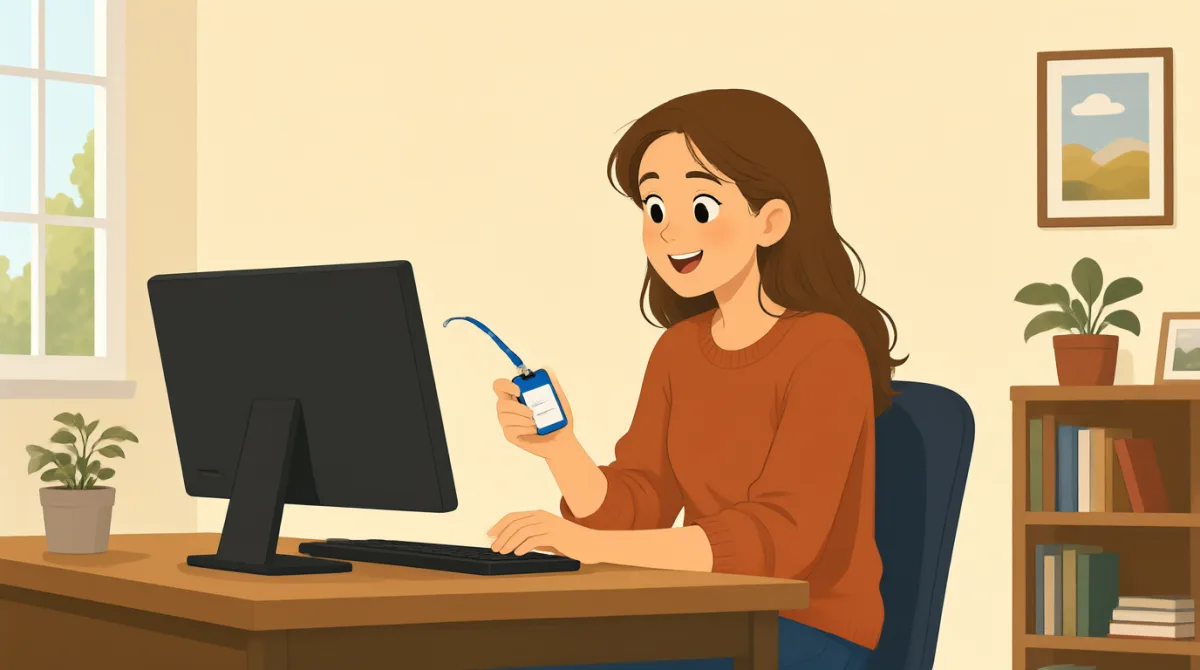

Hi, Jack. Could you help me set up my computer?
หวัดดี แจ็ก ช่วยตั้งค่าคอมพิวเตอร์ให้หน่อยได้ไหม?

Sure. First, turn it on and enter your username here.
ได้เลย ก่อนอื่นเปิดเครื่อง แล้วกรอกชื่อผู้ใช้ตรงนี้
Okay. I have my username, but where do I find the password?
โอเค ฉันมีชื่อผู้ใช้แล้ว แต่จะหารหัสผ่านได้จากที่ไหนเหรอ?
It’s in this welcome email. Use the temporary password to log in.
อยู่ในอีเมลต้อนรับฉบับนี้ ใช้รหัสผ่านชั่วคราวเพื่อเข้าสู่ระบบนะ
I’m in! Should I change the password now?
เข้าได้แล้ว! ฉันควรเปลี่ยนรหัสผ่านตอนนี้เลยไหม?
Yes. Click your name at the top, then choose “Change password.”
ใช่ คลิกชื่อของเธอที่ด้านบน แล้วเลือก “Change password”
Got it. And how do I use my badge to get in?
เข้าใจแล้ว แล้วฉันต้องใช้บัตรพนักงานเข้าไปยังไงเหรอ?
Hold it next to the reader by the door. Wait for the green light.
เอาบัตรไปแตะใกล้เครื่องอ่านข้างประตู แล้วรอจนไฟเขียวติดนะ
So, I tap my badge and wait for green. Thanks for showing me!
งั้นฉันก็แตะบัตรพนักงาน แล้วรอให้ไฟเขียว ขอบคุณที่สอนนะ!
คำศัพท์8
- set up my computerตั้งค่าคอมพิวเตอร์ของฉัน
To prepare a computer so it is ready to use. You can say, “Could you help me set up my phone?”
เตรียมคอมพิวเตอร์ให้พร้อมใช้งาน คุณพูดได้ว่า “Could you help me set up my phone?” (ช่วยตั้งค่าโทรศัพท์ให้หน่อยได้ไหม?)
- turn it onเปิดเครื่อง
To start a computer or other device. Use “turn it on” when you want someone to switch on a device.
เริ่มใช้งานคอมพิวเตอร์หรืออุปกรณ์อื่น ๆ ใช้ “turn it on” เวลาต้องการบอกให้ใครเปิดอุปกรณ์
- enter your usernameกรอกชื่อผู้ใช้ของคุณ
To type the name you use to sign in. You can say, “Enter your username here.”
พิมพ์ชื่อที่คุณใช้เข้าสู่ระบบ คุณพูดได้ว่า “Enter your username here.” (กรอกชื่อผู้ใช้ของคุณตรงนี้)
- temporary passwordรหัสผ่านชั่วคราว
A password you use for a short time, often before choosing a new one. You may need to change it after you log in.
รหัสผ่านที่ใช้ในช่วงเวลาสั้น ๆ โดยมักใช้ก่อนตั้งรหัสผ่านใหม่ หลังจากเข้าสู่ระบบแล้ว คุณอาจต้องเปลี่ยนรหัสผ่านนี้
- log inเข้าสู่ระบบ
To enter your username and password to use a computer or account. You can say, “I need to log in to my email.”
กรอกชื่อผู้ใช้และรหัสผ่านเพื่อใช้งานคอมพิวเตอร์หรือบัญชี คุณพูดได้ว่า “I need to log in to my email.” (ฉันต้องเข้าสู่ระบบอีเมล)
- change the passwordเปลี่ยนรหัสผ่าน
To choose a different password for your account. You can ask, “Should I change my password now?”
เลือกรหัสผ่านใหม่สำหรับบัญชีของคุณ คุณถามได้ว่า “Should I change my password now?” (ฉันควรเปลี่ยนรหัสผ่านตอนนี้เลยไหม?)
- badgeบัตรพนักงาน
A card or tag that shows who you are and can give you access to a building. You can use it by holding it next to a door reader.
บัตรหรือป้ายที่ระบุว่าคุณเป็นใคร และใช้ผ่านเข้าอาคารได้ คุณใช้บัตรได้โดยแตะไว้ใกล้เครื่องอ่านข้างประตู
- green lightไฟเขียว
A green signal that shows it is okay to go ahead. At a door, wait for the green light after using your badge.
สัญญาณสีเขียวที่แสดงว่าสามารถผ่านไปได้ ที่ประตู ให้รอจนไฟเขียวติดหลังจากใช้บัตรพนักงาน
ประโยคสำคัญ8
- 1
Could you help me set up my computer?
ช่วยตั้งค่าคอมพิวเตอร์ให้หน่อยได้ไหม?
Use this polite question when you need help preparing a computer or another device. Replace “set up my computer” with the task you need help with.
ใช้คำถามสุภาพนี้เมื่อต้องการให้ใครช่วยเตรียมคอมพิวเตอร์หรืออุปกรณ์อื่น ๆ เปลี่ยน “set up my computer” เป็นงานที่คุณต้องการให้ช่วยได้
- 2
First, turn it on and enter your username here.
ก่อนอื่น เปิดเครื่องแล้วกรอกชื่อผู้ใช้ตรงนี้
This gives two simple instructions in order. Use “First” to explain the first step in a process.
ประโยคนี้บอกคำแนะนำง่าย ๆ สองขั้นตอนตามลำดับ ใช้ “First” เพื่อบอกขั้นตอนแรกของกระบวนการ
- 3
Where do I find the password?
ฉันจะหารหัสผ่านได้จากที่ไหน?
Use this question when you need to know where something is. You can replace “the password” with another item, such as “the meeting room.”
ใช้คำถามนี้เมื่อต้องการรู้ว่าสิ่งหนึ่งอยู่ที่ไหน คุณเปลี่ยน “the password” เป็นสิ่งอื่นได้ เช่น “the meeting room”
- 4
Use the temporary password to log in.
ใช้รหัสผ่านชั่วคราวเพื่อเข้าสู่ระบบ
This is a short instruction for signing in with a temporary password. Replace “the temporary password” with another thing someone should use.
นี่คือคำสั่งสั้น ๆ ให้เข้าสู่ระบบด้วยรหัสผ่านชั่วคราว เปลี่ยน “the temporary password” เป็นสิ่งอื่นที่ควรใช้ได้
- 5
Should I change the password now?
ฉันควรเปลี่ยนรหัสผ่านตอนนี้เลยไหม?
Use “Should I...?” to check whether you need to do something. Replace “change the password” with another action.
ใช้ “Should I...?” เพื่อถามว่าคุณต้องทำอะไรหรือไม่ เปลี่ยน “change the password” เป็นการกระทำอื่นได้
- 6
Click your name at the top, then choose “Change password.”
คลิกชื่อของคุณที่ด้านบน แล้วเลือก “Change password”
This explains two steps for using a computer. Use “then” to show what to do next.
ประโยคนี้อธิบายสองขั้นตอนในการใช้คอมพิวเตอร์ ใช้ “then” เพื่อบอกว่าต้องทำอะไรต่อ
- 7
Hold it next to the reader by the door.
เอาบัตรไปแตะใกล้เครื่องอ่านข้างประตู
This gives a clear instruction for using a badge or card. Replace “it” with the item you need to hold near the reader.
นี่คือคำแนะนำที่ชัดเจนสำหรับการใช้บัตรพนักงานหรือบัตรอื่น ๆ เปลี่ยน “it” เป็นสิ่งที่คุณต้องเอาไปแตะใกล้เครื่องอ่าน
- 8
So, I tap my badge and wait for green.
งั้นฉันก็แตะบัตรพนักงาน แล้วรอให้ไฟเขียว
Use “So” to repeat instructions and check that you understand them. You can describe the steps you will take in the same way.
ใช้ “So” เพื่อทวนคำแนะนำและตรวจสอบว่าคุณเข้าใจแล้ว คุณอธิบายขั้นตอนที่กำลังจะทำในลักษณะเดียวกันนี้ได้