Setting Up Your Computer and Badge
Configurar la computadora y la tarjeta de acceso
Jack helps Emma log in to her computer and explains how to use her badge. Emma checks that she understands the simple instructions.
Jack ayuda a Emma a iniciar sesión en su computadora y le explica cómo usar su tarjeta de acceso. Emma confirma que entiende las instrucciones sencillas.
Diálogo9
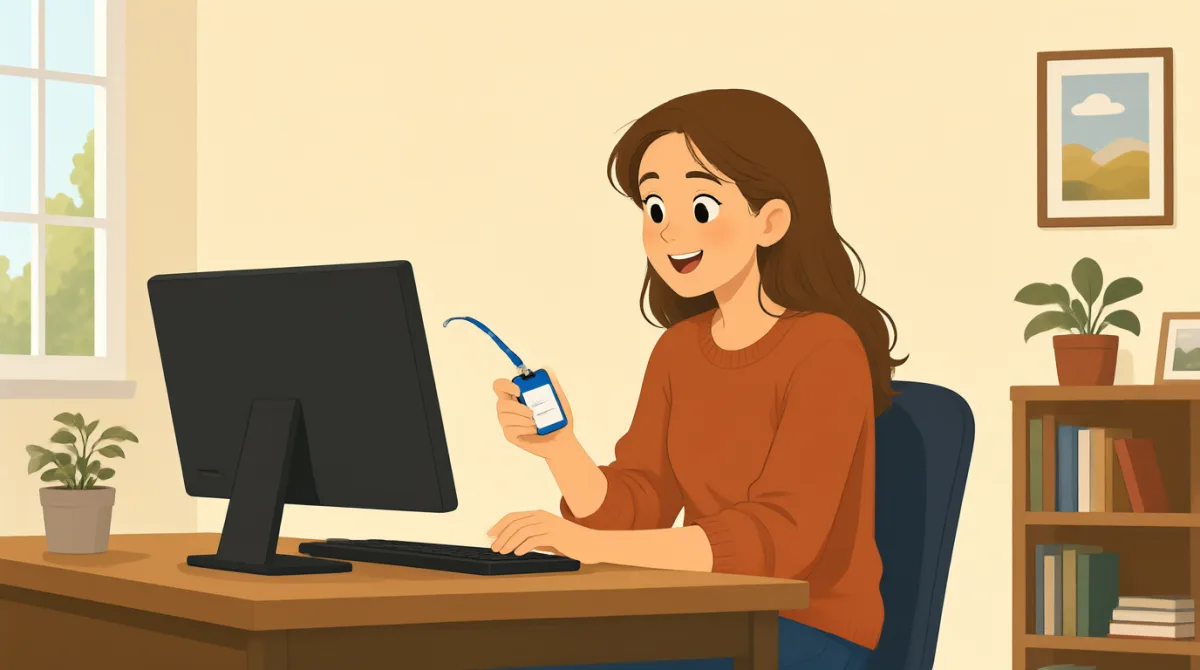

Hi, Jack. Could you help me set up my computer?
Hola, Jack. ¿Podrías ayudarme a configurar mi computadora?

Sure. First, turn it on and enter your username here.
Claro. Primero, enciéndela e introduce aquí tu nombre de usuario.
Okay. I have my username, but where do I find the password?
De acuerdo. Tengo mi nombre de usuario, pero ¿dónde encuentro la contraseña?
It’s in this welcome email. Use the temporary password to log in.
Está en este correo de bienvenida. Usa la contraseña temporal para iniciar sesión.
I’m in! Should I change the password now?
¡Ya entré! ¿Debería cambiar la contraseña ahora?
Yes. Click your name at the top, then choose “Change password.”
Sí. Haz clic en tu nombre, arriba, y luego elige “Cambiar contraseña”.
Got it. And how do I use my badge to get in?
Entendido. ¿Y cómo uso mi tarjeta para entrar?
Hold it next to the reader by the door. Wait for the green light.
Acércala al lector que está junto a la puerta. Espera a que se encienda la luz verde.
So, I tap my badge and wait for green. Thanks for showing me!
Entonces, acerco mi tarjeta y espero a que se encienda la luz verde. ¡Gracias por explicármelo!
Vocabulario8
- set up my computerconfigurar mi computadora
To prepare a computer so it is ready to use. You can say, “Could you help me set up my phone?”
Preparar una computadora para que esté lista para usar. Puedes decir: “Could you help me set up my phone?” (¿Podrías ayudarme a configurar mi teléfono?).
- turn it onencenderla
To start a computer or other device. Use “turn it on” when you want someone to switch on a device.
Poner en marcha una computadora u otro dispositivo. Usa “turn it on” cuando quieras pedirle a alguien que encienda un dispositivo.
- enter your usernameintroducir tu nombre de usuario
To type the name you use to sign in. You can say, “Enter your username here.”
Escribir el nombre que usas para iniciar sesión. Puedes decir: “Enter your username here.” (Introduce aquí tu nombre de usuario).
- temporary passwordcontraseña temporal
A password you use for a short time, often before choosing a new one. You may need to change it after you log in.
Una contraseña que usas durante poco tiempo, a menudo antes de elegir una nueva. Quizá tengas que cambiarla después de iniciar sesión.
- log ininiciar sesión
To enter your username and password to use a computer or account. You can say, “I need to log in to my email.”
Introducir tu nombre de usuario y contraseña para usar una computadora o una cuenta. Puedes decir: “I need to log in to my email.” (Tengo que iniciar sesión en mi correo electrónico).
- change the passwordcambiar la contraseña
To choose a different password for your account. You can ask, “Should I change my password now?”
Elegir una contraseña diferente para tu cuenta. Puedes preguntar: “Should I change my password now?” (¿Debería cambiar mi contraseña ahora?).
- badgetarjeta de acceso
A card or tag that shows who you are and can give you access to a building. You can use it by holding it next to a door reader.
Una tarjeta o credencial que indica quién eres y puede permitirte entrar a un edificio. Para usarla, acércala al lector de la puerta.
- green lightluz verde
A green signal that shows it is okay to go ahead. At a door, wait for the green light after using your badge.
Una señal verde que indica que puedes seguir adelante. En una puerta, después de usar tu tarjeta, espera a que se encienda la luz verde.
Frases clave8
- 1
Could you help me set up my computer?
¿Podrías ayudarme a configurar mi computadora?
Use this polite question when you need help preparing a computer or another device. Replace “set up my computer” with the task you need help with.
Usa esta pregunta cortés cuando necesites ayuda para preparar una computadora u otro dispositivo. Sustituye “set up my computer” por la tarea con la que necesitas ayuda.
- 2
First, turn it on and enter your username here.
Primero, enciéndela e introduce aquí tu nombre de usuario.
This gives two simple instructions in order. Use “First” to explain the first step in a process.
Esta frase da dos instrucciones sencillas en orden. Usa “First” para indicar el primer paso de un proceso.
- 3
Where do I find the password?
¿Dónde encuentro la contraseña?
Use this question when you need to know where something is. You can replace “the password” with another item, such as “the meeting room.”
Usa esta pregunta cuando quieras saber dónde está algo. Puedes sustituir “the password” por otra cosa, como “the meeting room” (la sala de reuniones).
- 4
Use the temporary password to log in.
Usa la contraseña temporal para iniciar sesión.
This is a short instruction for signing in with a temporary password. Replace “the temporary password” with another thing someone should use.
Esta es una instrucción breve para iniciar sesión con una contraseña temporal. Sustituye “the temporary password” por otra cosa que alguien deba usar.
- 5
Should I change the password now?
¿Debería cambiar la contraseña ahora?
Use “Should I...?” to check whether you need to do something. Replace “change the password” with another action.
Usa “Should I...?” para comprobar si tienes que hacer algo. Sustituye “change the password” por otra acción.
- 6
Click your name at the top, then choose “Change password.”
Haz clic en tu nombre, arriba, y luego elige “Cambiar contraseña”.
This explains two steps for using a computer. Use “then” to show what to do next.
Esta frase explica dos pasos para usar una computadora. Usa “then” para indicar qué hacer a continuación.
- 7
Hold it next to the reader by the door.
Acércala al lector que está junto a la puerta.
This gives a clear instruction for using a badge or card. Replace “it” with the item you need to hold near the reader.
Esta es una instrucción clara para usar una tarjeta o credencial. Sustituye “it” por el objeto que tienes que acercar al lector.
- 8
So, I tap my badge and wait for green.
Entonces, acerco mi tarjeta y espero a que se encienda la luz verde.
Use “So” to repeat instructions and check that you understand them. You can describe the steps you will take in the same way.
Usa “So” para repetir instrucciones y comprobar que las entiendes. También puedes describir de esta manera los pasos que vas a seguir.