Setting Up Your Computer and Badge
パソコンと入館証の設定
Jack helps Emma log in to her computer and explains how to use her badge. Emma checks that she understands the simple instructions.
ジャックがエマのパソコンへのログインを手伝い、入館証の使い方を説明します。エマは簡単な説明を理解できたか確認します。
会話9
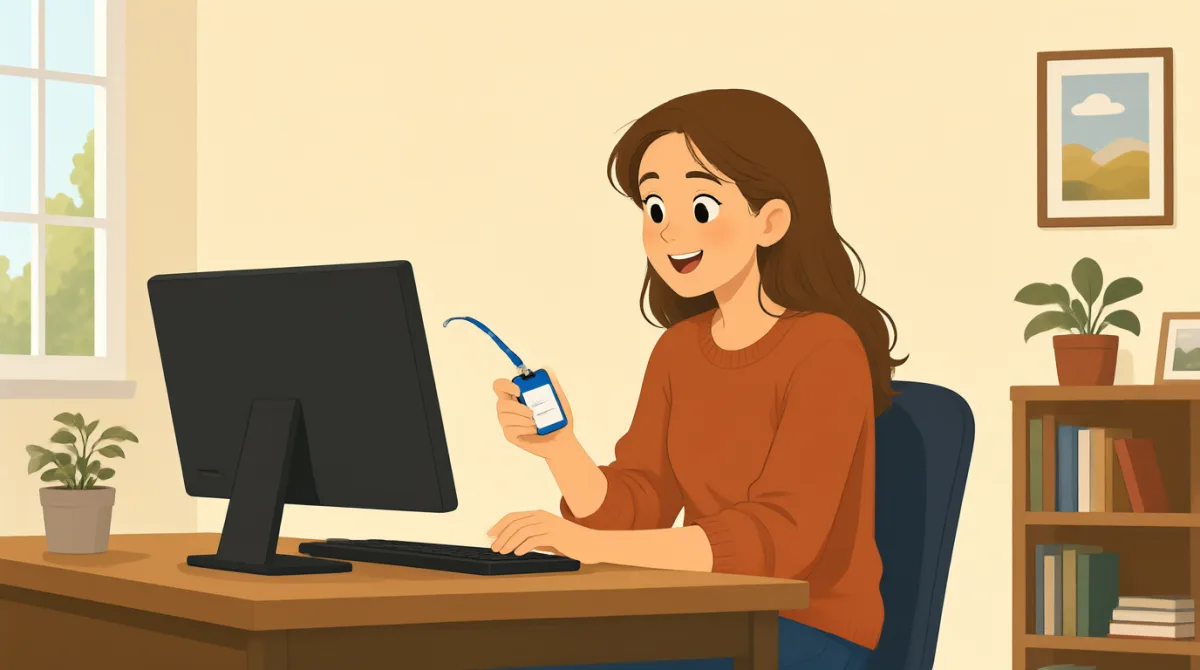

Hi, Jack. Could you help me set up my computer?
こんにちは、ジャック。パソコンの設定を手伝ってもらえますか?

Sure. First, turn it on and enter your username here.
もちろんです。まず電源を入れて、ここにユーザー名を入力してください。
Okay. I have my username, but where do I find the password?
わかりました。ユーザー名はありますが、パスワードはどこで確認できますか?
It’s in this welcome email. Use the temporary password to log in.
このウェルカムメールに書いてあります。一時パスワードを使ってログインしてください。
I’m in! Should I change the password now?
ログインできました!今すぐパスワードを変更したほうがいいですか?
Yes. Click your name at the top, then choose “Change password.”
はい。上部にある自分の名前をクリックして、「パスワードを変更」を選んでください。
Got it. And how do I use my badge to get in?
わかりました。それから、入館証で入るにはどうすればいいですか?
Hold it next to the reader by the door. Wait for the green light.
ドアの横にある読み取り機にかざしてください。緑のランプが点くまで待ちます。
So, I tap my badge and wait for green. Thanks for showing me!
つまり、入館証をかざして、緑のランプが点くのを待てばいいんですね。教えてくれてありがとうございます!
語彙8
- set up my computerパソコンを設定する
To prepare a computer so it is ready to use. You can say, “Could you help me set up my phone?”
パソコンを使える状態にすることです。「Could you help me set up my phone?」(スマートフォンの設定を手伝ってもらえますか?)のようにも言えます。
- turn it on電源を入れる
To start a computer or other device. Use “turn it on” when you want someone to switch on a device.
パソコンなどの機器を起動することです。機器の電源を入れてほしいときに「turn it on」と言います。
- enter your usernameユーザー名を入力する
To type the name you use to sign in. You can say, “Enter your username here.”
サインインに使う名前を入力することです。「Enter your username here.」(ここにユーザー名を入力してください。)と言えます。
- temporary password一時パスワード
A password you use for a short time, often before choosing a new one. You may need to change it after you log in.
新しいパスワードを設定するまでなど、短期間だけ使うパスワードです。ログイン後に変更が必要な場合があります。
- log inログインする
To enter your username and password to use a computer or account. You can say, “I need to log in to my email.”
パソコンやアカウントを使うために、ユーザー名とパスワードを入力することです。「I need to log in to my email.」(メールにログインする必要があります。)と言えます。
- change the passwordパスワードを変更する
To choose a different password for your account. You can ask, “Should I change my password now?”
アカウントのパスワードを別のものにすることです。「Should I change my password now?」(今、パスワードを変更したほうがいいですか?)と尋ねることができます。
- badge入館証
A card or tag that shows who you are and can give you access to a building. You can use it by holding it next to a door reader.
本人確認に使うカードやタグで、建物に入るためにも使えます。ドアの読み取り機にかざして使います。
- green light緑のランプ
A green signal that shows it is okay to go ahead. At a door, wait for the green light after using your badge.
進んでもよいことを知らせる緑色の合図です。ドアでは、入館証を使ったあとに緑のランプが点くまで待ちます。
重要な文8
- 1
Could you help me set up my computer?
パソコンの設定を手伝ってもらえますか?
Use this polite question when you need help preparing a computer or another device. Replace “set up my computer” with the task you need help with.
パソコンや別の機器の準備を手伝ってほしいときに使う丁寧な質問です。「set up my computer」の部分を、手伝ってほしい作業に置き換えて使えます。
- 2
First, turn it on and enter your username here.
まず電源を入れて、ここにユーザー名を入力してください。
This gives two simple instructions in order. Use “First” to explain the first step in a process.
簡単な指示を順番に2つ伝える表現です。手順の最初を示すときに「First」を使います。
- 3
Where do I find the password?
パスワードはどこで確認できますか?
Use this question when you need to know where something is. You can replace “the password” with another item, such as “the meeting room.”
何かがどこにあるのか知りたいときに使う質問です。「the password」を「the meeting room」(会議室)のような別のものに置き換えられます。
- 4
Use the temporary password to log in.
一時パスワードを使ってログインしてください。
This is a short instruction for signing in with a temporary password. Replace “the temporary password” with another thing someone should use.
一時パスワードでサインインするための短い指示です。「the temporary password」を、使うように伝えたい別のものに置き換えられます。
- 5
Should I change the password now?
今、パスワードを変更したほうがいいですか?
Use “Should I...?” to check whether you need to do something. Replace “change the password” with another action.
何かをする必要があるか確認するときは「Should I...?」を使います。「change the password」を別の行動に置き換えられます。
- 6
Click your name at the top, then choose “Change password.”
上部にある自分の名前をクリックして、次に「パスワードを変更」を選んでください。
This explains two steps for using a computer. Use “then” to show what to do next.
パソコンの操作を2つの手順に分けて説明しています。次にすることを示すには「then」を使います。
- 7
Hold it next to the reader by the door.
ドアの横にある読み取り機にかざしてください。
This gives a clear instruction for using a badge or card. Replace “it” with the item you need to hold near the reader.
入館証やカードの使い方をはっきり伝える指示です。「it」を、読み取り機の近くにかざすものに置き換えられます。
- 8
So, I tap my badge and wait for green.
つまり、入館証をかざして、緑のランプが点くのを待てばいいんですね。
Use “So” to repeat instructions and check that you understand them. You can describe the steps you will take in the same way.
説明を繰り返して、理解できているか確認するときに「So」を使います。同じように、自分がする手順を伝えることができます。