Fixing a Mistake
Bir Hatayı Düzeltmek
Emma clicks the wrong button and changes a task by mistake. Jack calmly helps her undo the change and try again.
Emma yanlış düğmeye tıklayıp yanlışlıkla bir görevi değiştirir. Jack sakin bir şekilde değişikliği geri almasına ve yeniden denemesine yardımcı olur.
Diyalog9
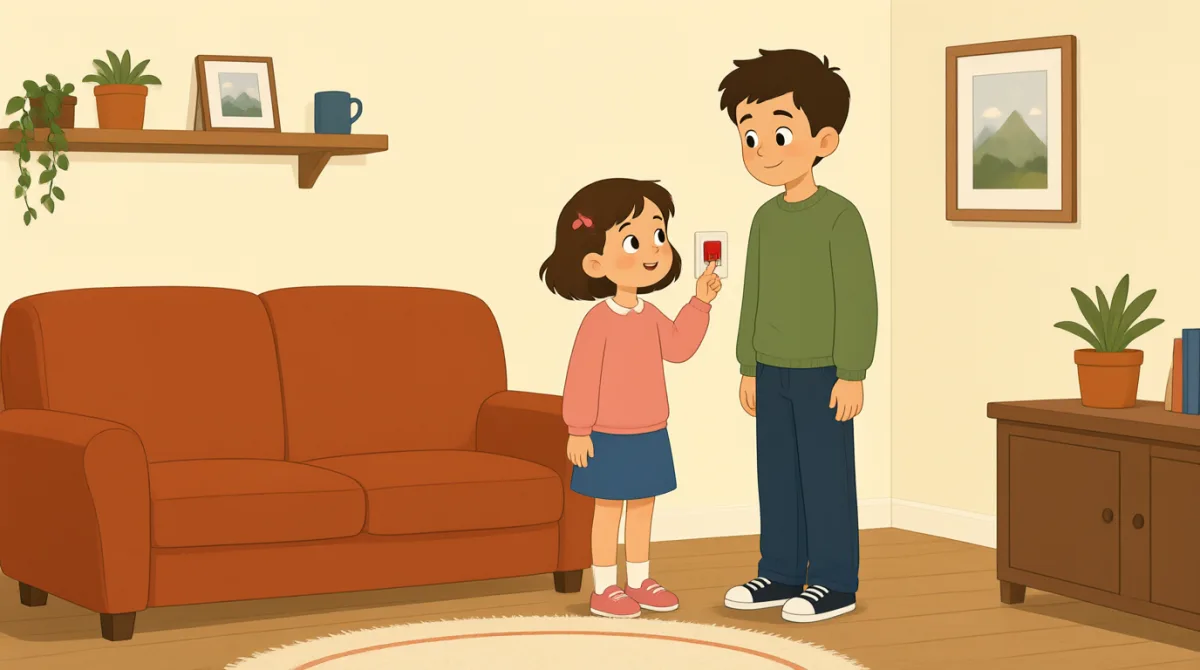

Oh no, I clicked the wrong button. I changed the task by mistake.
Eyvah, yanlış düğmeye tıkladım. Görevi yanlışlıkla değiştirdim.

That’s okay, Emma. We can undo it. Look at the top of the page.
Sorun değil, Emma. Geri alabiliriz. Sayfanın üst kısmına bak.
I see a little arrow. Should I click the one on the left?
Küçük bir ok görüyorum. Soldakine mi tıklamalıyım?
Yes, click the left arrow once. That will undo your last change.
Evet, sol oka bir kez tıkla. Böylece son değişikliğini geri alırsın.
Okay, I clicked it. The task looks right again now.
Tamam, tıkladım. Görev şimdi yeniden doğru görünüyor.
Great. Now try again, but take it one step at a time.
Harika. Şimdi yeniden dene ama adım adım ilerle.
I’ll open the task first, then choose the right button.
Önce görevi açacağım, sonra doğru düğmeyi seçeceğim.
That’s right. Check the change before you save it.
Aynen. Kaydetmeden önce yaptığın değişikliği kontrol et.
Got it. I’ll check it first next time. Thanks for helping me.
Anladım. Bir dahaki sefere önce kontrol edeceğim. Yardım ettiğin için teşekkürler.
Kelime Bilgisi8
- by mistakeyanlışlıkla
This means you did something accidentally, not on purpose. Use it to explain how an error happened.
Bu ifade, bir şeyi bilerek değil, kazara yaptığın anlamına gelir. Bir hatanın nasıl olduğunu açıklarken kullanabilirsin.
- undo itgeri almak
This means to cancel a change and return to how something was before. Use it when you want to fix a recent action.
Bu ifade, bir değişikliği iptal edip önceki hâline dönmek anlamına gelir. Yakın zamanda yaptığın bir işlemi düzeltmek istediğinde kullanabilirsin.
- the top of the pagesayfanın üst kısmı
This means the upper part of a page on a screen. Use it to tell someone where to look.
Bu ifade, ekrandaki bir sayfanın en üst bölümünü anlatır. Birine nereye bakacağını söylerken kullanabilirsin.
- oncebir kez
Here, this means one time. Use it when giving a simple instruction about how many times to click or do something.
Burada bu ifade, bir defa anlamına gelir. Bir şeye kaç kez tıklanacağını veya yapılacağını söyleyen basit bir yönerge verirken kullanabilirsin.
- last changeson değişiklik
This means the most recent change you made. You can use it when talking about editing a task or document.
Bu ifade, yaptığın en son değişikliği anlatır. Bir görevi veya belgeyi düzenlemekten söz ederken kullanabilirsin.
- one step at a timeadım adım
This means doing things slowly, in order, one after another. Use it to give calm advice.
Bu ifade, işleri yavaşça ve sırayla, birer birer yapmak anlamına gelir. Sakin bir tavsiye verirken kullanabilirsin.
- try againyeniden denemek
This means to make another attempt. Use it when someone can repeat an action after a mistake.
Bu ifade, bir kez daha denemek anlamına gelir. Birisi bir hata yaptıktan sonra bir işlemi tekrarlayabildiğinde kullanabilirsin.
- save itkaydetmek
This means to store a change so it stays in the software. Use it when you finish editing something.
Bu ifade, bir değişikliği yazılımda kalıcı olacak şekilde saklamak anlamına gelir. Bir şeyi düzenlemeyi bitirdiğinde kullanabilirsin.
Önemli Cümleler8
- 1
We can undo it.
Geri alabiliriz.
This is a reassuring way to say that a mistake can be fixed. Use “We can…” to offer help with a problem.
Bu, bir hatanın düzeltilebileceğini güven verici bir şekilde söylemenin yoludur. Bir soruna yardımcı olmayı teklif ederken “We can…” kalıbını kullan.
- 2
Should I click the one on the left?
Soldakine mi tıklamalıyım?
This is a useful way to check which option to choose. Replace “the one on the left” with another option when needed.
Bu, hangi seçeneği seçmen gerektiğini sormanın kullanışlı bir yoludur. Gerektiğinde “the one on the left” ifadesini başka bir seçenekle değiştirebilirsin.
- 3
That will undo your last change.
Böylece son değişikliğini geri alırsın.
This explains what an action will do. Use “That will…” to describe the result of a button or step.
Bu cümle, bir işlemin ne yapacağını açıklar. Bir düğmenin veya adımın sonucunu anlatırken “That will…” kalıbını kullan.
- 4
The task looks right again now.
Görev şimdi yeniden doğru görünüyor.
This is a simple way to say that something appears correct after a fix. You can replace “the task” with another item.
Bu, bir şeyin düzeltildikten sonra doğru göründüğünü söylemenin basit bir yoludur. “the task” yerine başka bir öğe koyabilirsin.
- 5
Now try again, but take it one step at a time.
Şimdi yeniden dene ama adım adım ilerle.
This gives gentle advice to repeat an action carefully. Use “take it one step at a time” when someone should go slowly.
Bu cümle, bir işlemi dikkatlice tekrarlaman için nazikçe tavsiye verir. Birinin yavaş ilerlemesi gerektiğinde “take it one step at a time” ifadesini kullan.
- 6
I’ll open the task first, then choose the right button.
Önce görevi açacağım, sonra doğru düğmeyi seçeceğim.
This describes a plan with two actions in order. Use “first, then…” to explain the steps you will follow.
Bu cümle, sırayla yapılacak iki işlemi anlatır. İzleyeceğin adımları açıklarken “first, then…” kalıbını kullan.
- 7
Check the change before you save it.
Kaydetmeden önce değişikliği kontrol et.
This is a clear instruction to review something before storing it. You can use “Check [something] before you [action]” for other tasks.
Bu, bir şeyi kaydetmeden önce gözden geçirmen için açık bir yönergedir. Başka işler için de “Check [something] before you [action]” kalıbını kullanabilirsin.
- 8
I’ll check it first next time.
Bir dahaki sefere önce kontrol edeceğim.
This is a useful way to say what you will do differently in the future. Use “I’ll… next time” to describe a plan after a mistake.
Bu, gelecekte neyi farklı yapacağını söylemenin kullanışlı bir yoludur. Bir hatadan sonra planını anlatırken “I’ll… next time” kalıbını kullan.