Fixing a Mistake
تصحيح خطأ
Emma clicks the wrong button and changes a task by mistake. Jack calmly helps her undo the change and try again.
تنقر إيما على الزر الخطأ، فتغيّر مهمةً عن طريق الخطأ. يساعدها جاك بهدوء على التراجع عن التغيير والمحاولة من جديد.
حوار9
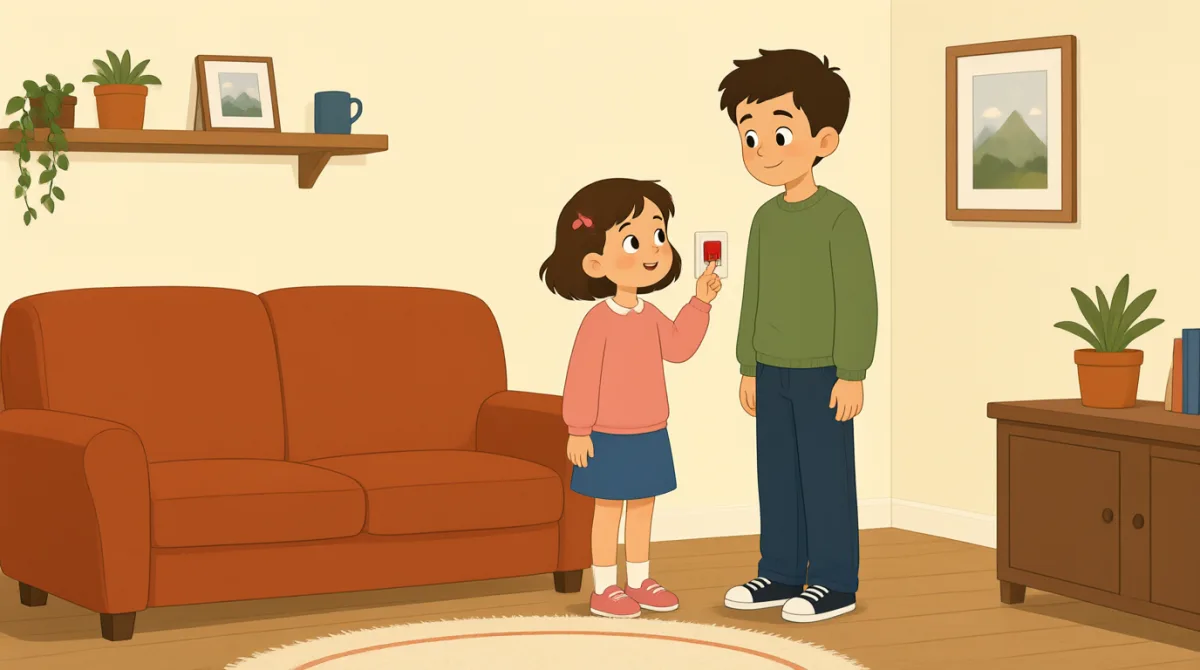

Oh no, I clicked the wrong button. I changed the task by mistake.
أوه لا، نقرت على الزر الخطأ. غيّرت المهمة عن طريق الخطأ.

That’s okay, Emma. We can undo it. Look at the top of the page.
لا بأس يا إيما. يمكننا التراجع عن ذلك. انظري إلى أعلى الصفحة.
I see a little arrow. Should I click the one on the left?
أرى سهماً صغيراً. هل أنقر على السهم الموجود على اليسار؟
Yes, click the left arrow once. That will undo your last change.
نعم، انقري على السهم الأيسر مرة واحدة. سيؤدي ذلك إلى التراجع عن آخر تغيير أجريتِه.
Okay, I clicked it. The task looks right again now.
حسناً، نقرت عليه. تبدو المهمة صحيحة من جديد الآن.
Great. Now try again, but take it one step at a time.
رائع. حاولي الآن مرة أخرى، لكن خذي الأمور خطوةً خطوة.
I’ll open the task first, then choose the right button.
سأفتح المهمة أولاً، ثم أختار الزر الصحيح.
That’s right. Check the change before you save it.
صحيح. تحققي من التغيير قبل حفظه.
Got it. I’ll check it first next time. Thanks for helping me.
فهمت. سأتحقق منه أولاً في المرة القادمة. شكراً لمساعدتي.
المفردات8
- by mistakeعن طريق الخطأ
This means you did something accidentally, not on purpose. Use it to explain how an error happened.
تعني العبارة “by mistake” (عن طريق الخطأ) أنك فعلت شيئاً دون قصد. استخدميها لتوضيح كيف وقع الخطأ.
- undo itالتراجع عنه
This means to cancel a change and return to how something was before. Use it when you want to fix a recent action.
تعني العبارة “undo it” (التراجع عنه) إلغاء تغيير وإعادة الشيء إلى حالته السابقة. استخدميها عندما تريدين إصلاح إجراء حديث.
- the top of the pageأعلى الصفحة
This means the upper part of a page on a screen. Use it to tell someone where to look.
تعني العبارة “the top of the page” (أعلى الصفحة) الجزء العلوي من صفحة على الشاشة. استخدميها لتخبري شخصاً أين ينظر.
- onceمرة واحدة
Here, this means one time. Use it when giving a simple instruction about how many times to click or do something.
تعني كلمة “once” (مرة واحدة) هنا القيام بالشيء مرةً واحدة. استخدميها عند إعطاء تعليمات بسيطة حول عدد مرات النقر أو القيام بشيء ما.
- last changeآخر تغيير
This means the most recent change you made. You can use it when talking about editing a task or document.
تعني عبارة “last change” (آخر تغيير) أحدث تغيير أجريته. يمكنك استخدامها عند الحديث عن تعديل مهمة أو مستند.
- one step at a timeخطوةً خطوة
This means doing things slowly, in order, one after another. Use it to give calm advice.
تعني عبارة “one step at a time” (خطوةً خطوة) القيام بالأشياء ببطء وبالترتيب، واحداً تلو الآخر. استخدميها لتقديم نصيحة هادئة.
- try againحاول مرة أخرى
This means to make another attempt. Use it when someone can repeat an action after a mistake.
تعني عبارة “try again” (حاول مرة أخرى) القيام بمحاولة جديدة. استخدميها عندما يستطيع شخص تكرار إجراء بعد ارتكاب خطأ.
- save itاحفظه
This means to store a change so it stays in the software. Use it when you finish editing something.
تعني عبارة “save it” (احفظه) تخزين تغيير ليبقى محفوظاً في البرنامج. استخدميها عند الانتهاء من تعديل شيء ما.
الجمل الأساسية8
- 1
We can undo it.
يمكننا التراجع عن ذلك.
This is a reassuring way to say that a mistake can be fixed. Use “We can…” to offer help with a problem.
هذه طريقة مطمئنة للقول إن بالإمكان إصلاح خطأ. استخدمي “We can…” (يمكننا...) لعرض المساعدة في حل مشكلة.
- 2
Should I click the one on the left?
هل أنقر على الزر الموجود على اليسار؟
This is a useful way to check which option to choose. Replace “the one on the left” with another option when needed.
هذه طريقة مفيدة للتأكد من الخيار الذي ينبغي اختياره. استبدلي “the one on the left” (الخيار الموجود على اليسار) بخيار آخر عند الحاجة.
- 3
That will undo your last change.
سيؤدي ذلك إلى التراجع عن آخر تغيير أجريتِه.
This explains what an action will do. Use “That will…” to describe the result of a button or step.
توضح هذه الجملة ما الذي سيفعله إجراء ما. استخدمي “That will…” (سيؤدي ذلك إلى...) لوصف نتيجة النقر على زر أو اتباع خطوة.
- 4
The task looks right again now.
تبدو المهمة صحيحة من جديد الآن.
This is a simple way to say that something appears correct after a fix. You can replace “the task” with another item.
هذه طريقة بسيطة للقول إن شيئاً ما يبدو صحيحاً بعد إصلاحه. يمكنك استبدال “the task” (المهمة) بشيء آخر.
- 5
Now try again, but take it one step at a time.
حاولي الآن مرة أخرى، لكن خذي الأمور خطوةً خطوة.
This gives gentle advice to repeat an action carefully. Use “take it one step at a time” when someone should go slowly.
تقدم هذه الجملة نصيحة لطيفة بتكرار إجراء بعناية. استخدمي “take it one step at a time” (خذي الأمور خطوةً خطوة) عندما ينبغي لشخص أن يتمهل.
- 6
I’ll open the task first, then choose the right button.
سأفتح المهمة أولاً، ثم أختار الزر الصحيح.
This describes a plan with two actions in order. Use “first, then…” to explain the steps you will follow.
تصف هذه الجملة خطة تتضمن إجراءين بالترتيب. استخدمي “first, then…” (أولاً، ثم...) لشرح الخطوات التي ستتبعينها.
- 7
Check the change before you save it.
تحققي من التغيير قبل حفظه.
This is a clear instruction to review something before storing it. You can use “Check [something] before you [action]” for other tasks.
هذه تعليمات واضحة لمراجعة شيء ما قبل تخزينه. يمكنك استخدام “Check [something] before you [action]” (تحققي من [شيء] قبل أن [إجراء]) في مهام أخرى.
- 8
I’ll check it first next time.
سأتحقق منه أولاً في المرة القادمة.
This is a useful way to say what you will do differently in the future. Use “I’ll… next time” to describe a plan after a mistake.
هذه طريقة مفيدة لقول ما ستفعلينه بشكل مختلف في المستقبل. استخدمي “I’ll… next time” (سأفعل... في المرة القادمة) لوصف خطة بعد ارتكاب خطأ.