Setting It Up
初期設定
After buying the laptop, Emma asks Leo for help setting it up at home. They connect to Wi-Fi and get her files ready.
ノートパソコンを買ったエマは、家での初期設定をレオに手伝ってもらう。Wi-Fiに接続して、ファイルを使えるように準備する。
会話8
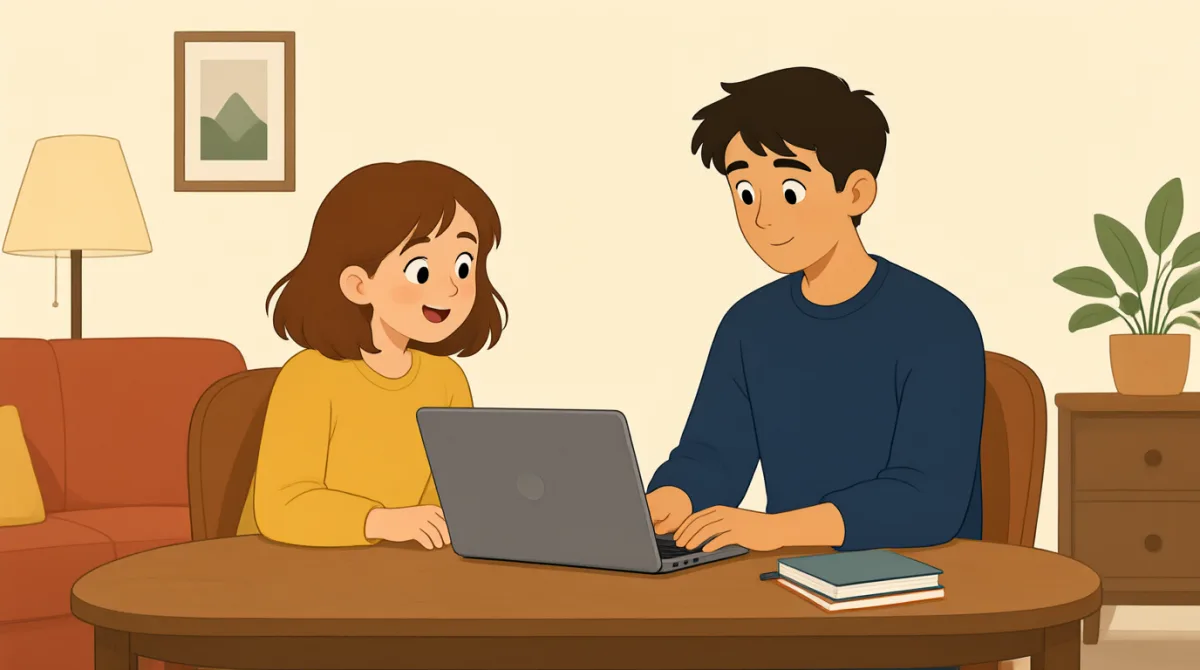

Thanks for coming over, Leo. I bought my new laptop today.
来てくれてありがとう、レオ。今日、新しいノートパソコンを買ったんだ。

No problem! Let’s turn it on and connect it to your Wi-Fi.
いいよ!電源を入れて、Wi-Fiにつなごう。
Okay. Where do I find the Wi-Fi settings?
うん。Wi-Fiの設定ってどこにあるの?
Click this little icon, then choose your home network.
この小さいアイコンをクリックして、それから家のネットワークを選んで。
I see it. I’ll type in the password now.
あった。今、パスワードを入力するね。
Great, you’re online! Next, let’s move your files over.
よし、ネットにつながったね!次はファイルを移そう。
Can I copy them from my old laptop with a cable?
ケーブルを使って、前のノートパソコンからコピーできる?
Yes. Plug in the cable, open your files, and copy the folders.
できるよ。ケーブルをつないで、ファイルを開いて、フォルダーをコピーして。
語彙7
- coming over家に来る
To visit someone at their home. You can say, “Thanks for coming over” to thank a visitor.
人の家を訪ねることです。訪問してくれた人に感謝するときは、“Thanks for coming over”(来てくれてありがとう)と言えます。
- turn it on電源を入れる
To start a device so it works. Use “turn on” with a device, such as a laptop or a phone.
機器を起動して使える状態にすることです。ノートパソコンやスマートフォンなどの機器には、“turn on”を使います。
- Wi-Fi settingsWi-Fiの設定
The options on a device for finding and joining a Wi-Fi network.
Wi-Fiネットワークを探して接続するための、機器の設定項目です。
- type in the passwordパスワードを入力する
To enter a password using a keyboard. You can say this when logging in to a network or account.
キーボードを使ってパスワードを入力することです。ネットワークやアカウントにログインするときに使えます。
- move your files overファイルを移す
To transfer files from one device to another. “Move over” is useful when setting up a new computer.
ファイルをある機器から別の機器に転送することです。新しいパソコンを設定するときに、“move over”が役立ちます。
- plug in the cableケーブルをつなぐ
To connect a cable to a device. Use this phrase when you need a wired connection.
ケーブルを機器に接続することです。有線で接続するときに使う表現です。
- copy the foldersフォルダーをコピーする
To make copies of groups of files. You can use this phrase when transferring files to a new laptop.
ファイルをまとめたフォルダーの複製を作ることです。新しいノートパソコンにファイルを移すときに使えます。
重要な文7
- 1
Let’s turn it on and connect it to your Wi-Fi.
電源を入れて、Wi-Fiにつなごう。
This sentence suggests two steps for setting up a device. Reuse “Let’s…” to make a friendly suggestion about what to do next.
この文では、機器を設定するための手順を二つ提案しています。“Let’s…”を使うと、次にすることを気軽に提案できます。
- 2
Where do I find the Wi-Fi settings?
Wi-Fiの設定ってどこにあるの?
This is a useful question when you need help finding an option on a device. Replace “Wi-Fi settings” with another feature, such as “the sound settings.”
機器の設定項目を探すときに便利な質問です。“Wi-Fi settings”を“the sound settings”(サウンド設定)のような別の機能に置き換えて使えます。
- 3
Click this little icon, then choose your home network.
この小さいアイコンをクリックして、それから家のネットワークを選んで。
This gives simple, clear instructions in order. Reuse “Click…, then choose…” to explain how to use a computer or app.
順番に、簡潔でわかりやすい手順を伝える表現です。“Click…, then choose…”を使うと、パソコンやアプリの使い方を説明できます。
- 4
I’ll type in the password now.
今、パスワードを入力するね。
This tells someone what you are going to do next. Use “I’ll…” for a quick decision or action in the moment.
次に何をするかを相手に伝える表現です。その場ですぐに決めたことや、これからする行動には“I’ll…”を使います。
- 5
Great, you’re online!
よし、ネットにつながったね!
This is a friendly way to say that someone is connected to the internet. You can also use it when helping someone connect a phone or tablet.
相手がインターネットに接続できたことを、親しみを込めて伝える表現です。スマートフォンやタブレットの接続を手伝うときにも使えます。
- 6
Can I copy them from my old laptop with a cable?
ケーブルを使って、前のノートパソコンからコピーできる?
This is a polite way to ask whether something is possible. Replace “copy them” with another action to ask about a different task.
できるかどうかを丁寧に尋ねる表現です。“copy them”を別の行動に置き換えると、別の作業について質問できます。
- 7
Plug in the cable, open your files, and copy the folders.
ケーブルをつないで、ファイルを開いて、フォルダーをコピーして。
This sentence gives a sequence of simple instructions. Reuse the pattern of listing actions to explain how to complete a task.
簡単な手順を順番に伝える文です。行動を並べるこのパターンを使って、作業の進め方を説明できます。