Setting Up the Screen
راهاندازی صفحهنمایش
In the new room, Jack helps Emma connect the screen for her presentation. They test it before the meeting begins.
در اتاق جدید، جک به اِما کمک میکند صفحهنمایش را برای ارائهاش وصل کند. آنها پیش از شروع جلسه آن را امتحان میکنند.
گفتوگو8
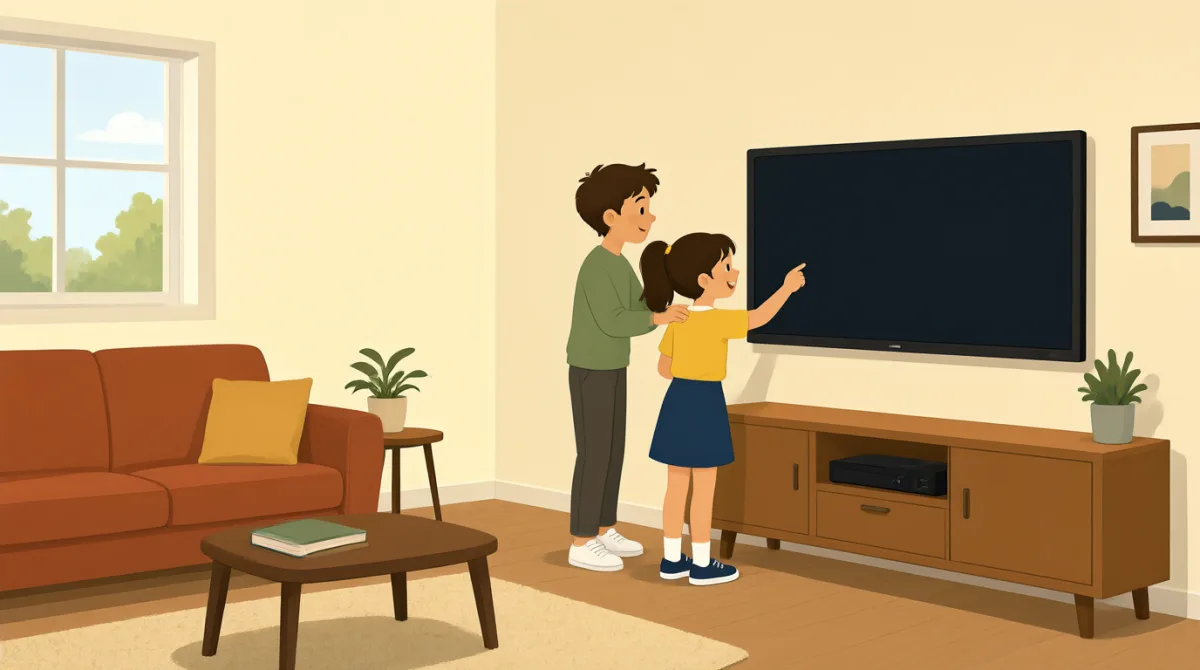

We’re in the new room. Can you help me connect the screen?
توی اتاق جدیدیم. میتونی کمکم کنی صفحهنمایش رو وصل کنم؟

Sure. Plug this cable into your laptop, and turn on the screen.
حتماً. این کابل رو به لپتاپت وصل کن و صفحهنمایش رو روشن کن.
I plugged it in, but the screen is still blank.
وصلش کردم، ولی صفحهنمایش هنوز خالیه.
Press this button here. It may take a few seconds to turn on.
این دکمه رو اینجا فشار بده. ممکنه چند ثانیه طول بکشه تا روشن بشه.
There it is! Can you see my presentation on the screen?
آها، اومد! ارائهام رو روی صفحهنمایش میبینی؟
Yes, it looks good. Let’s check that the sound works, too.
آره، خوبه. بیا صدا رو هم امتحان کنیم.
The sound works. Thanks for helping me set everything up.
صدا کار میکنه. ممنون که کمکم کردی همهچیز رو آماده کنم.
No problem. We’ve got a few minutes before the meeting starts.
قابلی نداشت. تا شروع جلسه چند دقیقه وقت داریم.
واژگان8
- connect the screenوصل کردن صفحهنمایش
To connect the screen means to link it to a laptop or another device so it can show information.
connect the screen یعنی صفحهنمایش را به لپتاپ یا دستگاه دیگری وصل کردن تا بتواند اطلاعات را نمایش دهد.
- plug this cable into your laptopاین کابل را به لپتاپت وصل کن
This tells someone to put the cable’s plug into the laptop. You can use “plug [something] into [a device]” for other electronics, too.
این عبارت به کسی میگوید فیش کابل را به لپتاپ وصل کند. برای وسایل الکترونیکی دیگر هم میتوانی از الگوی “plug [something] into [a device]” استفاده کنی.
- turn on the screenروشن کردن صفحهنمایش
To turn on the screen means to make it start working. You can also say “turn on” a computer, light, or other device.
turn on the screen یعنی صفحهنمایش را روشن و راهاندازی کردن. برای رایانه، چراغ یا دستگاههای دیگر هم میتوانی از “turn on” استفاده کنی.
- blankخالی، بدون تصویر
A blank screen shows no picture or information. You can say “The screen is blank” when nothing appears on it.
صفحهنمایش blank هیچ تصویر یا اطلاعاتی نشان نمیدهد. وقتی چیزی روی صفحه دیده نمیشود، میتوانی بگویی “The screen is blank”.
- a few secondsچند ثانیه
A few seconds means a short amount of time. Use it to say that something will happen soon but may not happen immediately.
a few seconds یعنی مدت کوتاهی. وقتی کاری بهزودی انجام میشود، اما شاید فوراً انجام نشود، از این عبارت استفاده کن.
- presentationارائه
A presentation is a talk or set of information shown to a group, often on a screen. You can say “my presentation” when talking about one you will give.
presentation یعنی سخنرانی یا مجموعهای از اطلاعات که برای گروهی ارائه میشود و اغلب روی صفحهنمایش نشان داده میشود. وقتی از ارائهای که خودت قرار است انجام بدهی حرف میزنی، میتوانی بگویی “my presentation”.
- set everything upهمهچیز را آماده کردن
To set everything up means to prepare all the things you need. You can use “set up” for equipment, a room, or an event.
set everything up یعنی همهچیزهایی را که لازم داری آماده کردن. برای آمادهکردن تجهیزات، اتاق یا یک رویداد میتوانی از “set up” استفاده کنی.
- before the meeting startsپیش از شروع جلسه
This means earlier than the time when the meeting begins. You can use “before” to say that one thing happens earlier than another.
یعنی پیش از زمانی که جلسه آغاز میشود. برای گفتن اینکه کاری زودتر از کار دیگری انجام میشود، از “before” استفاده کن.
جملات کلیدی8
- 1
Can you help me connect the screen?
میتونی کمکم کنی صفحهنمایش رو وصل کنم؟
This is a polite way to ask someone for help. You can reuse “Can you help me…” with other tasks, such as setting up a laptop.
این یک روش مؤدبانه برای درخواست کمک از کسی است. میتوانی “Can you help me…” را برای کارهای دیگری مثل آمادهکردن لپتاپ هم به کار ببری.
- 2
Plug this cable into your laptop, and turn on the screen.
این کابل رو به لپتاپت وصل کن و صفحهنمایش رو روشن کن.
This gives two simple instructions for connecting and starting the equipment. Use “plug [something] into [a device]” and “turn on” for other electronics.
این جمله دو دستور ساده برای وصلکردن و روشنکردن دستگاهها میدهد. برای وسایل الکترونیکی دیگر هم از “plug [something] into [a device]” و “turn on” استفاده کن.
- 3
I plugged it in, but the screen is still blank.
وصلش کردم، ولی صفحهنمایش هنوز خالیه.
This explains that you connected something, but it is not working as expected. Use “I [did something], but…” to describe a problem.
این جمله میگوید چیزی را وصل کردهای، اما آنطور که انتظار داشتی کار نمیکند. برای بیان یک مشکل از الگوی “I [did something], but…” استفاده کن.
- 4
It may take a few seconds to turn on.
ممکنه چند ثانیه طول بکشه تا روشن بشه.
This lets someone know that a device might need a short time to start. You can use “It may take a few seconds to…” for other actions, too.
با این جمله به کسی میگویی که ممکن است دستگاه برای روشنشدن کمی زمان لازم داشته باشد. برای کارهای دیگر هم میتوانی از “It may take a few seconds to…” استفاده کنی.
- 5
Can you see my presentation on the screen?
ارائهام رو روی صفحهنمایش میبینی؟
This is a useful way to check whether other people can see what you are showing. Replace “my presentation” with another item you want someone to check.
این جمله برای بررسی اینکه دیگران چیزی را که نشان میدهی میبینند یا نه، کاربرد دارد. میتوانی “my presentation” را با چیز دیگری که میخواهی بررسی کنند جایگزین کنی.
- 6
Let’s check that the sound works, too.
بیا صدا رو هم امتحان کنیم.
This suggests checking one more thing together. Use “Let’s check that…” before a quick test or confirmation.
این جمله پیشنهاد میکند با هم یک چیز دیگر را هم بررسی کنید. پیش از یک آزمایش یا بررسی سریع از “Let’s check that…” استفاده کن.
- 7
Thanks for helping me set everything up.
ممنون که کمکم کردی همهچیز رو آماده کنم.
This is a polite way to thank someone for helping you prepare. You can replace “set everything up” with another task they helped with.
این یک روش مؤدبانه برای تشکر از کسی است که در آمادهسازی به تو کمک کرده. میتوانی “set everything up” را با کار دیگری که در آن کمکت کرده جایگزین کنی.
- 8
We’ve got a few minutes before the meeting starts.
تا شروع جلسه چند دقیقه وقت داریم.
This tells someone how much time is left before the meeting begins. You can replace “the meeting” with another event or activity.
این جمله میگوید تا شروع جلسه چقدر زمان باقی مانده است. میتوانی “the meeting” را با رویداد یا فعالیت دیگری جایگزین کنی.