Setting Up the Screen
Ekranı Kurma
In the new room, Jack helps Emma connect the screen for her presentation. They test it before the meeting begins.
Yeni odada Jack, sunumu için ekranı bağlamasına Emma’ya yardım eder. Toplantı başlamadan önce ekranı test ederler.
Diyalog8
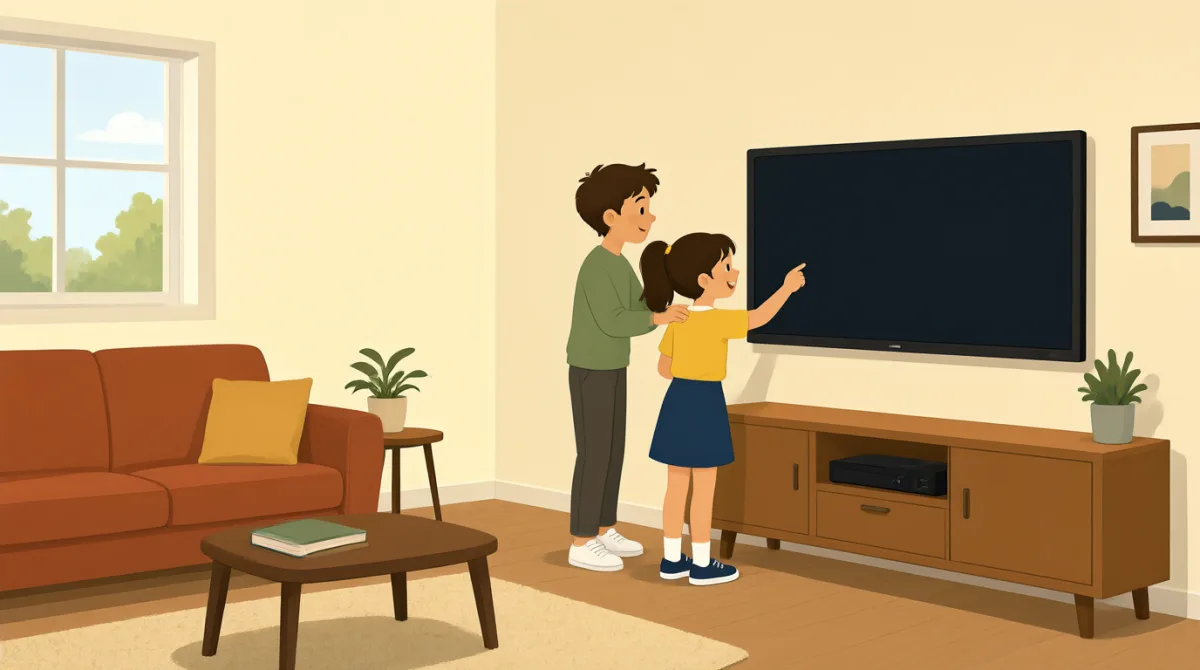

We’re in the new room. Can you help me connect the screen?
Yeni odadayız. Ekranı bağlamama yardım eder misin?

Sure. Plug this cable into your laptop, and turn on the screen.
Tabii. Bu kabloyu dizüstü bilgisayarına tak ve ekranı aç.
I plugged it in, but the screen is still blank.
Fişe taktım ama ekran hâlâ boş.
Press this button here. It may take a few seconds to turn on.
Şuradaki düğmeye bas. Açılması birkaç saniye sürebilir.
There it is! Can you see my presentation on the screen?
İşte, geldi! Sunumumu ekranda görebiliyor musun?
Yes, it looks good. Let’s check that the sound works, too.
Evet, gayet iyi görünüyor. Sesin de çalıştığını kontrol edelim.
The sound works. Thanks for helping me set everything up.
Ses çalışıyor. Her şeyi kurmama yardım ettiğin için teşekkürler.
No problem. We’ve got a few minutes before the meeting starts.
Sorun değil. Toplantının başlamasına birkaç dakika var.
Kelime Bilgisi8
- connect the screenekranı bağlamak
To connect the screen means to link it to a laptop or another device so it can show information.
Ekranı bağlamak, görüntü ve bilgi gösterebilmesi için onu bir dizüstü bilgisayara ya da başka bir cihaza bağlamak demektir.
- plug this cable into your laptopbu kabloyu dizüstü bilgisayarına tak
This tells someone to put the cable’s plug into the laptop. You can use “plug [something] into [a device]” for other electronics, too.
Bu ifade, kablonun fişini dizüstü bilgisayara takmasını söylemek için kullanılır. Başka elektronik cihazlar için de “plug [something] into [a device]” kalıbını kullanabilirsin.
- turn on the screenekranı açmak
To turn on the screen means to make it start working. You can also say “turn on” a computer, light, or other device.
Ekranı açmak, çalışmaya başlamasını sağlamak demektir. Bilgisayarı, ışığı ya da başka bir cihazı açmak için de “turn on” diyebilirsin.
- blankboş
A blank screen shows no picture or information. You can say “The screen is blank” when nothing appears on it.
Boş bir ekranda görüntü ya da bilgi görünmez. Ekranda hiçbir şey görünmediğinde “The screen is blank” diyebilirsin.
- a few secondsbirkaç saniye
A few seconds means a short amount of time. Use it to say that something will happen soon but may not happen immediately.
“A few seconds” kısa bir süre demektir. Bir şeyin yakında olacağını ama hemen gerçekleşmeyebileceğini söylemek için kullanılır.
- presentationsunum
A presentation is a talk or set of information shown to a group, often on a screen. You can say “my presentation” when talking about one you will give.
Sunum, genellikle ekranda gösterilen bilgiler eşliğinde bir gruba yapılan konuşma ya da aktarılan bilgi bütünüdür. Yapacağın bir sunumdan söz ederken “my presentation” diyebilirsin.
- set everything upher şeyi kurmak
To set everything up means to prepare all the things you need. You can use “set up” for equipment, a room, or an event.
Her şeyi kurmak, ihtiyaç duyduğun tüm şeyleri hazırlamak demektir. Ekipman, oda ya da etkinlik hazırlamak için “set up” kullanabilirsin.
- before the meeting startstoplantı başlamadan önce
This means earlier than the time when the meeting begins. You can use “before” to say that one thing happens earlier than another.
Bu ifade, toplantının başladığı zamandan daha erken bir zamanı anlatır. Bir şeyin diğerinden önce gerçekleştiğini söylemek için “before” kullanabilirsin.
Önemli Cümleler8
- 1
Can you help me connect the screen?
Ekranı bağlamama yardım eder misin?
This is a polite way to ask someone for help. You can reuse “Can you help me…” with other tasks, such as setting up a laptop.
Bu, birinden yardım istemenin kibar bir yoludur. Dizüstü bilgisayar kurmak gibi başka işlerle ilgili yardım isterken de “Can you help me…” kalıbını kullanabilirsin.
- 2
Plug this cable into your laptop, and turn on the screen.
Bu kabloyu dizüstü bilgisayarına tak ve ekranı aç.
This gives two simple instructions for connecting and starting the equipment. Use “plug [something] into [a device]” and “turn on” for other electronics.
Bu cümle, ekipmanı bağlamak ve çalıştırmak için iki basit yönerge verir. Başka elektronik cihazlar için de “plug [something] into [a device]” ve “turn on” kalıplarını kullanabilirsin.
- 3
I plugged it in, but the screen is still blank.
Fişe taktım ama ekran hâlâ boş.
This explains that you connected something, but it is not working as expected. Use “I [did something], but…” to describe a problem.
Bu cümle, bir şeyi bağladığını ama beklediğin gibi çalışmadığını anlatır. Bir sorunu açıklarken “I [did something], but…” kalıbını kullanabilirsin.
- 4
It may take a few seconds to turn on.
Açılması birkaç saniye sürebilir.
This lets someone know that a device might need a short time to start. You can use “It may take a few seconds to…” for other actions, too.
Bu cümle, bir cihaza çalışmaya başlaması için kısa bir süre gerekebileceğini bildirir. Başka eylemler için de “It may take a few seconds to…” kalıbını kullanabilirsin.
- 5
Can you see my presentation on the screen?
Sunumumu ekranda görebiliyor musun?
This is a useful way to check whether other people can see what you are showing. Replace “my presentation” with another item you want someone to check.
Bu, gösterdiğin şeyi başkalarının görüp göremediğini kontrol etmenin kullanışlı bir yoludur. Kontrol etmelerini istediğin başka bir şeyle “my presentation” ifadesini değiştirebilirsin.
- 6
Let’s check that the sound works, too.
Sesin de çalıştığını kontrol edelim.
This suggests checking one more thing together. Use “Let’s check that…” before a quick test or confirmation.
Bu cümle, birlikte bir şeyi daha kontrol etmeyi önerir. Kısa bir test ya da doğrulama öncesinde “Let’s check that…” kalıbını kullanabilirsin.
- 7
Thanks for helping me set everything up.
Her şeyi kurmama yardım ettiğin için teşekkürler.
This is a polite way to thank someone for helping you prepare. You can replace “set everything up” with another task they helped with.
Bu, hazırlanırken sana yardım eden birine teşekkür etmenin kibar bir yoludur. Yardım ettiği başka bir işten söz etmek için “set everything up” ifadesini değiştirebilirsin.
- 8
We’ve got a few minutes before the meeting starts.
Toplantının başlamasına birkaç dakika var.
This tells someone how much time is left before the meeting begins. You can replace “the meeting” with another event or activity.
Bu cümle, toplantının başlamasına ne kadar zaman kaldığını söyler. Başka bir etkinlik ya da faaliyetten söz etmek için “the meeting” ifadesini değiştirebilirsin.