Setting Up the Screen
スクリーンの準備
In the new room, Jack helps Emma connect the screen for her presentation. They test it before the meeting begins.
新しい部屋で、ジャックがエマのプレゼン用スクリーンの接続を手伝います。会議が始まる前に、ちゃんと映るか確認します。
会話8
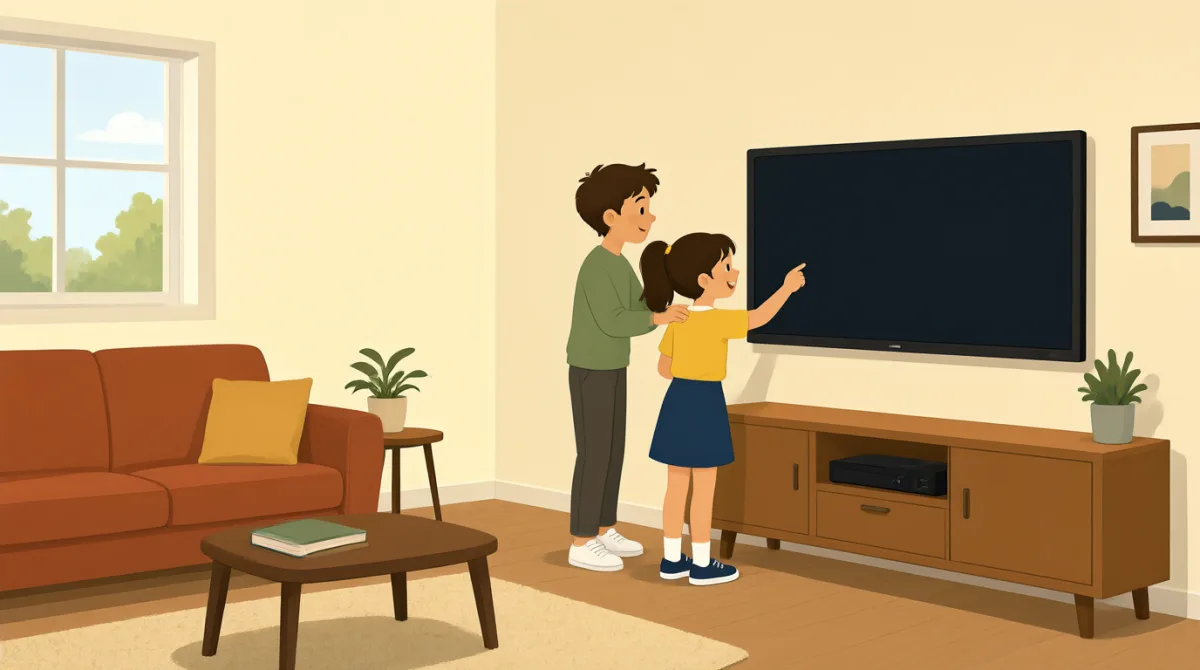

We’re in the new room. Can you help me connect the screen?
新しい部屋だね。スクリーンの接続を手伝ってくれる?

Sure. Plug this cable into your laptop, and turn on the screen.
もちろん。このケーブルをノートパソコンにつないで、スクリーンの電源を入れて。
I plugged it in, but the screen is still blank.
つないだけど、スクリーンにはまだ何も映らないね。
Press this button here. It may take a few seconds to turn on.
ここのボタンを押してみて。電源が入るまで数秒かかるかも。
There it is! Can you see my presentation on the screen?
映った!スクリーンに私のプレゼン、見える?
Yes, it looks good. Let’s check that the sound works, too.
うん、いい感じだね。音も出るか確認しよう。
The sound works. Thanks for helping me set everything up.
音も出るね。準備を手伝ってくれてありがとう。
No problem. We’ve got a few minutes before the meeting starts.
どういたしまして。会議が始まるまで、まだ数分あるよ。
語彙8
- connect the screenスクリーンを接続する
To connect the screen means to link it to a laptop or another device so it can show information.
「connect the screen」は、情報を映せるようにスクリーンをノートパソコンなどの機器につなぐことです。
- plug this cable into your laptopこのケーブルをノートパソコンにつなぐ
This tells someone to put the cable’s plug into the laptop. You can use “plug [something] into [a device]” for other electronics, too.
ケーブルのプラグをノートパソコンに差し込むように伝える表現です。ほかの電子機器についても「plug [something] into [a device]」と言えます。
- turn on the screenスクリーンの電源を入れる
To turn on the screen means to make it start working. You can also say “turn on” a computer, light, or other device.
「turn on the screen」は、スクリーンの電源を入れて使える状態にすることです。コンピューターや照明など、ほかの機器にも「turn on」を使えます。
- blank何も映っていない
A blank screen shows no picture or information. You can say “The screen is blank” when nothing appears on it.
「blank」なスクリーンには、画像も情報も表示されていません。何も映っていないときは、「The screen is blank」と言えます。
- a few seconds数秒
A few seconds means a short amount of time. Use it to say that something will happen soon but may not happen immediately.
「a few seconds」は、ほんの短い時間を表します。すぐではないかもしれませんが、間もなく起こることを伝えるときに使います。
- presentationプレゼンテーション
A presentation is a talk or set of information shown to a group, often on a screen. You can say “my presentation” when talking about one you will give.
「presentation」は、人前で行う発表や、グループに見せる情報のことです。スクリーンに資料などを映して発表するときにも使います。自分が行う発表については「my presentation」と言えます。
- set everything up必要なものをすべて準備する
To set everything up means to prepare all the things you need. You can use “set up” for equipment, a room, or an event.
「set everything up」は、必要なものをすべて使えるように準備するという意味です。機器や部屋、イベントなどの準備にも「set up」を使えます。
- before the meeting starts会議が始まる前に
This means earlier than the time when the meeting begins. You can use “before” to say that one thing happens earlier than another.
「before the meeting starts」は、会議が始まる時刻より前という意味です。「before」は、あることが別のことより先に起こると伝えるときに使います。
重要な文8
- 1
Can you help me connect the screen?
スクリーンの接続を手伝ってくれる?
This is a polite way to ask someone for help. You can reuse “Can you help me…” with other tasks, such as setting up a laptop.
相手に手伝いをお願いするときの丁寧な表現です。「Can you help me…」の後に別の作業を続ければ、ノートパソコンの準備なども頼めます。
- 2
Plug this cable into your laptop, and turn on the screen.
このケーブルをノートパソコンにつないで、スクリーンの電源を入れて。
This gives two simple instructions for connecting and starting the equipment. Use “plug [something] into [a device]” and “turn on” for other electronics.
機器を接続して起動するための、簡単な指示を2つ伝えています。ほかの電子機器にも「plug [something] into [a device]」や「turn on」を使えます。
- 3
I plugged it in, but the screen is still blank.
つないだけど、スクリーンにはまだ何も映らないね。
This explains that you connected something, but it is not working as expected. Use “I [did something], but…” to describe a problem.
何かを接続したものの、期待どおりに動いていないことを伝える表現です。問題を説明するときは「I [did something], but…」の形が使えます。
- 4
It may take a few seconds to turn on.
電源が入るまで数秒かかるかも。
This lets someone know that a device might need a short time to start. You can use “It may take a few seconds to…” for other actions, too.
機器が起動するまで少し時間がかかる可能性を伝える表現です。「It may take a few seconds to…」は、ほかの動作についても使えます。
- 5
Can you see my presentation on the screen?
スクリーンに私のプレゼン、見える?
This is a useful way to check whether other people can see what you are showing. Replace “my presentation” with another item you want someone to check.
自分が見せているものが相手にも見えているか確かめるときに便利な表現です。「my presentation」を、確認してほしい別のものに置き換えて使えます。
- 6
Let’s check that the sound works, too.
音も出るか確認しよう。
This suggests checking one more thing together. Use “Let’s check that…” before a quick test or confirmation.
もう一つ、いっしょに確認しようと提案する表現です。簡単なテストや確認の前に「Let’s check that…」を使えます。
- 7
Thanks for helping me set everything up.
準備を手伝ってくれてありがとう。
This is a polite way to thank someone for helping you prepare. You can replace “set everything up” with another task they helped with.
準備を手伝ってくれた人に感謝を伝える表現です。「set everything up」を、手伝ってもらった別の作業に置き換えることもできます。
- 8
We’ve got a few minutes before the meeting starts.
会議が始まるまで、まだ数分あるよ。
This tells someone how much time is left before the meeting begins. You can replace “the meeting” with another event or activity.
会議が始まるまで、あとどれくらい時間があるかを伝える表現です。「the meeting」を別のイベントや活動に置き換えて使えます。