Entering Names on the Screen
Namen auf dem Bildschirm eingeben
At their lane, Emma and Leo enter their names on the screen. Jack shows them how to start the game and take turns.
An ihrer Bowlingbahn geben Emma und Leo ihre Namen auf dem Bildschirm ein. Jack zeigt ihnen, wie sie das Spiel starten und sich abwechseln.
Dialog9
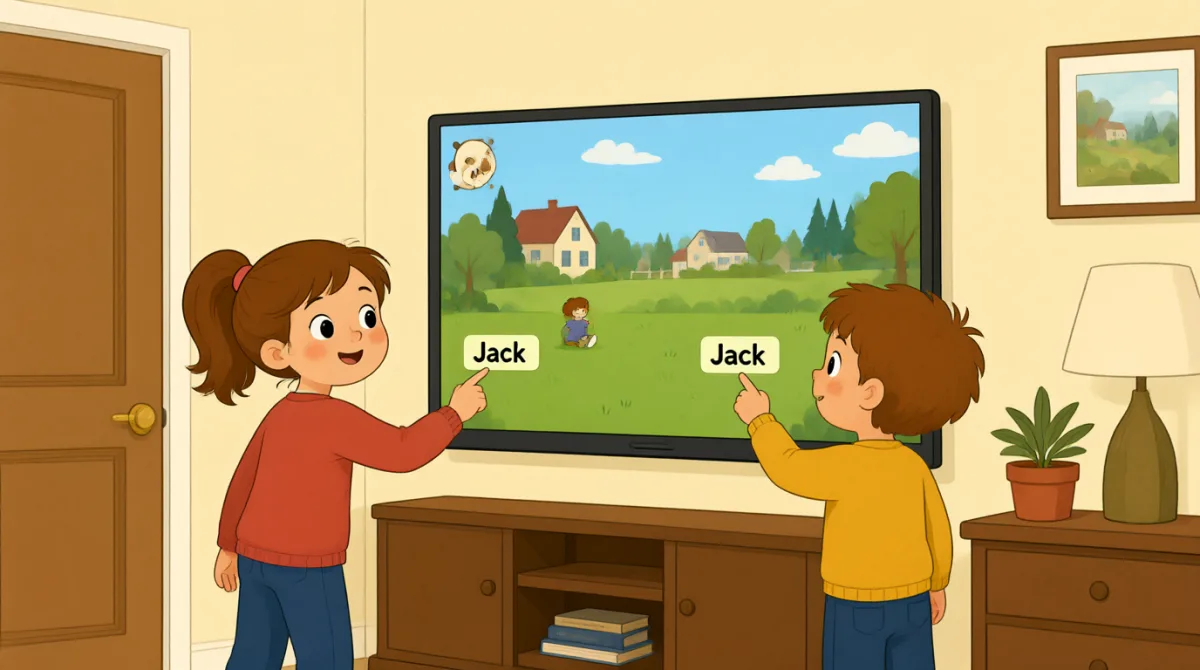

Okay, the screen is on. What do we do first?
Okay, der Bildschirm ist an. Was machen wir zuerst?

Tap “New Game,” then choose the number of players.
Tippt auf „New Game“ und wählt dann die Anzahl der Spieler aus.

There are three of us. I’ll put in my name first.
Wir sind zu dritt. Ich gebe zuerst meinen Namen ein.
How do I type my name? Do I use this keyboard?
Wie tippe ich meinen Namen ein? Nehme ich dafür diese Tastatur?
Yes. Type your name, then press “Enter” to add it.
Ja. Gib deinen Namen ein und drück dann auf „Enter“, um ihn hinzuzufügen.
Great, I’m on the screen! Emma, it’s your turn to add your name.
Super, mein Name steht auf dem Bildschirm! Emma, du bist dran und kannst deinen Namen hinzufügen.
Done! Jack, can you add your name, too?
Fertig! Jack, kannst du deinen Namen auch hinzufügen?
All set. Press “Start,” and the screen will show whose turn it is.
Alles bereit. Drück auf „Start“, dann zeigt der Bildschirm an, wer dran ist.
Let’s start! I’ll go first, then Emma, then Jack.
Los geht’s! Ich fange an, dann kommt Emma und danach Jack.
Wortschatz8
- Tap “New Game,”Tippe auf „New Game“
Use this instruction when you need to touch a button on a screen. You can replace “New Game” with the button you need.
Diese Anweisung verwendest du, wenn du eine Schaltfläche auf einem Bildschirm antippen sollst. Du kannst „New Game“ durch die Schaltfläche ersetzen, die du antippen musst.
- choose the number of playersdie Anzahl der Spieler auswählen
This means to select how many people will play. You can use this phrase when setting up a game or activity.
Das bedeutet, auszuwählen, wie viele Personen mitspielen. Diese Wendung kannst du beim Einrichten eines Spiels oder einer Aktivität verwenden.
- put in my namemeinen Namen eingeben
This means to enter your name on a screen or form. You can also say, “I’ll put in my email address.”
Das bedeutet, deinen Namen auf einem Bildschirm oder in einem Formular einzugeben. Du kannst auch sagen: „I’ll put in my email address.“ (Ich gebe meine E-Mail-Adresse ein.)
- press “Enter”auf „Enter“ drücken
This means to push the Enter key on a keyboard. Use it when you want to finish entering information.
Das bedeutet, die Eingabetaste auf einer Tastatur zu drücken. Verwende diese Wendung, wenn du die Eingabe abschließen möchtest.
- add ites hinzufügen
Here, “add it” means to put a name into the game. You can use “add” when putting information into a list or form.
Hier bedeutet „add it“, einen Namen zum Spiel hinzuzufügen. „Add“ kannst du verwenden, wenn du Informationen in eine Liste oder ein Formular einträgst.
- it’s your turndu bist dran
This tells someone that they can do something now. You can use it for games and other activities.
Damit sagst du jemandem, dass er jetzt etwas tun kann. Die Wendung passt zu Spielen und anderen Aktivitäten.
- All set.Alles bereit.
This means everything is ready or finished. You can say it after completing a task.
Das bedeutet, dass alles bereit oder erledigt ist. Das kannst du sagen, wenn du eine Aufgabe abgeschlossen hast.
- go firstals Erste:r dran sein
This means to take the first turn. You can use it when deciding who starts a game or activity.
Das bedeutet, den ersten Zug zu machen. Du kannst es verwenden, wenn ihr entscheidet, wer ein Spiel oder eine Aktivität beginnt.
Wichtige Sätze7
- 1
What do we do first?
Was machen wir zuerst?
Use this to ask what the first step is. You can use it when starting a game, task, or activity.
Mit diesem Satz fragst du, was der erste Schritt ist. Du kannst ihn verwenden, wenn du ein Spiel, eine Aufgabe oder eine Aktivität beginnst.
- 2
There are three of us.
Wir sind zu dritt.
This is a simple way to say how many people are in your group. Replace “three” with another number.
So kannst du einfach sagen, wie viele Personen zu deiner Gruppe gehören. Ersetze „three“ durch eine andere Zahl.
- 3
I’ll put in my name first.
Ich gebe zuerst meinen Namen ein.
Use “I’ll” to say what you plan to do next. You can replace “my name” with other information you need to enter.
Mit „I’ll“ sagst du, was du als Nächstes vorhast. Du kannst „my name“ durch andere Informationen ersetzen, die du eingeben musst.
- 4
How do I type my name?
Wie tippe ich meinen Namen ein?
This is a useful question when you need help entering information on a device. Replace “my name” with what you need to type.
Diese Frage ist nützlich, wenn du Hilfe dabei brauchst, Informationen auf einem Gerät einzugeben. Ersetze „my name“ durch das, was du eintippen musst.
- 5
Can you add your name, too?
Kannst du deinen Namen auch hinzufügen?
Use this to ask someone to enter their information as well. You can replace “your name” with another item.
Mit diesem Satz bittest du jemanden, ebenfalls seine Informationen einzugeben. Du kannst „your name“ durch einen anderen Eintrag ersetzen.
- 6
Press “Start,” and the screen will show whose turn it is.
Drück auf „Start“, dann zeigt der Bildschirm an, wer dran ist.
This gives a simple instruction and explains what will happen next. You can use “will show” to describe what a screen or device will display.
Dieser Satz gibt eine einfache Anweisung und erklärt, was danach passiert. Mit „will show“ kannst du beschreiben, was ein Bildschirm oder Gerät anzeigen wird.
- 7
I’ll go first, then Emma, then Jack.
Ich fange an, dann kommt Emma und danach Jack.
Use this pattern to explain the order of turns. Replace the names with the people in your group.
Mit diesem Muster erklärst du die Reihenfolge der Spielzüge. Ersetze die Namen durch die Personen in deiner Gruppe.