Entering Names on the Screen
화면에 이름 입력하기
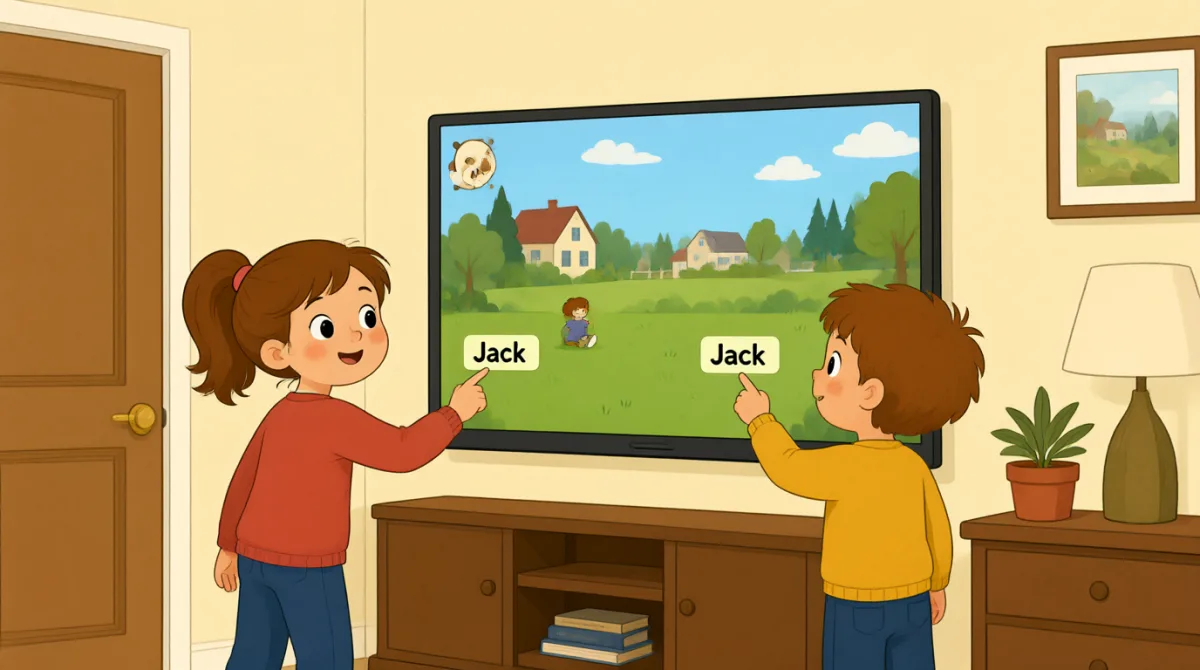
At their lane, Emma and Leo enter their names on the screen. Jack shows them how to start the game and take turns.
볼링 레인에 도착한 에마와 레오는 화면에 이름을 입력해요. 잭이 게임을 시작하고 차례를 정하는 방법을 알려 줘요.
대화9

Okay, the screen is on. What do we do first?
좋아, 화면 켜졌네. 우리 먼저 뭐 하면 돼?

Tap “New Game,” then choose the number of players.
‘새 게임’을 누르고, 플레이어 수를 선택해.

There are three of us. I’ll put in my name first.
우리 셋이잖아. 내가 먼저 이름 입력할게.
How do I type my name? Do I use this keyboard?
이름은 어떻게 입력해? 이 키보드를 쓰면 돼?
Yes. Type your name, then press “Enter” to add it.
응. 이름을 입력한 다음 ‘Enter’를 눌러서 추가해.
Great, I’m on the screen! Emma, it’s your turn to add your name.
좋아, 내 이름이 화면에 떴어! 에마, 이제 네 이름 입력할 차례야.
Done! Jack, can you add your name, too?
다 했어! 잭, 네 이름도 입력해 줄래?
All set. Press “Start,” and the screen will show whose turn it is.
다 됐어. ‘시작’을 누르면 누구 차례인지 화면에 나올 거야.
Let’s start! I’ll go first, then Emma, then Jack.
시작하자! 내가 먼저 하고, 그다음 에마, 그다음 잭이야.
어휘8
- Tap “New Game,”‘New Game’을 누르다
Use this instruction when you need to touch a button on a screen. You can replace “New Game” with the button you need.
화면에 있는 버튼을 눌러야 할 때 쓰는 안내 표현이에요. “New Game” 대신 눌러야 할 버튼 이름을 넣으면 돼요.
- choose the number of players플레이어 수를 선택하다
This means to select how many people will play. You can use this phrase when setting up a game or activity.
몇 명이 게임을 할지 선택한다는 뜻이에요. 게임이나 활동을 준비할 때 쓸 수 있어요.
- put in my name내 이름을 입력하다
This means to enter your name on a screen or form. You can also say, “I’ll put in my email address.”
화면이나 양식에 이름을 입력한다는 뜻이에요. “I’ll put in my email address.”처럼 말할 수도 있어요.
- press “Enter”‘Enter’를 누르다
This means to push the Enter key on a keyboard. Use it when you want to finish entering information.
키보드의 Enter 키를 누른다는 뜻이에요. 정보를 다 입력했을 때 쓸 수 있어요.
- add it그것을 추가하다
Here, “add it” means to put a name into the game. You can use “add” when putting information into a list or form.
여기서 “add it”은 게임에 이름을 입력한다는 뜻이에요. 목록이나 양식에 정보를 넣을 때도 “add”를 쓸 수 있어요.
- it’s your turn네 차례야
This tells someone that they can do something now. You can use it for games and other activities.
상대방에게 이제 뭔가를 할 차례라고 알려 주는 말이에요. 게임이나 다른 활동에서 쓸 수 있어요.
- All set.다 됐어.
This means everything is ready or finished. You can say it after completing a task.
모든 준비가 끝났거나 일이 다 됐다는 뜻이에요. 어떤 일을 마친 뒤에 말할 수 있어요.
- go first먼저 하다
This means to take the first turn. You can use it when deciding who starts a game or activity.
첫 번째 차례를 맡는다는 뜻이에요. 게임이나 활동을 누가 먼저 시작할지 정할 때 쓸 수 있어요.
핵심 문장7
- 1
What do we do first?
우리 먼저 뭐 하면 돼?
Use this to ask what the first step is. You can use it when starting a game, task, or activity.
첫 단계가 뭔지 물을 때 쓰는 표현이에요. 게임이나 과제, 활동을 시작할 때 쓸 수 있어요.
- 2
There are three of us.
우리 셋이야.
This is a simple way to say how many people are in your group. Replace “three” with another number.
우리 모임에 몇 명이 있는지 간단하게 말하는 표현이에요. “three”를 다른 숫자로 바꿔 말하면 돼요.
- 3
I’ll put in my name first.
내가 먼저 이름 입력할게.
Use “I’ll” to say what you plan to do next. You can replace “my name” with other information you need to enter.
“I’ll”은 다음에 하려는 일을 말할 때 써요. 입력해야 하는 다른 정보가 있다면 “my name” 대신 넣어 말하면 돼요.
- 4
How do I type my name?
이름은 어떻게 입력해?
This is a useful question when you need help entering information on a device. Replace “my name” with what you need to type.
기기에 정보를 입력하는 방법을 물을 때 유용한 표현이에요. “my name”을 입력해야 하는 다른 정보로 바꿔 말할 수 있어요.
- 5
Can you add your name, too?
네 이름도 입력해 줄래?
Use this to ask someone to enter their information as well. You can replace “your name” with another item.
상대방에게 자기 정보도 입력해 달라고 부탁할 때 써요. “your name”을 다른 항목으로 바꿔 말할 수 있어요.
- 6
Press “Start,” and the screen will show whose turn it is.
‘Start’를 누르면 누구 차례인지 화면에 나올 거야.
This gives a simple instruction and explains what will happen next. You can use “will show” to describe what a screen or device will display.
간단한 지시를 하고 다음에 일어날 일을 설명하는 문장이에요. 화면이나 기기에 표시될 내용을 말할 때 “will show”를 쓸 수 있어요.
- 7
I’ll go first, then Emma, then Jack.
내가 먼저 하고, 그다음 에마, 그다음 잭이야.
Use this pattern to explain the order of turns. Replace the names with the people in your group.
차례가 어떤 순서로 돌아가는지 설명할 때 쓰는 표현이에요. 이름은 같은 모임에 있는 사람들 이름으로 바꾸면 돼요.