Entering Names on the Screen
在屏幕上输入名字
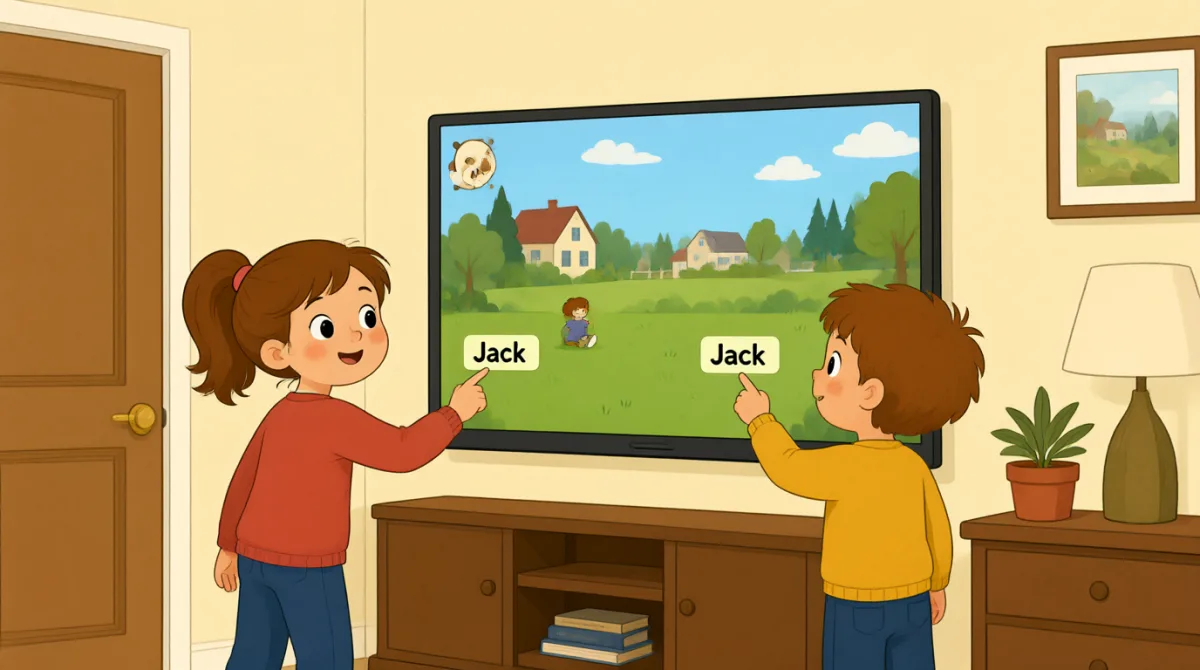
At their lane, Emma and Leo enter their names on the screen. Jack shows them how to start the game and take turns.
来到球道后,艾玛和利奥在屏幕上输入名字。杰克教他们如何开始游戏和轮流投球。
对话9

Okay, the screen is on. What do we do first?
好了,屏幕亮了。我们先做什么?

Tap “New Game,” then choose the number of players.
点“新游戏”,然后选择玩家人数。

There are three of us. I’ll put in my name first.
我们有三个人。我先输入我的名字。
How do I type my name? Do I use this keyboard?
我要怎么输入名字?用这个键盘吗?
Yes. Type your name, then press “Enter” to add it.
对。输入你的名字,然后按“确认”把名字加进去。
Great, I’m on the screen! Emma, it’s your turn to add your name.
太好了,屏幕上有我的名字了!Emma,该你输入名字了。
Done! Jack, can you add your name, too?
好了!Jack,你也能把名字加进去吗?
All set. Press “Start,” and the screen will show whose turn it is.
都弄好了。按“开始”,屏幕就会显示轮到谁了。
Let’s start! I’ll go first, then Emma, then Jack.
开始吧!我先来,然后是Emma,最后是Jack。
词汇8
- Tap “New Game,”点击“新游戏”,
Use this instruction when you need to touch a button on a screen. You can replace “New Game” with the button you need.
需要点击屏幕上的按钮时,可以用这个说法。你可以把“New Game”换成你要点的按钮名称。
- choose the number of players选择玩家人数
This means to select how many people will play. You can use this phrase when setting up a game or activity.
意思是选择有多少人一起玩。设置游戏或活动时可以用这个说法。
- put in my name输入我的名字
This means to enter your name on a screen or form. You can also say, “I’ll put in my email address.”
意思是在屏幕或表格上输入自己的名字。你也可以说:“I’ll put in my email address.”(我要输入我的电子邮件地址。)
- press “Enter”按“Enter”键
This means to push the Enter key on a keyboard. Use it when you want to finish entering information.
意思是按下键盘上的 Enter 键。想要完成信息输入时可以这样说。
- add it把它加进去
Here, “add it” means to put a name into the game. You can use “add” when putting information into a list or form.
这里的“add it”是指把名字添加到游戏中。把信息添加到名单或表格里时,也可以用“add”。
- it’s your turn轮到你了
This tells someone that they can do something now. You can use it for games and other activities.
用这句话告诉别人现在可以做某件事了。玩游戏或参加其他活动时都可以用。
- All set.都准备好了。
This means everything is ready or finished. You can say it after completing a task.
意思是一切都准备好了,或者事情都做完了。完成一项任务后可以这样说。
- go first先开始
This means to take the first turn. You can use it when deciding who starts a game or activity.
意思是第一个行动或先轮到自己。决定谁先开始游戏或活动时可以用这个说法。
重点句子7
- 1
What do we do first?
我们先做什么?
Use this to ask what the first step is. You can use it when starting a game, task, or activity.
用这句话询问第一步该做什么。开始游戏、任务或活动时都可以这样问。
- 2
There are three of us.
我们有三个人。
This is a simple way to say how many people are in your group. Replace “three” with another number.
这是简单说明小组有多少人的说法。把“three”换成其他数字就可以了。
- 3
I’ll put in my name first.
我先输入我的名字。
Use “I’ll” to say what you plan to do next. You can replace “my name” with other information you need to enter.
用“I’ll”说出你接下来打算做什么。你可以把“my name”换成其他需要输入的信息。
- 4
How do I type my name?
我要怎么输入名字?
This is a useful question when you need help entering information on a device. Replace “my name” with what you need to type.
需要在设备上输入信息时,可以用这句话求助。把“my name”换成你需要输入的内容就行。
- 5
Can you add your name, too?
你也能把名字加进去吗?
Use this to ask someone to enter their information as well. You can replace “your name” with another item.
用这句话请别人也输入自己的信息。你可以把“your name”换成其他内容。
- 6
Press “Start,” and the screen will show whose turn it is.
按“Start”,屏幕就会显示轮到谁了。
This gives a simple instruction and explains what will happen next. You can use “will show” to describe what a screen or device will display.
这句话先给出一个简单指示,再说明接下来会发生什么。描述屏幕或设备将显示的内容时,可以用“will show”。
- 7
I’ll go first, then Emma, then Jack.
我先来,然后是艾玛,最后是杰克。
Use this pattern to explain the order of turns. Replace the names with the people in your group.
用这个句型说明轮流的顺序。把名字换成你们小组里的人就可以了。