Entering Names on the Screen
ใส่ชื่อบนหน้าจอ
At their lane, Emma and Leo enter their names on the screen. Jack shows them how to start the game and take turns.
ที่เลนโบว์ลิง เอ็มมากับเลโอใส่ชื่อของตัวเองบนหน้าจอ แจ็กสอนทั้งคู่วิธีเริ่มเกมและผลัดกันเล่น
บทสนทนา9
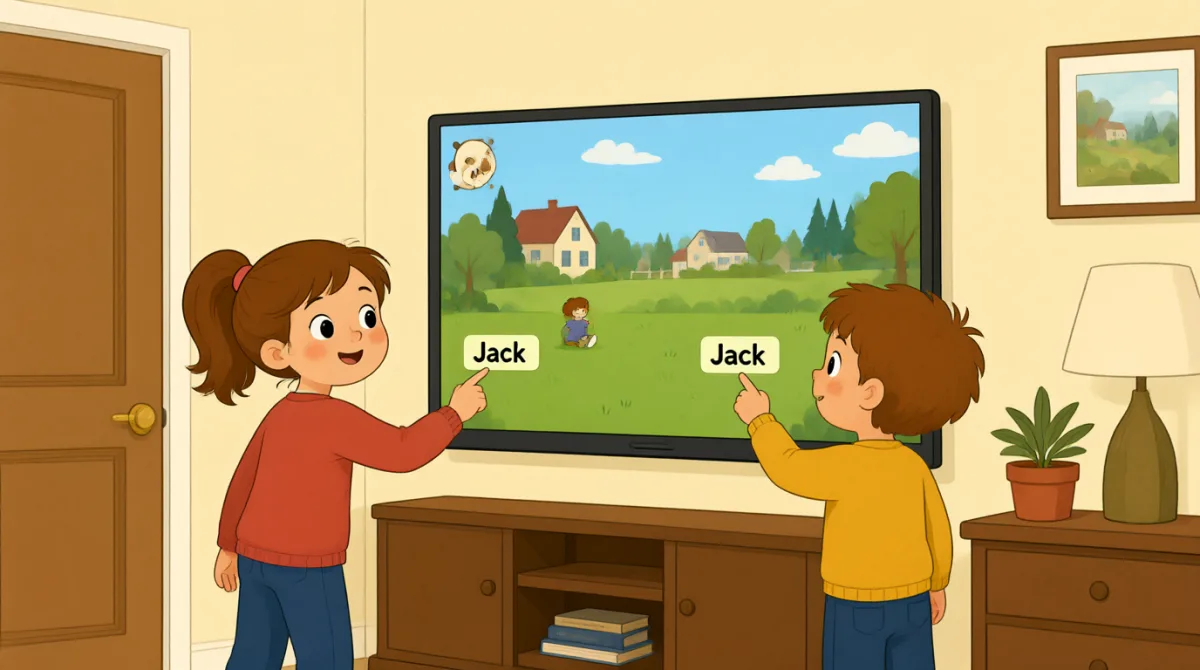

Okay, the screen is on. What do we do first?
โอเค หน้าจอติดแล้ว เราต้องทำอะไรก่อน?

Tap “New Game,” then choose the number of players.
แตะ “New Game” แล้วเลือกจำนวนผู้เล่น

There are three of us. I’ll put in my name first.
เรามีกันสามคน ฉันจะใส่ชื่อฉันก่อนนะ
How do I type my name? Do I use this keyboard?
ฉันพิมพ์ชื่อยังไง ใช้แป้นพิมพ์นี่เหรอ?
Yes. Type your name, then press “Enter” to add it.
ใช่ พิมพ์ชื่อแล้วกด “Enter” เพื่อเพิ่มชื่อ
Great, I’m on the screen! Emma, it’s your turn to add your name.
เยี่ยมเลย ชื่อฉันขึ้นบนหน้าจอแล้ว! เอ็มมา ถึงตาเธอใส่ชื่อแล้ว
Done! Jack, can you add your name, too?
เสร็จแล้ว! แจ็ก นายใส่ชื่อด้วยได้ไหม?
All set. Press “Start,” and the screen will show whose turn it is.
เรียบร้อย กด “Start” แล้วหน้าจอจะบอกว่าถึงตาใคร
Let’s start! I’ll go first, then Emma, then Jack.
เริ่มกันเลย! ฉันเล่นก่อน แล้วก็เอ็มมา แล้วก็แจ็ก
คำศัพท์8
- Tap “New Game,”แตะ “New Game”
Use this instruction when you need to touch a button on a screen. You can replace “New Game” with the button you need.
ใช้คำสั่งนี้เมื่อต้องแตะปุ่มบนหน้าจอ เปลี่ยน “New Game” เป็นชื่อปุ่มที่ต้องการได้
- choose the number of playersเลือกจำนวนผู้เล่น
This means to select how many people will play. You can use this phrase when setting up a game or activity.
หมายถึงเลือกว่าจะมีคนเล่นกี่คน ใช้สำนวนนี้ได้ตอนตั้งค่าเกมหรือกิจกรรม
- put in my nameใส่ชื่อฉัน
This means to enter your name on a screen or form. You can also say, “I’ll put in my email address.”
หมายถึงกรอกชื่อของตัวเองบนหน้าจอหรือในแบบฟอร์ม นอกจากนี้ยังพูดได้ว่า “I’ll put in my email address.”
- press “Enter”กด “Enter”
This means to push the Enter key on a keyboard. Use it when you want to finish entering information.
หมายถึงกดปุ่ม Enter บนแป้นพิมพ์ ใช้เมื่อกรอกข้อมูลเสร็จแล้ว
- add itเพิ่มชื่อ
Here, “add it” means to put a name into the game. You can use “add” when putting information into a list or form.
ในที่นี้ “add it” หมายถึงใส่ชื่อเข้าไปในเกม ใช้ “add” เมื่อเพิ่มข้อมูลลงในรายการหรือแบบฟอร์มก็ได้
- it’s your turnถึงตาเธอแล้ว
This tells someone that they can do something now. You can use it for games and other activities.
ใช้บอกใครสักคนว่าตอนนี้ถึงเวลาที่เขาจะทำอะไรสักอย่าง ใช้ได้ทั้งกับเกมและกิจกรรมอื่น ๆ
- All set.เรียบร้อยแล้ว
This means everything is ready or finished. You can say it after completing a task.
หมายถึงทุกอย่างพร้อมหรือทำเสร็จแล้ว พูดได้เมื่อทำงานอย่างหนึ่งเสร็จ
- go firstเล่นก่อน
This means to take the first turn. You can use it when deciding who starts a game or activity.
หมายถึงได้เล่นเป็นคนแรก ใช้ได้เมื่อตัดสินใจว่าใครจะเริ่มเกมหรือกิจกรรม
ประโยคสำคัญ7
- 1
What do we do first?
เราต้องทำอะไรก่อน?
Use this to ask what the first step is. You can use it when starting a game, task, or activity.
ใช้ถามว่าขั้นตอนแรกคืออะไร เหมาะกับตอนเริ่มเกม งาน หรือกิจกรรม
- 2
There are three of us.
เรามีกันสามคน
This is a simple way to say how many people are in your group. Replace “three” with another number.
เป็นวิธีง่าย ๆ ในการบอกว่ากลุ่มของเรามีกี่คน เปลี่ยน “three” เป็นตัวเลขอื่นได้
- 3
I’ll put in my name first.
ฉันจะใส่ชื่อฉันก่อนนะ
Use “I’ll” to say what you plan to do next. You can replace “my name” with other information you need to enter.
ใช้ “I’ll” เพื่อบอกสิ่งที่ตั้งใจจะทำต่อไป เปลี่ยน “my name” เป็นข้อมูลอื่นที่ต้องกรอกได้
- 4
How do I type my name?
ฉันพิมพ์ชื่อยังไง?
This is a useful question when you need help entering information on a device. Replace “my name” with what you need to type.
เป็นคำถามที่มีประโยชน์เมื่อต้องการความช่วยเหลือในการกรอกข้อมูลบนอุปกรณ์ เปลี่ยน “my name” เป็นสิ่งที่ต้องพิมพ์ได้
- 5
Can you add your name, too?
เธอใส่ชื่อด้วยได้ไหม?
Use this to ask someone to enter their information as well. You can replace “your name” with another item.
ใช้ขอให้ใครสักคนกรอกข้อมูลของตัวเองด้วย เปลี่ยน “your name” เป็นข้อมูลอื่นได้
- 6
Press “Start,” and the screen will show whose turn it is.
กด “Start” แล้วหน้าจอจะบอกว่าถึงตาใคร
This gives a simple instruction and explains what will happen next. You can use “will show” to describe what a screen or device will display.
ประโยคนี้เป็นคำสั่งง่าย ๆ พร้อมบอกว่าจะเกิดอะไรขึ้นต่อไป ใช้ “will show” เพื่อพูดถึงสิ่งที่หน้าจอหรืออุปกรณ์จะแสดงได้
- 7
I’ll go first, then Emma, then Jack.
ฉันเล่นก่อน แล้วก็เอ็มมา แล้วก็แจ็ก
Use this pattern to explain the order of turns. Replace the names with the people in your group.
ใช้รูปแบบนี้เพื่อบอกลำดับการเล่น เปลี่ยนชื่อเป็นคนในกลุ่มของคุณได้