Entering Names on the Screen
স্ক্রিনে নাম লেখা
At their lane, Emma and Leo enter their names on the screen. Jack shows them how to start the game and take turns.
নিজেদের লেনে এসে Emma আর Leo স্ক্রিনে তাদের নাম লেখে। Jack তাদের দেখায় কীভাবে খেলা শুরু করতে হয় এবং পালা করে খেলতে হয়।
সংলাপ9
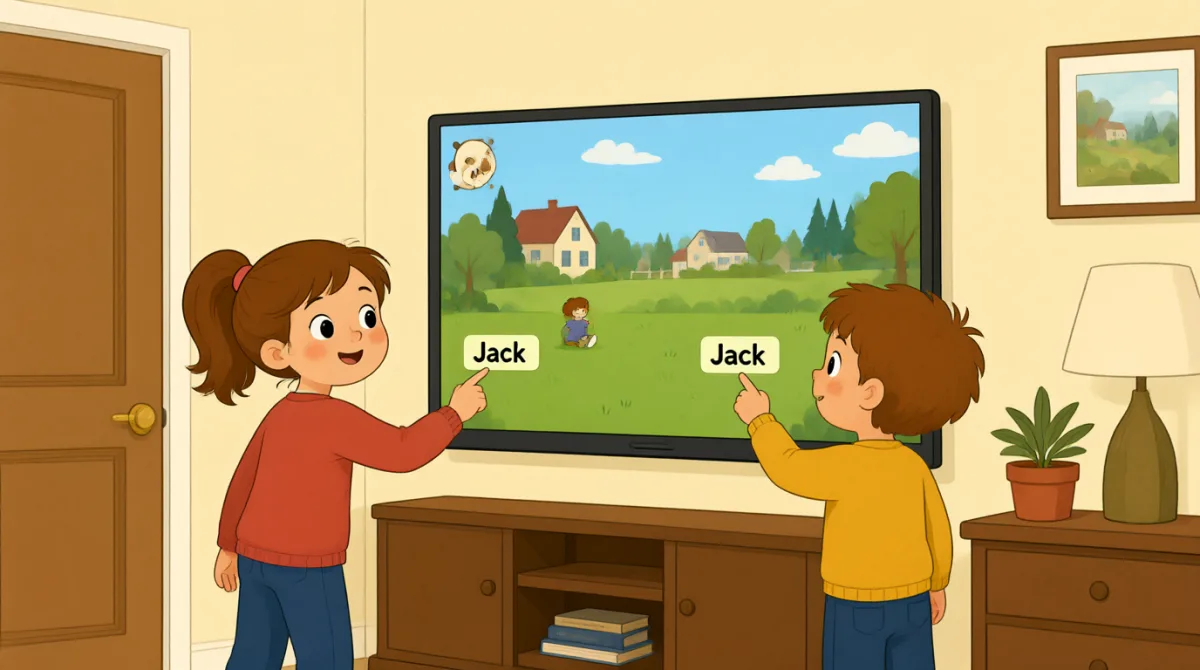

Okay, the screen is on. What do we do first?
আচ্ছা, স্ক্রিন চালু হয়েছে। প্রথমে কী করব?

Tap “New Game,” then choose the number of players.
“New Game”-এ ট্যাপ করো, তারপর খেলোয়াড়ের সংখ্যা বেছে নাও।

There are three of us. I’ll put in my name first.
আমরা তো তিনজন। আমি আগে আমার নামটা লিখে দিচ্ছি।
How do I type my name? Do I use this keyboard?
আমি আমার নাম কীভাবে টাইপ করব? এই কিবোর্ডটা ব্যবহার করব?
Yes. Type your name, then press “Enter” to add it.
হ্যাঁ। তোমার নাম টাইপ করে যোগ করতে “Enter” চাপো।
Great, I’m on the screen! Emma, it’s your turn to add your name.
দারুণ, আমার নাম স্ক্রিনে এসেছে! Emma, এবার তোমার নাম যোগ করার পালা।
Done! Jack, can you add your name, too?
হয়ে গেছে! Jack, তুমিও কি তোমার নামটা যোগ করবে?
All set. Press “Start,” and the screen will show whose turn it is.
সব তৈরি। “Start” চাপো, আর স্ক্রিনে দেখা যাবে কার পালা।
Let’s start! I’ll go first, then Emma, then Jack.
চলো শুরু করি! আমি আগে খেলব, তারপর Emma, তারপর Jack।
শব্দভান্ডার8
- Tap “New Game,”“New Game”-এ ট্যাপ করো
Use this instruction when you need to touch a button on a screen. You can replace “New Game” with the button you need.
স্ক্রিনের কোনো বোতামে স্পর্শ করতে বলার সময় এই নির্দেশটি ব্যবহার করা হয়। “New Game”-এর বদলে যে বোতামটি দরকার, তার নাম বসাতে পারো।
- choose the number of playersখেলোয়াড়ের সংখ্যা বেছে নেওয়া
This means to select how many people will play. You can use this phrase when setting up a game or activity.
এর অর্থ, কতজন খেলবে তা বেছে নেওয়া। খেলা বা কোনো কার্যক্রমের আয়োজন করার সময় এই বাক্যাংশটি ব্যবহার করতে পারো।
- put in my nameআমার নাম লিখে দেওয়া
This means to enter your name on a screen or form. You can also say, “I’ll put in my email address.”
এর অর্থ, স্ক্রিনে বা ফর্মে নিজের নাম লেখা। এভাবেও বলতে পারো: “I’ll put in my email address.”
- press “Enter”“Enter” চাপা
This means to push the Enter key on a keyboard. Use it when you want to finish entering information.
এর অর্থ, কিবোর্ডের Enter কী চাপা। কোনো তথ্য লেখা শেষ হলে এই কথাটি ব্যবহার করো।
- add itএটা যোগ করা
Here, “add it” means to put a name into the game. You can use “add” when putting information into a list or form.
এখানে “add it” বলতে খেলায় একটি নাম যোগ করাকে বোঝায়। কোনো তালিকা বা ফর্মে তথ্য যোগ করার ক্ষেত্রেও “add” ব্যবহার করতে পারো।
- it’s your turnএবার তোমার পালা
This tells someone that they can do something now. You can use it for games and other activities.
কাউকে এখন কিছু করার সুযোগ আছে—এ কথা জানাতে এই বাক্যাংশটি ব্যবহার করা হয়। খেলা বা অন্য কোনো কাজের ক্ষেত্রেও এটি বলতে পারো।
- All set.সব তৈরি।
This means everything is ready or finished. You can say it after completing a task.
এর অর্থ, সবকিছু তৈরি বা শেষ হয়েছে। কোনো কাজ শেষ করার পর কথাটি বলতে পারো।
- go firstআগে খেলা
This means to take the first turn. You can use it when deciding who starts a game or activity.
এর অর্থ, প্রথম পালা নেওয়া। খেলা বা কোনো কার্যক্রম কে শুরু করবে, তা ঠিক করার সময় এটি ব্যবহার করতে পারো।
গুরুত্বপূর্ণ বাক্য7
- 1
What do we do first?
প্রথমে কী করব?
Use this to ask what the first step is. You can use it when starting a game, task, or activity.
প্রথম ধাপটি কী, তা জানতে এই প্রশ্নটি করো। খেলা, কাজ বা কোনো কার্যক্রম শুরু করার সময় এটি বলতে পারো।
- 2
There are three of us.
আমরা তিনজন।
This is a simple way to say how many people are in your group. Replace “three” with another number.
তোমাদের দলে কতজন আছে, তা সহজভাবে বলতে এই বাক্যটি ব্যবহার করো। “three”-এর বদলে অন্য সংখ্যা বসাতে পারো।
- 3
I’ll put in my name first.
আমি আগে আমার নামটা লিখে দিচ্ছি।
Use “I’ll” to say what you plan to do next. You can replace “my name” with other information you need to enter.
এরপর কী করার পরিকল্পনা আছে, তা বলতে “I’ll” ব্যবহার করো। যে তথ্য লিখতে হবে, “my name”-এর বদলে সেটি বসাতে পারো।
- 4
How do I type my name?
আমি আমার নাম কীভাবে টাইপ করব?
This is a useful question when you need help entering information on a device. Replace “my name” with what you need to type.
কোনো ডিভাইসে তথ্য লেখার সাহায্য দরকার হলে এই প্রশ্নটি কাজে লাগে। কী টাইপ করতে হবে, সেই অনুযায়ী “my name”-এর বদলে অন্য কিছু বসাতে পারো।
- 5
Can you add your name, too?
তুমিও কি তোমার নামটা যোগ করবে?
Use this to ask someone to enter their information as well. You can replace “your name” with another item.
কাউকে তার তথ্যও লিখে দিতে বলতে এই বাক্যটি ব্যবহার করো। “your name”-এর বদলে অন্য কিছু বসাতে পারো।
- 6
Press “Start,” and the screen will show whose turn it is.
“Start” চাপো, আর স্ক্রিনে দেখা যাবে কার পালা।
This gives a simple instruction and explains what will happen next. You can use “will show” to describe what a screen or device will display.
এখানে একটি সহজ নির্দেশ দেওয়া হয়েছে এবং এরপর কী হবে তা বলা হয়েছে। স্ক্রিন বা কোনো ডিভাইসে কী দেখা যাবে, তা বোঝাতে “will show” ব্যবহার করতে পারো।
- 7
I’ll go first, then Emma, then Jack.
আমি আগে খেলব, তারপর Emma, তারপর Jack।
Use this pattern to explain the order of turns. Replace the names with the people in your group.
পালার ক্রম বোঝাতে এই ধরনটি ব্যবহার করো। তোমাদের দলের লোকদের নাম দিয়ে এখানে থাকা নামগুলো বদলে নিতে পারো।