Entering Names on the Screen
Wpisywanie imion na ekranie
At their lane, Emma and Leo enter their names on the screen. Jack shows them how to start the game and take turns.
Przy swoim torze Emma i Leo wpisują imiona na ekranie. Jack pokazuje im, jak rozpocząć grę i grać na zmianę.
Dialog9
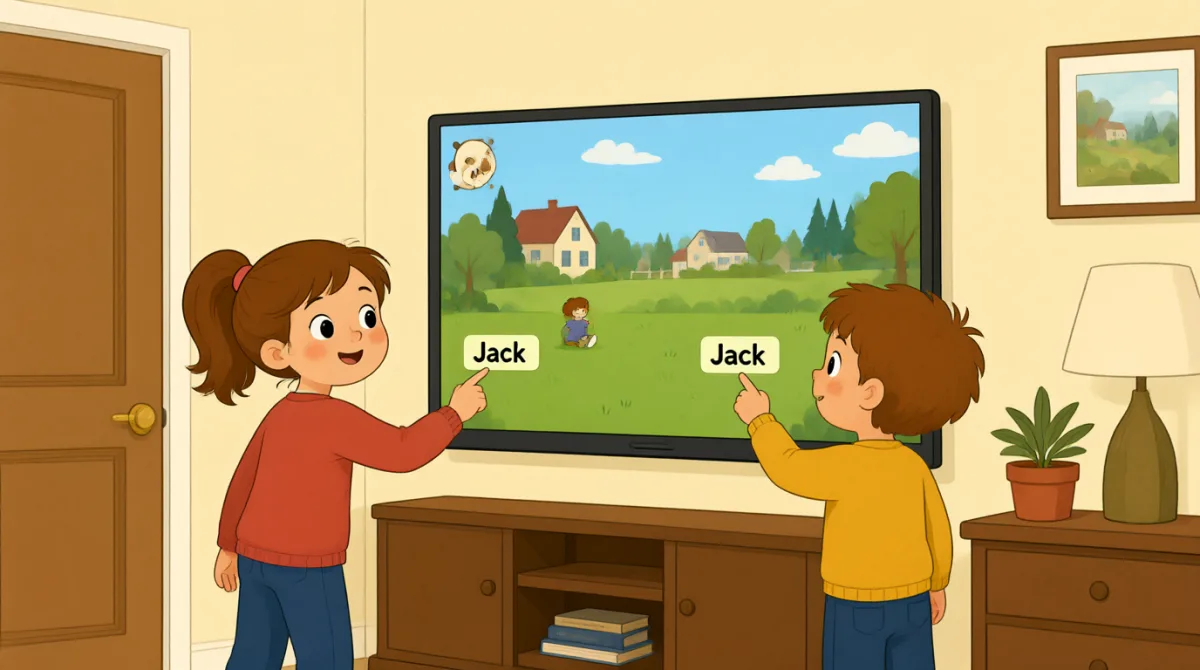

Okay, the screen is on. What do we do first?
No dobra, ekran jest włączony. Co robimy najpierw?

Tap “New Game,” then choose the number of players.
Naciśnij „New Game”, a potem wybierz liczbę graczy.

There are three of us. I’ll put in my name first.
Jest nas troje. Najpierw wpiszę swoje imię.
How do I type my name? Do I use this keyboard?
Jak wpisać swoje imię? Mam użyć tej klawiatury?
Yes. Type your name, then press “Enter” to add it.
Tak. Wpisz swoje imię, a potem naciśnij „Enter”, żeby je dodać.
Great, I’m on the screen! Emma, it’s your turn to add your name.
Świetnie, już jestem na ekranie! Emma, teraz twoja kolej, żeby wpisać swoje imię.
Done! Jack, can you add your name, too?
Gotowe! Jack, możesz też wpisać swoje imię?
All set. Press “Start,” and the screen will show whose turn it is.
Wszystko gotowe. Naciśnij „Start”, a na ekranie pojawi się informacja, czyja jest kolej.
Let’s start! I’ll go first, then Emma, then Jack.
Zaczynajmy! Ja zagram pierwszy, potem Emma, a potem Jack.
Słownictwo8
- Tap “New Game,”Naciśnij „New Game”
Use this instruction when you need to touch a button on a screen. You can replace “New Game” with the button you need.
Tego polecenia używasz, gdy chcesz dotknąć przycisku na ekranie. Zamiast „New Game” możesz podać nazwę potrzebnego przycisku.
- choose the number of playerswybrać liczbę graczy
This means to select how many people will play. You can use this phrase when setting up a game or activity.
To znaczy wybrać, ile osób będzie grać. Tego wyrażenia możesz użyć przy przygotowywaniu gry lub innej aktywności.
- put in my namewpisać swoje imię
This means to enter your name on a screen or form. You can also say, “I’ll put in my email address.”
To znaczy wpisać swoje imię na ekranie lub w formularzu. Możesz też powiedzieć: „I’ll put in my email address.”
- press “Enter”nacisnąć „Enter”
This means to push the Enter key on a keyboard. Use it when you want to finish entering information.
To znaczy nacisnąć klawisz Enter na klawiaturze. Użyj tego wyrażenia, gdy chcesz zakończyć wpisywanie informacji.
- add itdodać to
Here, “add it” means to put a name into the game. You can use “add” when putting information into a list or form.
Tutaj „add it” znaczy wpisać imię do gry. „Add” możesz użyć, gdy dodajesz informacje do listy lub formularza.
- it’s your turnteraz twoja kolej
This tells someone that they can do something now. You can use it for games and other activities.
W ten sposób mówisz komuś, że teraz może coś zrobić. Możesz używać tego wyrażenia podczas gier i innych aktywności.
- All set.Wszystko gotowe.
This means everything is ready or finished. You can say it after completing a task.
To znaczy, że wszystko jest przygotowane albo skończone. Możesz tak powiedzieć po wykonaniu jakiegoś zadania.
- go firstzagrać jako pierwszy
This means to take the first turn. You can use it when deciding who starts a game or activity.
To znaczy wykonać pierwszy ruch. Możesz użyć tego wyrażenia, gdy ustalacie, kto zaczyna grę lub inną aktywność.
Kluczowe zdania7
- 1
What do we do first?
Co robimy najpierw?
Use this to ask what the first step is. You can use it when starting a game, task, or activity.
Użyj tego pytania, żeby dowiedzieć się, jaki jest pierwszy krok. Możesz go użyć, gdy zaczynasz grę, zadanie lub inną aktywność.
- 2
There are three of us.
Jest nas troje.
This is a simple way to say how many people are in your group. Replace “three” with another number.
To prosty sposób, by powiedzieć, ile osób jest w twojej grupie. Zamiast „three” możesz wstawić inną liczbę.
- 3
I’ll put in my name first.
Najpierw wpiszę swoje imię.
Use “I’ll” to say what you plan to do next. You can replace “my name” with other information you need to enter.
Użyj „I’ll”, by powiedzieć, co planujesz zrobić za chwilę. Zamiast „my name” możesz wstawić inne informacje, które musisz podać.
- 4
How do I type my name?
Jak wpisać swoje imię?
This is a useful question when you need help entering information on a device. Replace “my name” with what you need to type.
To przydatne pytanie, gdy potrzebujesz pomocy z wpisywaniem informacji na urządzeniu. Zamiast „my name” możesz wstawić to, co musisz wpisać.
- 5
Can you add your name, too?
Możesz też wpisać swoje imię?
Use this to ask someone to enter their information as well. You can replace “your name” with another item.
Użyj tego pytania, by poprosić kogoś o wpisanie swoich danych. Zamiast „your name” możesz wstawić inną informację.
- 6
Press “Start,” and the screen will show whose turn it is.
Naciśnij „Start”, a na ekranie pojawi się informacja, czyja jest kolej.
This gives a simple instruction and explains what will happen next. You can use “will show” to describe what a screen or device will display.
To proste polecenie, które wyjaśnia, co stanie się dalej. Możesz użyć „will show”, by opisać, co wyświetli ekran lub urządzenie.
- 7
I’ll go first, then Emma, then Jack.
Ja zagram pierwszy, potem Emma, a potem Jack.
Use this pattern to explain the order of turns. Replace the names with the people in your group.
Użyj tego schematu, by wyjaśnić kolejność. Zamiast imion wymień osoby ze swojej grupy.