Entering Names on the Screen
Introducir los nombres en la pantalla
At their lane, Emma and Leo enter their names on the screen. Jack shows them how to start the game and take turns.
En su pista, Emma y Leo introducen sus nombres en la pantalla. Jack les enseña cómo empezar la partida y turnarse.
Diálogo9
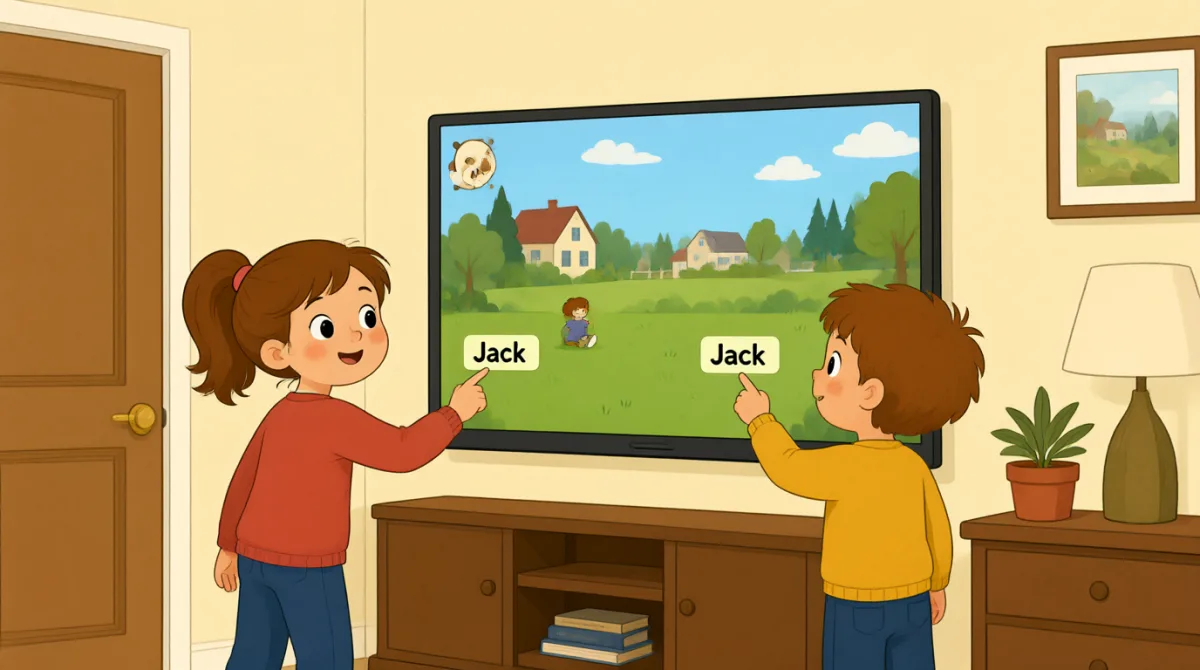

Okay, the screen is on. What do we do first?
Bueno, la pantalla ya está encendida. ¿Qué hacemos primero?

Tap “New Game,” then choose the number of players.
Toca “New Game” y luego elige el número de jugadores.

There are three of us. I’ll put in my name first.
Somos tres. Voy a poner mi nombre primero.
How do I type my name? Do I use this keyboard?
¿Cómo escribo mi nombre? ¿Uso este teclado?
Yes. Type your name, then press “Enter” to add it.
Sí. Escribe tu nombre y luego pulsa “Enter” para añadirlo.
Great, I’m on the screen! Emma, it’s your turn to add your name.
¡Genial, ya aparezco en la pantalla! Emma, te toca añadir tu nombre.
Done! Jack, can you add your name, too?
¡Listo! Jack, ¿puedes añadir tu nombre también?
All set. Press “Start,” and the screen will show whose turn it is.
Ya está todo listo. Pulsa “Start” y la pantalla mostrará a quién le toca.
Let’s start! I’ll go first, then Emma, then Jack.
¡Empecemos! Voy primero, luego Emma y después Jack.
Vocabulario8
- Tap “New Game,”Toca “New Game”,
Use this instruction when you need to touch a button on a screen. You can replace “New Game” with the button you need.
Usa esta instrucción cuando tengas que tocar un botón en una pantalla. Puedes cambiar “New Game” por el nombre del botón que necesites.
- choose the number of playerselegir el número de jugadores
This means to select how many people will play. You can use this phrase when setting up a game or activity.
Significa seleccionar cuántas personas van a jugar. Puedes usar esta expresión al preparar un juego o una actividad.
- put in my nameponer mi nombre
This means to enter your name on a screen or form. You can also say, “I’ll put in my email address.”
Significa introducir tu nombre en una pantalla o un formulario. También puedes decir: “I’ll put in my email address.”
- press “Enter”pulsar “Enter”
This means to push the Enter key on a keyboard. Use it when you want to finish entering information.
Significa pulsar la tecla Enter de un teclado. Se usa cuando quieres terminar de introducir información.
- add itañadirlo
Here, “add it” means to put a name into the game. You can use “add” when putting information into a list or form.
Aquí, “add it” significa añadir un nombre a la partida. Puedes usar “add” para incorporar información a una lista o un formulario.
- it’s your turnte toca
This tells someone that they can do something now. You can use it for games and other activities.
Le indica a alguien que ya puede hacer algo. Puedes usarlo en juegos y otras actividades.
- All set.Todo listo.
This means everything is ready or finished. You can say it after completing a task.
Significa que todo está preparado o terminado. Puedes decirlo después de completar una tarea.
- go firstir primero
This means to take the first turn. You can use it when deciding who starts a game or activity.
Significa hacer el primer turno. Puedes usarlo para decidir quién empieza un juego o una actividad.
Frases clave7
- 1
What do we do first?
¿Qué hacemos primero?
Use this to ask what the first step is. You can use it when starting a game, task, or activity.
Usa esta pregunta para saber cuál es el primer paso. Puedes decirla al empezar un juego, una tarea o una actividad.
- 2
There are three of us.
Somos tres.
This is a simple way to say how many people are in your group. Replace “three” with another number.
Es una manera sencilla de decir cuántas personas hay en tu grupo. Cambia “three” por otro número.
- 3
I’ll put in my name first.
Voy a poner mi nombre primero.
Use “I’ll” to say what you plan to do next. You can replace “my name” with other information you need to enter.
Usa “I’ll” para decir lo que piensas hacer a continuación. Puedes cambiar “my name” por otra información que tengas que introducir.
- 4
How do I type my name?
¿Cómo escribo mi nombre?
This is a useful question when you need help entering information on a device. Replace “my name” with what you need to type.
Es una pregunta útil cuando necesitas ayuda para introducir información en un dispositivo. Cambia “my name” por lo que tengas que escribir.
- 5
Can you add your name, too?
¿Puedes añadir tu nombre también?
Use this to ask someone to enter their information as well. You can replace “your name” with another item.
Usa esta pregunta para pedirle a alguien que introduzca también sus datos. Puedes cambiar “your name” por otra cosa.
- 6
Press “Start,” and the screen will show whose turn it is.
Pulsa “Start” y la pantalla mostrará a quién le toca.
This gives a simple instruction and explains what will happen next. You can use “will show” to describe what a screen or device will display.
Esta frase da una instrucción sencilla y explica qué pasará después. Puedes usar “will show” para describir lo que mostrará una pantalla o un dispositivo.
- 7
I’ll go first, then Emma, then Jack.
Voy primero, luego Emma y después Jack.
Use this pattern to explain the order of turns. Replace the names with the people in your group.
Usa esta estructura para explicar el orden de los turnos. Cambia los nombres por los de las personas de tu grupo.