Entering Names on the Screen
إدخال الأسماء على الشاشة
At their lane, Emma and Leo enter their names on the screen. Jack shows them how to start the game and take turns.
عند مسار البولينغ، يُدخل إيما وليو اسميهما على الشاشة. يريهما جاك كيف يبدآن اللعبة ويتناوبان على اللعب.
حوار9
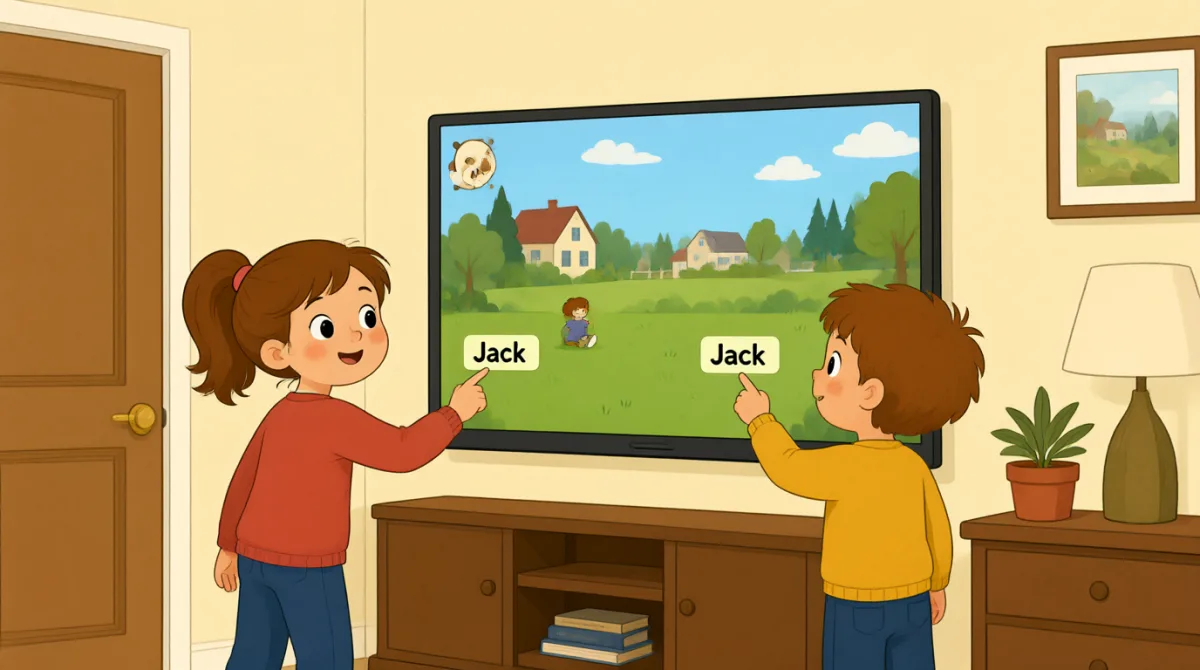

Okay, the screen is on. What do we do first?
حسنًا، الشاشة تعمل. ماذا نفعل أولًا؟

Tap “New Game,” then choose the number of players.
اضغطوا على «لعبة جديدة»، ثم اختاروا عدد اللاعبين.

There are three of us. I’ll put in my name first.
نحن ثلاثة. سأُدخل اسمي أولًا.
How do I type my name? Do I use this keyboard?
كيف أكتب اسمي؟ هل أستخدم لوحة المفاتيح هذه؟
Yes. Type your name, then press “Enter” to add it.
نعم. اكتب اسمك، ثم اضغط على «إدخال» لإضافته.
Great, I’m on the screen! Emma, it’s your turn to add your name.
رائع، ظهر اسمي على الشاشة! إما، حان دورك لإضافة اسمك.
Done! Jack, can you add your name, too?
انتهيت! جاك، هل يمكنك إضافة اسمك أيضًا؟
All set. Press “Start,” and the screen will show whose turn it is.
كل شيء جاهز. اضغط على «ابدأ»، وستعرض الشاشة دور مَن.
Let’s start! I’ll go first, then Emma, then Jack.
لنبدأ! سألعب أولًا، ثم إيما، ثم جاك.
المفردات8
- Tap “New Game,”اضغط على «لعبة جديدة»
Use this instruction when you need to touch a button on a screen. You can replace “New Game” with the button you need.
استخدم هذه التعليمات عندما تحتاج إلى لمس زر على الشاشة. يمكنك استبدال “New Game” باسم الزر الذي تحتاج إليه.
- choose the number of playersاختيار عدد اللاعبين
This means to select how many people will play. You can use this phrase when setting up a game or activity.
تعني هذه العبارة تحديد عدد الأشخاص الذين سيلعبون. يمكنك استخدامها عند إعداد لعبة أو نشاط.
- put in my nameأُدخل اسمي
This means to enter your name on a screen or form. You can also say, “I’ll put in my email address.”
تعني هذه العبارة إدخال اسمك على شاشة أو في استمارة. ويمكنك أيضًا أن تقول: “I’ll put in my email address.” (سأُدخل عنوان بريدي الإلكتروني.)
- press “Enter”اضغط على «إدخال»
This means to push the Enter key on a keyboard. Use it when you want to finish entering information.
تعني هذه العبارة الضغط على مفتاح Enter في لوحة المفاتيح. استخدمها عندما تريد الانتهاء من إدخال المعلومات.
- add itأضِفه
Here, “add it” means to put a name into the game. You can use “add” when putting information into a list or form.
تعني “add it” هنا إدخال اسم في اللعبة. يمكنك استخدام “add” عند إدخال معلومات في قائمة أو استمارة.
- it’s your turnحان دورك
This tells someone that they can do something now. You can use it for games and other activities.
تُخبر هذه العبارة شخصًا بأن بإمكانه القيام بشيء الآن. يمكنك استخدامها في الألعاب والأنشطة الأخرى.
- All set.كل شيء جاهز.
This means everything is ready or finished. You can say it after completing a task.
تعني هذه العبارة أن كل شيء جاهز أو أن العمل قد انتهى. يمكنك قولها بعد إتمام مهمة.
- go firstيبدأ أولًا
This means to take the first turn. You can use it when deciding who starts a game or activity.
تعني هذه العبارة أن يأخذ الشخص دوره أولًا. يمكنك استخدامها عند تحديد مَن سيبدأ لعبة أو نشاطًا.
الجمل الأساسية7
- 1
What do we do first?
ماذا نفعل أولًا؟
Use this to ask what the first step is. You can use it when starting a game, task, or activity.
استخدم هذا السؤال للاستفسار عن الخطوة الأولى. يمكنك استخدامه عند بدء لعبة أو مهمة أو نشاط.
- 2
There are three of us.
نحن ثلاثة.
This is a simple way to say how many people are in your group. Replace “three” with another number.
هذه طريقة بسيطة لذكر عدد الأشخاص في مجموعتك. استبدل “three” برقم آخر.
- 3
I’ll put in my name first.
سأُدخل اسمي أولًا.
Use “I’ll” to say what you plan to do next. You can replace “my name” with other information you need to enter.
استخدم “I’ll” للتعبير عما تخطط لفعله بعد ذلك. يمكنك استبدال “my name” بمعلومات أخرى تحتاج إلى إدخالها.
- 4
How do I type my name?
كيف أكتب اسمي؟
This is a useful question when you need help entering information on a device. Replace “my name” with what you need to type.
هذا سؤال مفيد عندما تحتاج إلى مساعدة في إدخال معلومات على جهاز. استبدل “my name” بما تحتاج إلى كتابته.
- 5
Can you add your name, too?
هل يمكنك إضافة اسمك أيضًا؟
Use this to ask someone to enter their information as well. You can replace “your name” with another item.
استخدم هذه العبارة لطلب إدخال معلومات شخص آخر أيضًا. يمكنك استبدال “your name” بشيء آخر.
- 6
Press “Start,” and the screen will show whose turn it is.
اضغط على «ابدأ»، وستعرض الشاشة دور مَن.
This gives a simple instruction and explains what will happen next. You can use “will show” to describe what a screen or device will display.
تتضمن هذه العبارة تعليمات بسيطة وتوضح ما سيحدث بعد ذلك. يمكنك استخدام “will show” لوصف ما ستعرضه شاشة أو جهاز.
- 7
I’ll go first, then Emma, then Jack.
سألعب أولًا، ثم إيما، ثم جاك.
Use this pattern to explain the order of turns. Replace the names with the people in your group.
استخدم هذا النمط لشرح ترتيب الأدوار. استبدل الأسماء بأسماء أفراد مجموعتك.