Entering Names on the Screen
स्क्रीन पर नाम दर्ज करना
At their lane, Emma and Leo enter their names on the screen. Jack shows them how to start the game and take turns.
अपनी बॉलिंग लेन पर एम्मा और लियो स्क्रीन पर अपने नाम दर्ज करते हैं। जैक उन्हें गेम शुरू करने और बारी-बारी से खेलने का तरीका बताता है।
संवाद9
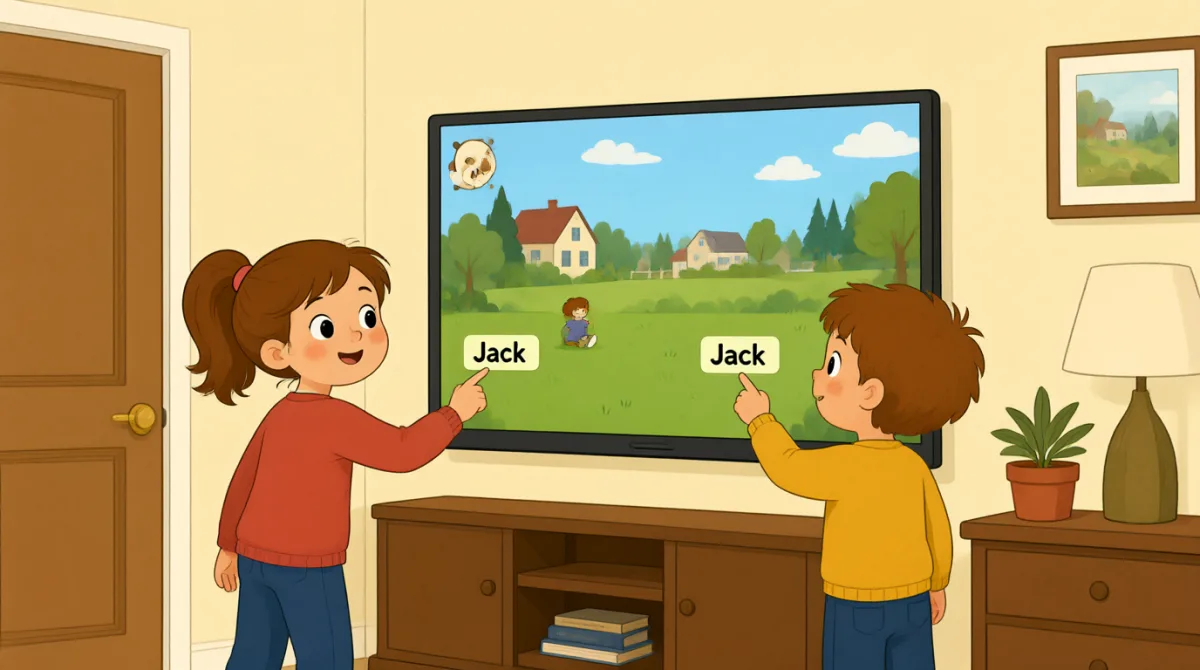

Okay, the screen is on. What do we do first?
ठीक है, स्क्रीन चालू है। सबसे पहले क्या करें?

Tap “New Game,” then choose the number of players.
“New Game” पर टैप करो, फिर खिलाड़ियों की संख्या चुनो।

There are three of us. I’ll put in my name first.
हम तीन लोग हैं। मैं पहले अपना नाम डालता हूँ।
How do I type my name? Do I use this keyboard?
मैं अपना नाम कैसे टाइप करूँ? क्या इस कीबोर्ड का इस्तेमाल करूँ?
Yes. Type your name, then press “Enter” to add it.
हाँ। अपना नाम टाइप करो, फिर उसे जोड़ने के लिए “Enter” दबाओ।
Great, I’m on the screen! Emma, it’s your turn to add your name.
बढ़िया, मेरा नाम स्क्रीन पर आ गया! एम्मा, अब तुम्हारी बारी है अपना नाम जोड़ने की।
Done! Jack, can you add your name, too?
हो गया! जैक, क्या तुम भी अपना नाम जोड़ सकते हो?
All set. Press “Start,” and the screen will show whose turn it is.
सब तैयार है। “Start” दबाओ, और स्क्रीन पर दिखेगा कि किसकी बारी है।
Let’s start! I’ll go first, then Emma, then Jack.
चलो शुरू करें! पहले मेरी बारी, फिर एम्मा की, फिर जैक की।
शब्दावली8
- Tap “New Game,”“New Game” पर टैप करो
Use this instruction when you need to touch a button on a screen. You can replace “New Game” with the button you need.
स्क्रीन पर किसी बटन को छूने के लिए यह निर्देश इस्तेमाल करें। “New Game” की जगह उस बटन का नाम रख सकते हैं जिसे दबाना है।
- choose the number of playersखिलाड़ियों की संख्या चुनना
This means to select how many people will play. You can use this phrase when setting up a game or activity.
इसका मतलब है चुनना कि कितने लोग खेलेंगे। गेम या गतिविधि शुरू करने की तैयारी करते समय आप इस वाक्यांश का इस्तेमाल कर सकते हैं।
- put in my nameअपना नाम डालना
This means to enter your name on a screen or form. You can also say, “I’ll put in my email address.”
इसका मतलब है स्क्रीन या फ़ॉर्म में अपना नाम दर्ज करना। आप यह भी कह सकते हैं, “I’ll put in my email address.” (मैं अपना ईमेल पता डालूँगा/डालूँगी।)
- press “Enter”“Enter” दबाना
This means to push the Enter key on a keyboard. Use it when you want to finish entering information.
इसका मतलब है कीबोर्ड की Enter कुंजी दबाना। जानकारी दर्ज करने के बाद उसे पूरा करने के लिए इसका इस्तेमाल करें।
- add itउसे जोड़ना
Here, “add it” means to put a name into the game. You can use “add” when putting information into a list or form.
यहाँ, “add it” का मतलब है गेम में कोई नाम दर्ज करना। किसी सूची या फ़ॉर्म में जानकारी डालने के लिए “add” का इस्तेमाल कर सकते हैं।
- it’s your turnअब तुम्हारी बारी है
This tells someone that they can do something now. You can use it for games and other activities.
यह बताता है कि अब कोई व्यक्ति कुछ कर सकता है। इसका इस्तेमाल गेम और दूसरी गतिविधियों में कर सकते हैं।
- All set.सब तैयार है।
This means everything is ready or finished. You can say it after completing a task.
इसका मतलब है कि सब कुछ तैयार है या काम पूरा हो गया है। कोई काम पूरा करने के बाद आप यह कह सकते हैं।
- go firstपहले खेलना
This means to take the first turn. You can use it when deciding who starts a game or activity.
इसका मतलब है सबसे पहले अपनी बारी लेना। गेम या गतिविधि कौन शुरू करेगा, यह तय करते समय इसका इस्तेमाल कर सकते हैं।
मुख्य वाक्य7
- 1
What do we do first?
सबसे पहले क्या करें?
Use this to ask what the first step is. You can use it when starting a game, task, or activity.
पहला कदम क्या है, यह पूछने के लिए इस वाक्य का इस्तेमाल करें। गेम, काम या गतिविधि शुरू करते समय आप यह पूछ सकते हैं।
- 2
There are three of us.
हम तीन लोग हैं।
This is a simple way to say how many people are in your group. Replace “three” with another number.
अपने समूह में लोगों की संख्या बताने का यह एक आसान तरीका है। “three” की जगह कोई दूसरी संख्या रख सकते हैं।
- 3
I’ll put in my name first.
मैं पहले अपना नाम डालूँगा/डालूँगी।
Use “I’ll” to say what you plan to do next. You can replace “my name” with other information you need to enter.
अगला काम बताने के लिए “I’ll” का इस्तेमाल करें। “my name” की जगह वह दूसरी जानकारी रख सकते हैं जिसे आपको दर्ज करना है।
- 4
How do I type my name?
मैं अपना नाम कैसे टाइप करूँ?
This is a useful question when you need help entering information on a device. Replace “my name” with what you need to type.
किसी डिवाइस पर जानकारी दर्ज करने में मदद चाहिए हो, तो यह एक काम का सवाल है। “my name” की जगह वह चीज़ रख सकते हैं जिसे आपको टाइप करना है।
- 5
Can you add your name, too?
क्या तुम भी अपना नाम जोड़ सकते हो?
Use this to ask someone to enter their information as well. You can replace “your name” with another item.
किसी से उसकी जानकारी भी दर्ज करने को कहने के लिए यह वाक्य इस्तेमाल करें। “your name” की जगह कोई दूसरी चीज़ रख सकते हैं।
- 6
Press “Start,” and the screen will show whose turn it is.
“Start” दबाओ, और स्क्रीन पर दिखेगा कि किसकी बारी है।
This gives a simple instruction and explains what will happen next. You can use “will show” to describe what a screen or device will display.
इस वाक्य में एक आसान निर्देश दिया गया है और बताया गया है कि आगे क्या होगा। स्क्रीन या डिवाइस पर क्या दिखाई देगा, यह बताने के लिए “will show” का इस्तेमाल कर सकते हैं।
- 7
I’ll go first, then Emma, then Jack.
पहले मेरी बारी, फिर एम्मा की, फिर जैक की।
Use this pattern to explain the order of turns. Replace the names with the people in your group.
बारी का क्रम बताने के लिए इस ढाँचे का इस्तेमाल करें। नामों की जगह अपने समूह के लोगों के नाम रख सकते हैं।