The Connection Is Bad
Bağlantı Kötü
Emma and Leo start their call, but the picture freezes and the sound breaks up. They try simple ways to fix the bad connection.
Emma ve Leo görüntülü aramaya başlar ama görüntü donar, ses de kesik kesik gelir. Kötü bağlantıyı düzeltmek için basit çözümler denerler.
Diyalog8
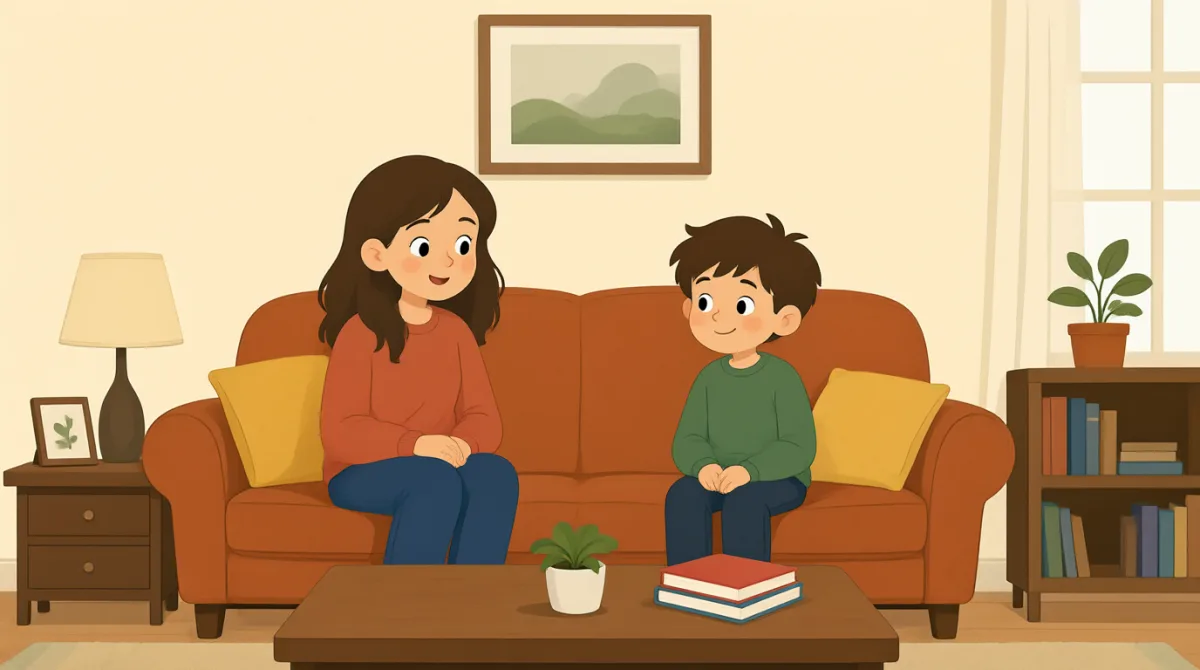

Hi, Leo! Can you hear me? Your picture keeps freezing.
Selam Leo! Sesim geliyor mu? Görüntün sürekli donuyor.

I can hear you, but your voice keeps breaking up.
Seni duyabiliyorum ama sesin sürekli kesiliyor.
Oh no. Maybe the Wi-Fi is weak. Let me move closer to the router.
Eyvah. Wi-Fi sinyali zayıf olabilir. Yönlendiriciye biraz yaklaşayım.
Okay. I’ll turn off my video for a moment. Maybe that will help.
Tamam. Bir süreliğine kameramı kapatayım. Belki işe yarar.
That sounds better! I can hear you clearly now.
Böylesi daha iyi! Şimdi seni net duyabiliyorum.
Great! Your picture is still frozen, though. Can you turn your video off too?
Harika! Ama görüntün hâlâ donmuş. Sen de kameranı kapatabilir misin?
Sure. I’ll turn it off and call you back if we lose the sound.
Tabii. Kapatayım; ses giderse seni tekrar ararım.
Perfect. Let’s keep talking. I’m glad we fixed the connection.
Süper. Konuşmaya devam edelim. Bağlantıyı düzelttiğimize sevindim.
Kelime Bilgisi8
- keeps freezingsürekli donuyor
The picture keeps stopping and not moving. Use this phrase when a video does not play smoothly.
Görüntünün sürekli durup hareketsiz kalması demek. Video akıcı oynatılmadığında bu ifadeyi kullanabilirsin.
- breaking upkesik kesik gelmek
The sound keeps stopping or becoming unclear. You can say this when you cannot hear someone well on a call.
Sesin sürekli kesilmesi ya da anlaşılmaz hâle gelmesi demek. Bir aramada karşındaki kişiyi iyi duyamadığında bu ifadeyi kullanabilirsin.
- weakzayıf
Here, weak means the Wi-Fi signal is not strong. You can use it to explain why a connection is poor.
Burada weak, Wi-Fi sinyalinin güçlü olmadığını anlatıyor. Bağlantının neden kötü olduğunu açıklamak için kullanabilirsin.
- move closer to the routeryönlendiriciye yaklaşmak
This means to go nearer to the device that sends the Wi-Fi signal. It may help improve the connection.
Wi-Fi sinyalini gönderen cihaza daha yakın bir yere gitmek demek. Bu, bağlantıyı iyileştirmeye yardımcı olabilir.
- turn off my videokameramı kapatmak
This means to stop sending your picture during a call. You can use it to reduce problems with a slow connection.
Arama sırasında görüntünü göndermeyi durdurmak demek. Yavaş bağlantıdaki sorunları azaltmak için bu ifadeyi kullanabilirsin.
- for a momentbir süreliğine
This means for a short time. Use it when you plan to do something briefly and then continue.
Kısa bir süre için demek. Kısa süreliğine bir şey yapıp sonra devam edeceğinde kullanabilirsin.
- call you backseni tekrar aramak
This means to call someone again later or after the current call ends. You can use it if you lose the connection.
Birini daha sonra ya da mevcut arama bittikten sonra yeniden aramak demek. Bağlantı kesilirse bu ifadeyi kullanabilirsin.
- clearlynet
Clearly means in a way that is easy to hear or understand. Here, Emma can hear Leo without problems.
Clearly, kolayca duyulacak ya da anlaşılacak şekilde demek. Burada Emma, Leo'yu sorunsuz biçimde duyabiliyor.
Önemli Cümleler8
- 1
Can you hear me?
Sesim geliyor mu?
This is a simple way to check if someone can hear you on a call. You can also say, “Can you see me?” to check the video.
Bir aramada karşındaki kişinin seni duyup duymadığını kontrol etmenin basit bir yolu. Görüntüyü kontrol etmek için “Can you see me?” (Beni görebiliyor musun?) da diyebilirsin.
- 2
Maybe the Wi-Fi is weak.
Wi-Fi sinyali zayıf olabilir.
Use this sentence to suggest a possible reason for a poor connection. Replace “the Wi-Fi” with another possible cause.
Bağlantının kötü olmasının olası bir nedenini öne sürerken bu cümleyi kullan. “the Wi-Fi” yerine başka bir olası neden de söyleyebilirsin.
- 3
Let me move closer to the router.
Yönlendiriciye biraz yaklaşayım.
This is a useful way to say you will try something to improve the connection. You can use “Let me…” before offering to do something.
Bağlantıyı iyileştirmek için bir şey deneyeceğini söylemenin kullanışlı bir yolu. Bir şey yapmayı teklif ederken “Let me…” kalıbını kullanabilirsin.
- 4
I’ll turn off my video for a moment.
Bir süreliğine kameramı kapatayım.
Use this sentence to say you will stop your video briefly. “I’ll” is a natural short form of “I will” when talking about a decision.
Görüntünü kısa bir süreliğine kapatacağını söylemek için bu cümleyi kullan. “I’ll”, bir kararından söz ederken “I will” ifadesinin doğal ve kısa hâlidir.
- 5
That sounds better!
Böylesi daha iyi!
This is a friendly way to say that something has improved. You can use it when the sound, a plan, or an idea seems better.
Bir şeyin daha iyi hâle geldiğini söylemenin samimi bir yolu. Ses, plan ya da fikir daha iyi göründüğünde kullanabilirsin.
- 6
Can you turn your video off too?
Sen de kameranı kapatabilir misin?
Use this sentence to politely ask someone to stop their video. “Too” shows that you have already done the same thing.
Birinden görüntüsünü kapatmasını nazikçe istemek için bu cümleyi kullan. “Too”, aynı şeyi senin de yaptığını gösterir.
- 7
I’ll turn it off and call you back if we lose the sound.
Kapatayım; ses giderse seni tekrar ararım.
This sentence explains what you will do if a problem happens. Use “if” to talk about a possible situation and its result.
Bu cümle, bir sorun çıkarsa ne yapacağını açıklar. Olası bir durumu ve sonucunu anlatmak için “if” kullanılır.
- 8
I’m glad we fixed the connection.
Bağlantıyı düzelttiğimize sevindim.
Use this sentence to show you are happy that a problem is solved. You can replace “the connection” with another problem you fixed.
Bir sorunun çözülmesine sevindiğini göstermek için bu cümleyi kullan. “the connection” yerine çözdüğün başka bir sorunu da söyleyebilirsin.