Going to a Repair Shop
Pergi ke Tempat Servis
Emma takes her phone to a repair shop and shows David the cracked screen. He asks a few questions about the phone.
Emma membawa ponselnya ke tempat servis dan menunjukkan layar yang retak kepada David. David mengajukan beberapa pertanyaan tentang ponselnya.
Dialog8
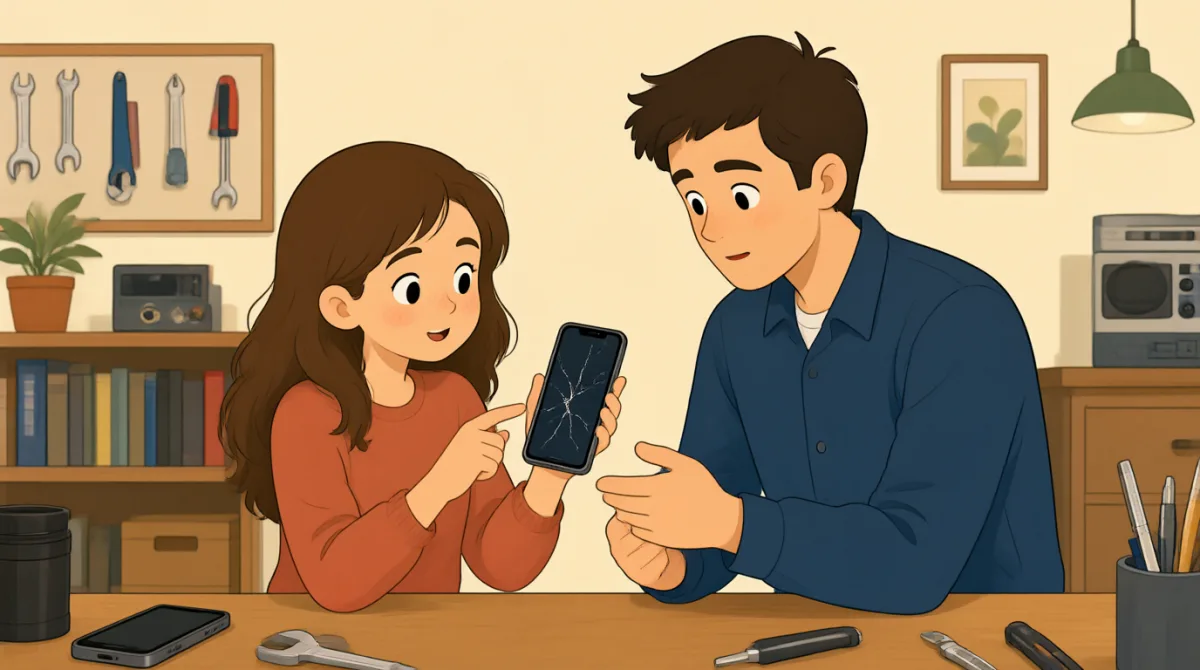

Hi, I dropped my phone on the sidewalk, and the screen cracked.
Hai, ponselku jatuh di trotoar dan layarnya retak.

I’m sorry that happened. Can I take a look at it?
Wah, sayang sekali. Boleh saya lihat?
Sure. Here it is. The screen still works, but there are cracks.
Tentu. Ini ponselnya. Layarnya masih berfungsi, tapi ada retakan.
Thanks. What kind of phone is it?
Terima kasih. Ponsel jenis apa ini?
It’s an older iPhone. I’m not sure which model.
Ini iPhone model lama. Saya kurang yakin model yang mana.
That’s okay. I can check the model in your phone’s settings.
Tidak apa-apa. Saya bisa mengecek modelnya di pengaturan ponsel Anda.
Will you need my passcode to check it?
Apa Anda perlu kode sandi saya untuk mengeceknya?
No, I can find the model without opening your apps.
Tidak, saya bisa mengetahui modelnya tanpa membuka aplikasi Anda.
Kosakata8
- dropped my phonemenjatuhkan ponsel saya
This means the phone fell from my hand or another place. Use “I dropped my…” to explain how something fell.
Artinya, ponsel itu terlepas dari tangan atau jatuh dari tempat lain. Gunakan “I dropped my…” untuk menjelaskan bagaimana sesuatu jatuh.
- on the sidewalkdi trotoar
The sidewalk is the path beside a street for people to walk on. This phrase tells where something happened.
Trotoar adalah jalur di sisi jalan yang digunakan orang untuk berjalan kaki. Frasa ini menunjukkan tempat sesuatu terjadi.
- crackedretak
Here, “cracked” means the screen has lines or breaks in it. Use it to describe damage to glass.
Di sini, “cracked” berarti layar memiliki garis atau pecahan. Kata ini digunakan untuk menjelaskan kerusakan pada kaca.
- take a look at itmelihatnya
This means to examine or check something. You can say “Can I take a look at it?” when asking to see an item.
Artinya memeriksa sesuatu. Anda bisa mengatakan “Can I take a look at it?” saat meminta izin untuk melihat suatu barang.
- What kind of phone is it?Ponsel jenis apa ini?
This question asks about the phone’s type or brand. You can reuse “What kind of… is it?” to ask about other things.
Pertanyaan ini menanyakan jenis atau merek ponsel. Anda bisa menggunakan kembali “What kind of… is it?” untuk menanyakan hal lain.
- older iPhoneiPhone model lama
This means an iPhone that is not a recent model. Use “older” to describe something made or bought some time ago.
Artinya iPhone yang bukan model terbaru. Gunakan “older” untuk menjelaskan sesuatu yang dibuat atau dibeli beberapa waktu lalu.
- check the modelmengecek model
This means find out the exact type or version of the phone. You can use “check” when asking someone to find information.
Artinya mencari tahu jenis atau versi ponsel yang tepat. Anda bisa menggunakan “check” saat meminta seseorang mencari informasi.
- passcodekode sandi
A passcode is a secret number or code used to unlock a phone. You may need it to open the phone, but not always to check basic information.
Kode sandi adalah angka atau kode rahasia untuk membuka ponsel. Anda mungkin membutuhkannya untuk membuka ponsel, tetapi tidak selalu untuk memeriksa informasi dasar.
Kalimat Kunci8
- 1
I dropped my phone on the sidewalk, and the screen cracked.
Ponsel saya jatuh di trotoar dan layarnya retak.
This sentence explains what happened and what was damaged. Use “I dropped my…” to describe an accident, then say what happened next.
Kalimat ini menjelaskan apa yang terjadi dan bagian yang rusak. Gunakan “I dropped my…” untuk menjelaskan suatu kecelakaan, lalu ceritakan apa yang terjadi setelahnya.
- 2
Can I take a look at it?
Boleh saya lihat?
This is a polite way to ask to examine something. Replace “it” with the item you want to check.
Ini cara yang sopan untuk meminta izin memeriksa sesuatu. Ganti “it” dengan barang yang ingin Anda periksa.
- 3
The screen still works, but there are cracks.
Layarnya masih berfungsi, tapi ada retakan.
This explains that something works even though it is damaged. Use “still works, but…” to describe a problem with a positive detail.
Kalimat ini menjelaskan bahwa sesuatu masih berfungsi meski rusak. Gunakan “still works, but…” untuk menyebutkan masalah sekaligus hal positif.
- 4
What kind of phone is it?
Ponsel jenis apa ini?
This is a simple question about the type of phone. You can change “phone” to another item, such as “What kind of computer is it?”
Ini pertanyaan sederhana tentang jenis ponsel. Anda bisa mengganti “phone” dengan barang lain, misalnya “What kind of computer is it?”.
- 5
I’m not sure which model.
Saya kurang yakin model yang mana.
Use this when you do not know the exact model or version. You can also say “I’m not sure which…” to explain that you do not know a detail.
Gunakan ini saat Anda tidak tahu model atau versi yang tepat. Anda juga bisa mengatakan “I’m not sure which…” untuk menjelaskan bahwa Anda tidak tahu suatu detail.
- 6
I can check the model in your phone’s settings.
Saya bisa mengecek modelnya di pengaturan ponsel Anda.
This sentence explains how the repair worker can find the phone model. Use “I can check…” to offer to find information.
Kalimat ini menjelaskan cara petugas servis menemukan model ponsel. Gunakan “I can check…” untuk menawarkan diri mencari informasi.
- 7
Will you need my passcode to check it?
Apa Anda perlu kode sandi saya untuk mengeceknya?
This is a polite way to ask if someone needs your passcode for a task. Use “Will you need my…?” to ask about something required.
Ini cara yang sopan untuk menanyakan apakah seseorang memerlukan kode sandi Anda untuk melakukan sesuatu. Gunakan “Will you need my…?” untuk menanyakan apakah sesuatu diperlukan.
- 8
No, I can find the model without opening your apps.
Tidak, saya bisa mengetahui modelnya tanpa membuka aplikasi Anda.
This reassures the customer that the worker can find the information without opening the apps. Use “without + -ing” to explain what is not necessary.
Kalimat ini meyakinkan pelanggan bahwa petugas dapat mengetahui informasi tersebut tanpa membuka aplikasinya. Gunakan “without + -ing” untuk menjelaskan apa yang tidak perlu dilakukan.