Calling IT
Telefon do działu IT
The printer still has a problem, so Emma and Jack call the IT team. They explain what they tried and ask for help.
Drukarka nadal nie działa, więc Emma i Jack dzwonią do działu IT. Wyjaśniają, co już próbowali zrobić, i proszą o pomoc.
Dialog8
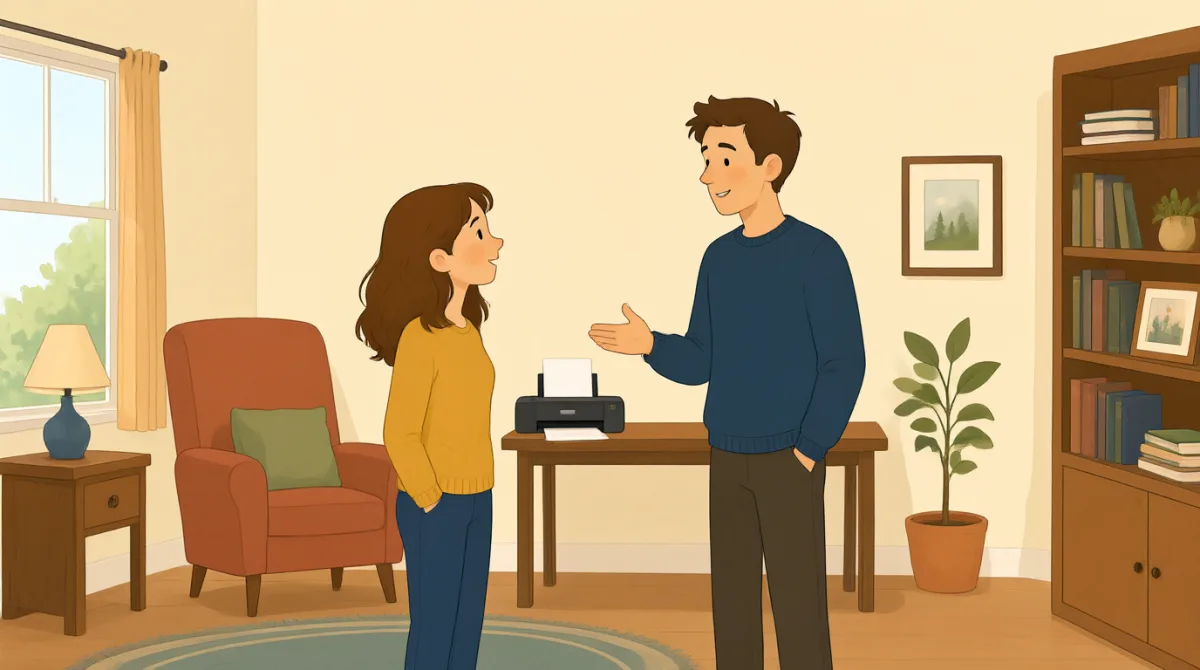

Hi, IT? This is Emma. Our printer still won't print my report.
Halo, dział IT? Tu Emma. Nasza drukarka nadal nie chce wydrukować mojego raportu.

Hi, Emma. What happens when you try to print?
Cześć, Emma. Co się dzieje, kiedy próbujesz coś wydrukować?

We cleared a paper jam and changed the ink, but it still won't work.
Usunęliśmy zacięty papier i wymieniliśmy tusz, ale drukarka nadal nie działa.
Did you check the printer settings and choose the right printer?
Czy sprawdziliście ustawienia drukarki i wybraliście właściwą drukarkę?
Yes. I chose color, but the printer doesn't respond at all.
Tak. Wybrałam druk w kolorze, ale drukarka w ogóle nie reaguje.
Okay. Is there an error message on the printer screen?
Dobrze. Czy na ekranie drukarki pojawia się jakiś komunikat o błędzie?
It says, “Printer offline.” We tried turning it off and on.
Jest napisane: „Drukarka jest offline”. Próbowaliśmy ją wyłączyć i włączyć ponownie.
Thanks. I'll check the connection and send someone to take a look.
Dzięki. Sprawdzę połączenie i wyślę kogoś, żeby to sprawdził.
Słownictwo8
- paper jamzacięty papier
A paper jam happens when paper gets stuck inside a printer. You can say, “There’s a paper jam” to report the problem.
Zacięcie papieru zdarza się, gdy kartka utknie w drukarce. Możesz zgłosić problem, mówiąc: „There’s a paper jam” (Papier się zaciął).
- changed the inkwymienić tusz
This means they put new ink in the printer. Use “change the ink” when talking about replacing printer ink.
To znaczy włożyć do drukarki nowy tusz. Wyrażenia „change the ink” używamy, gdy mówimy o wymianie tuszu w drukarce.
- printer settingsustawienia drukarki
These are the choices for how a printer works, such as color or paper size. You can check the printer settings when something goes wrong.
To opcje określające, jak działa drukarka, na przykład druk w kolorze lub rozmiar papieru. Gdy coś pójdzie nie tak, możesz sprawdzić ustawienia drukarki.
- choose the right printerwybrać właściwą drukarkę
This means selecting the printer you want to use. It is useful when several printers are available.
To znaczy wybrać drukarkę, z której chcesz skorzystać. Przydaje się, gdy dostępnych jest kilka drukarek.
- error messagekomunikat o błędzie
An error message is information on a screen that explains a problem. You can ask, “Is there an error message?” when helping someone.
Komunikat o błędzie to informacja na ekranie, która wyjaśnia, na czym polega problem. Pomagając komuś, możesz zapytać: „Is there an error message?” (Czy pojawia się jakiś komunikat o błędzie?).
- printer offlinedrukarka jest offline
This message means the printer is not connected or ready to print. You can say, “It says ‘Printer offline’” to explain what you see.
Ten komunikat oznacza, że drukarka nie jest połączona lub nie jest gotowa do drukowania. Możesz wyjaśnić, co widzisz, mówiąc: „It says ‘Printer offline’” (Jest napisane: „Drukarka jest offline”).
- turning it off and onwyłączenie i ponowne włączenie urządzenia
This means switching a device off, then switching it on again. People often try this simple step to fix a device.
To znaczy wyłączyć urządzenie, a potem włączyć je ponownie. Wiele osób próbuje tego prostego sposobu, żeby naprawić urządzenie.
- take a lookrzucić okiem
This means to examine or check something. You can say, “Can you take a look?” when asking someone for help.
To znaczy przyjrzeć się czemuś lub coś sprawdzić. Gdy prosisz kogoś o pomoc, możesz powiedzieć: „Can you take a look?” (Możesz rzucić okiem?).
Kluczowe zdania8
- 1
Our printer still won't print my report.
Nasza drukarka nadal nie chce wydrukować mojego raportu.
Use this sentence to explain that a printer problem has not been fixed. You can replace “printer” and “report” with another device and document.
Użyj tego zdania, żeby wyjaśnić, że problem z drukarką nie został rozwiązany. Zamiast „printer” i „report” możesz podać nazwę innego urządzenia i dokumentu.
- 2
What happens when you try to print?
Co się dzieje, kiedy próbujesz coś wydrukować?
This is a useful question for finding out more about a problem. You can use “What happens when you try to…” to ask about other actions.
To przydatne pytanie, gdy chcesz dowiedzieć się więcej o problemie. Konstrukcji „What happens when you try to…” możesz używać, by pytać o inne czynności.
- 3
We cleared a paper jam and changed the ink, but it still won't work.
Usunęliśmy zacięty papier i wymieniliśmy tusz, ale drukarka nadal nie działa.
This explains what you tried and shows that the problem continues. You can name other steps before “but it still won't work.”
To zdanie wyjaśnia, co już próbowaliście zrobić, i pokazuje, że problem nadal występuje. Przed „but it still won't work” możesz wymienić inne podjęte kroki.
- 4
Did you check the printer settings and choose the right printer?
Czy sprawdziliście ustawienia drukarki i wybraliście właściwą drukarkę?
Use this question to check two common causes of printing problems. “Did you check…?” is also useful when asking about other troubleshooting steps.
Użyj tego pytania, by sprawdzić dwie częste przyczyny problemów z drukowaniem. „Did you check…?” przydaje się też, gdy pytasz o inne kroki związane z rozwiązywaniem problemu.
- 5
I chose color, but the printer doesn't respond at all.
Wybrałam druk w kolorze, ale drukarka w ogóle nie reaguje.
This describes a setting you selected and the result. You can replace “color” with another choice and describe what the device does.
To zdanie opisuje wybrane ustawienie i rezultat. Zamiast „color” możesz podać inną opcję i opisać, jak zachowuje się urządzenie.
- 6
Is there an error message on the printer screen?
Czy na ekranie drukarki pojawia się jakiś komunikat o błędzie?
This is a simple way to ask whether a device is showing a problem message. Replace “printer screen” with another screen to ask about other devices.
To prosty sposób, by zapytać, czy urządzenie wyświetla komunikat o problemie. Zastąp „printer screen” nazwą innego ekranu, jeśli pytasz o inne urządzenie.
- 7
We tried turning it off and on.
Próbowaliśmy ją wyłączyć i włączyć ponownie.
Use this sentence to report that you restarted a device as a way to fix it. You can replace “it” with the name of the device.
Użyj tego zdania, by powiedzieć, że próbowaliście zrestartować urządzenie, żeby je naprawić. Zamiast „it” możesz podać nazwę urządzenia.
- 8
I'll check the connection and send someone to take a look.
Sprawdzę połączenie i wyślę kogoś, żeby to sprawdził.
This sentence explains what someone will do to help. Use “I'll check…” and “send someone to…” to describe next steps.
To zdanie wyjaśnia, co ktoś zrobi, żeby pomóc. Użyj „I'll check…” i „send someone to…”, aby opisać kolejne kroki.