Calling IT
الاتصال بفريق تقنية المعلومات
The printer still has a problem, so Emma and Jack call the IT team. They explain what they tried and ask for help.
ما زالت الطابعة تواجه مشكلة، لذا تتصل إيما وجاك بفريق تقنية المعلومات. يشرحان ما جرّباه ويطلبان المساعدة.
حوار8
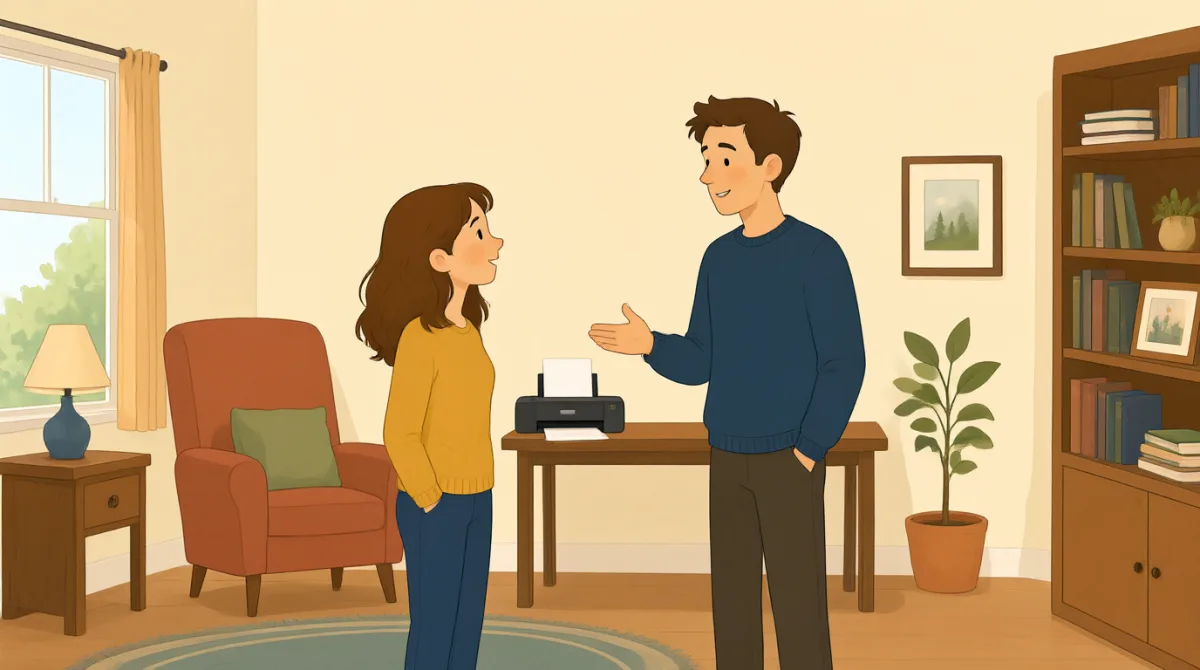

Hi, IT? This is Emma. Our printer still won't print my report.
مرحبًا، هل هذا فريق تقنية المعلومات؟ معكم إيما. ما زالت طابعتنا لا تطبع تقريري.

Hi, Emma. What happens when you try to print?
مرحبًا يا إيما. ماذا يحدث عندما تحاولين الطباعة؟

We cleared a paper jam and changed the ink, but it still won't work.
أزلنا الورق العالق وغيّرنا الحبر، لكنها ما زالت لا تعمل.
Did you check the printer settings and choose the right printer?
هل تحققتما من إعدادات الطابعة واخترتما الطابعة الصحيحة؟
Yes. I chose color, but the printer doesn't respond at all.
نعم. اخترتُ الطباعة بالألوان، لكن الطابعة لا تستجيب إطلاقًا.
Okay. Is there an error message on the printer screen?
حسنًا. هل تظهر رسالة خطأ على شاشة الطابعة؟
It says, “Printer offline.” We tried turning it off and on.
تظهر العبارة: «Printer offline». جرّبنا إيقاف تشغيلها ثم إعادة تشغيلها.
Thanks. I'll check the connection and send someone to take a look.
شكرًا لكما. سأتحقق من الاتصال وأرسل شخصًا ليفحصها.
المفردات8
- paper jamانحشار الورق
A paper jam happens when paper gets stuck inside a printer. You can say, “There’s a paper jam” to report the problem.
يحدث انحشار الورق عندما تعلق ورقة داخل الطابعة. يمكنك قول “There’s a paper jam” للإبلاغ عن المشكلة.
- changed the inkغيّر الحبر
This means they put new ink in the printer. Use “change the ink” when talking about replacing printer ink.
يعني هذا أنهم وضعوا حبرًا جديدًا في الطابعة. استخدم “change the ink” عند الحديث عن استبدال حبر الطابعة.
- printer settingsإعدادات الطابعة
These are the choices for how a printer works, such as color or paper size. You can check the printer settings when something goes wrong.
هي الخيارات التي تحدد طريقة عمل الطابعة، مثل الألوان أو حجم الورق. يمكنك التحقق من إعدادات الطابعة عندما يحدث خلل ما.
- choose the right printerاختيار الطابعة الصحيحة
This means selecting the printer you want to use. It is useful when several printers are available.
يعني هذا اختيار الطابعة التي تريد استخدامها. يفيد هذا التعبير عندما تكون هناك عدة طابعات متاحة.
- error messageرسالة خطأ
An error message is information on a screen that explains a problem. You can ask, “Is there an error message?” when helping someone.
رسالة الخطأ هي معلومات تظهر على الشاشة وتوضح وجود مشكلة. يمكنك أن تسأل “Is there an error message?” عندما تساعد شخصًا ما.
- printer offlineالطابعة غير متصلة
This message means the printer is not connected or ready to print. You can say, “It says ‘Printer offline’” to explain what you see.
تعني هذه الرسالة أن الطابعة غير متصلة أو غير جاهزة للطباعة. يمكنك قول “It says ‘Printer offline’” لشرح ما تراه.
- turning it off and onإيقاف تشغيلها ثم إعادة تشغيلها
This means switching a device off, then switching it on again. People often try this simple step to fix a device.
يعني هذا إيقاف تشغيل جهاز ثم تشغيله من جديد. غالبًا ما يجرّب الناس هذه الخطوة البسيطة لإصلاح الجهاز.
- take a lookيفحص
This means to examine or check something. You can say, “Can you take a look?” when asking someone for help.
يعني هذا معاينة شيء أو التحقق منه. يمكنك قول “Can you take a look?” عندما تطلب من شخص أن يساعدك.
الجمل الأساسية8
- 1
Our printer still won't print my report.
ما زالت طابعتنا لا تطبع تقريري.
Use this sentence to explain that a printer problem has not been fixed. You can replace “printer” and “report” with another device and document.
استخدم هذه الجملة لتوضيح أن مشكلة الطابعة لم تُحل بعد. يمكنك استبدال “printer” و“report” بجهاز ووثيقة آخرين.
- 2
What happens when you try to print?
ماذا يحدث عندما تحاول الطباعة؟
This is a useful question for finding out more about a problem. You can use “What happens when you try to…” to ask about other actions.
هذا سؤال مفيد لمعرفة المزيد عن مشكلة ما. يمكنك استخدام “What happens when you try to…” للسؤال عن أفعال أخرى.
- 3
We cleared a paper jam and changed the ink, but it still won't work.
أزلنا الورق العالق وغيّرنا الحبر، لكنها ما زالت لا تعمل.
This explains what you tried and shows that the problem continues. You can name other steps before “but it still won't work.”
توضح هذه الجملة ما جرّبته، وتبيّن أن المشكلة ما زالت قائمة. يمكنك ذكر خطوات أخرى قبل “but it still won't work.”
- 4
Did you check the printer settings and choose the right printer?
هل تحققتما من إعدادات الطابعة واخترتما الطابعة الصحيحة؟
Use this question to check two common causes of printing problems. “Did you check…?” is also useful when asking about other troubleshooting steps.
استخدم هذا السؤال للتحقق من سببين شائعين لمشكلات الطباعة. ويفيدك أيضًا السؤال “Did you check…?” للاستفسار عن خطوات أخرى لاستكشاف المشكلة وإصلاحها.
- 5
I chose color, but the printer doesn't respond at all.
اخترتُ الطباعة بالألوان، لكن الطابعة لا تستجيب إطلاقًا.
This describes a setting you selected and the result. You can replace “color” with another choice and describe what the device does.
تصف هذه الجملة إعدادًا اخترته والنتيجة التي ظهرت. يمكنك استبدال “color” بخيار آخر ووصف ما يفعله الجهاز.
- 6
Is there an error message on the printer screen?
هل تظهر رسالة خطأ على شاشة الطابعة؟
This is a simple way to ask whether a device is showing a problem message. Replace “printer screen” with another screen to ask about other devices.
هذه طريقة بسيطة للسؤال عما إذا كان الجهاز يعرض رسالة عن مشكلة. استبدل “printer screen” بشاشة جهاز آخر للسؤال عن أجهزة أخرى.
- 7
We tried turning it off and on.
جرّبنا إيقاف تشغيلها ثم إعادة تشغيلها.
Use this sentence to report that you restarted a device as a way to fix it. You can replace “it” with the name of the device.
استخدم هذه الجملة للإخبار بأنك أعدت تشغيل جهاز في محاولة لإصلاحه. يمكنك استبدال “it” باسم الجهاز.
- 8
I'll check the connection and send someone to take a look.
سأتحقق من الاتصال وأرسل شخصًا ليفحصها.
This sentence explains what someone will do to help. Use “I'll check…” and “send someone to…” to describe next steps.
توضح هذه الجملة ما سيفعله شخص ما للمساعدة. استخدم “I'll check…” و“send someone to…” لوصف الخطوات التالية.