The Printer Is Not Working
プリンターが動かない
Emma tries to print a report, but the office printer does not respond. She asks Jack for help.
エマがレポートを印刷しようとしますが、オフィスのプリンターが反応しません。ジャックに助けを求めます。
会話8
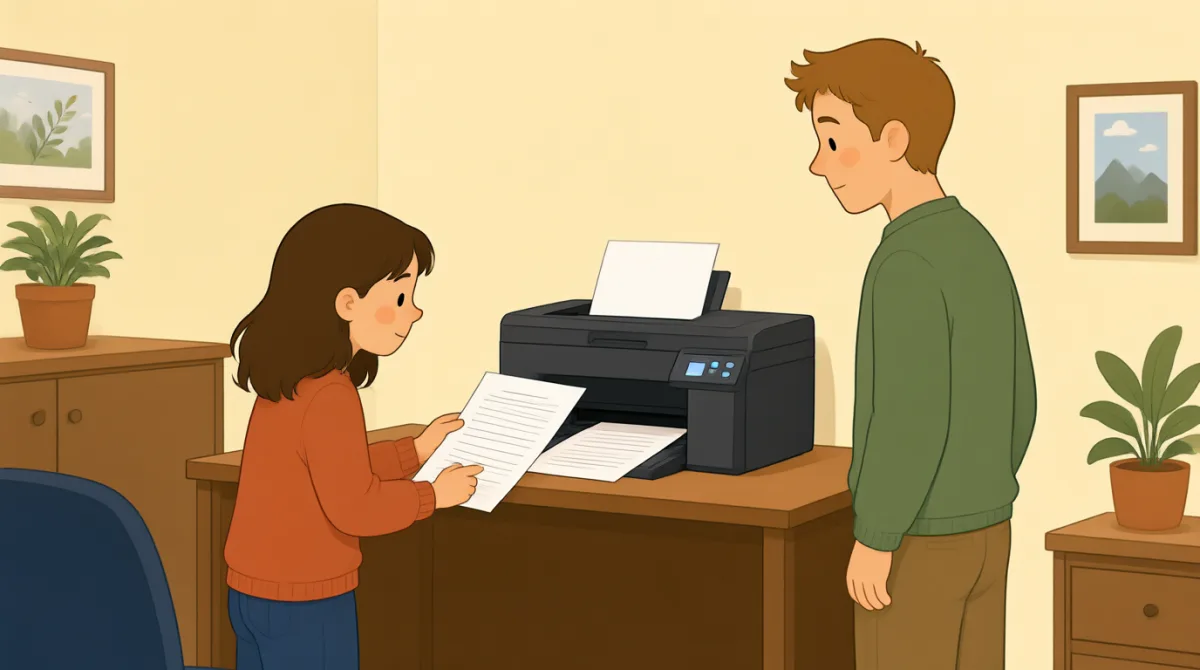

Jack, can you help me? I’m trying to print a report.
ジャック、ちょっと手伝ってくれる?レポートを印刷しようとしてるんだ。

Sure. What’s wrong with the printer?
もちろん。プリンター、どうしたの?
I sent the file, but nothing happened.
ファイルを送ったんだけど、何も起きなかったんだ。
Did you choose the right printer on your computer?
パソコンで正しいプリンターを選んだ?
I think so. It says “Office Printer” on the screen.
そうだと思う。画面には「Office Printer」って表示されてるよ。
Okay. Is the printer turned on?
わかった。プリンターの電源は入ってる?
Yes, but there’s no paper coming out.
うん。でも紙が出てこないんだ。
Let’s check the screen and see if there’s an error message.
画面を確認して、エラーメッセージが出てるか見てみよう。
語彙7
- print a reportレポートを印刷する
This means to make a paper copy of a report using a printer. You can say, “I need to print a report.”
プリンターを使って、レポートを紙に印刷するという意味です。「I need to print a report.」(レポートを印刷しないといけません)のように言えます。
- What’s wrong with the printer?プリンターはどうしたの?
Use this question to ask what problem a printer or another machine has. Replace “the printer” with the thing that is not working.
プリンターやほかの機械にどんな問題があるのか尋ねるときに使います。「the printer」を動いていないものに置き換えて使えます。
- sent the fileファイルを送った
This means you sent a document from your computer to a printer or another person. You can say, “I sent the file, but it didn’t arrive.”
パソコンからプリンターやほかの人に書類を送った、という意味です。「I sent the file, but it didn’t arrive.」(ファイルを送ったけど、届かなかった)のように言えます。
- choose the right printer正しいプリンターを選ぶ
This means to select the correct printer on your computer. You can use “choose the right” when selecting something you need.
パソコンで正しいプリンターを選択するという意味です。必要なものを選ぶときは「choose the right」のあとに選ぶものを続けます。
- turned on電源が入っている
This means that a machine has power and is working or ready to work. For example, you can ask, “Is the computer turned on?”
機械に電源が入り、動いている、または使える状態だという意味です。たとえば「Is the computer turned on?」(パソコンの電源は入ってる?)と尋ねられます。
- paper coming out紙が出てくる
This describes paper being printed and coming out of a printer. You can say, “There’s no paper coming out” when a print job does not work.
印刷された紙がプリンターから出てくる様子を表します。印刷がうまくいかないときは「There’s no paper coming out」(紙が出てこない)と言えます。
- error messageエラーメッセージ
An error message is a notice on a screen that tells you there is a problem. You can ask, “Do you see an error message?”
画面に表示される、問題が起きていることを知らせるメッセージです。「Do you see an error message?」(エラーメッセージは表示されてる?)と尋ねられます。
重要な文7
- 1
Jack, can you help me?
ジャック、ちょっと手伝ってくれる?
Use this polite question when you need help. You can replace “help me” with a specific request, such as “check this.”
助けが必要なときに使う丁寧な頼み方です。「help me」を「check this」(これを確認する)のような具体的なお願いに置き換えられます。
- 2
I’m trying to print a report.
レポートを印刷しようとしてるんだ。
Use this sentence to explain what you are doing right now. Replace “print a report” with another action, such as “send an email.”
今していることを説明するときに使います。「print a report」を「send an email」(メールを送る)のような別の行動に置き換えられます。
- 3
I sent the file, but nothing happened.
ファイルを送ったんだけど、何も起きなかったんだ。
This is useful for explaining that you tried something, but it did not work. Use “I [past action], but nothing happened” to describe similar problems.
何かを試したけれどうまくいかなかったと説明するときに便利な表現です。「I [過去の行動], but nothing happened」の形で、同じような問題を伝えられます。
- 4
Did you choose the right printer on your computer?
パソコンで正しいプリンターを選んだ?
Use this question to check whether someone selected the correct printer. Replace “printer” with another option or item they needed to choose.
相手が正しいプリンターを選んだか確認するときに使います。「printer」を、相手が選ぶ必要のあった別の選択肢やものに置き換えられます。
- 5
I think so.
そうだと思う。
Use this short reply when you believe something is true but are not completely sure. It can answer questions such as “Did you save the file?”
そうだと思うけれど、確信はないときに使う短い返事です。「Did you save the file?」(ファイルを保存した?)のような質問に答えられます。
- 6
Is the printer turned on?
プリンターの電源は入ってる?
Use this question to check whether a machine has power. Replace “the printer” with another machine, such as “the computer.”
機械の電源が入っているか確認するときに使います。「the printer」を「the computer」(パソコン)のような別の機械に置き換えられます。
- 7
Let’s check the screen and see if there’s an error message.
画面を確認して、エラーメッセージが出てるか見てみよう。
Use “Let’s check…” to suggest looking at something together. You can change “the screen” to another place or item you want to check.
「Let’s check…」は、何かを一緒に確認しようと提案するときに使います。「the screen」を、確認したい別の場所やものに変えて使えます。