The Printer Is Not Working
چاپگر کار نمیکند
Emma tries to print a report, but the office printer does not respond. She asks Jack for help.
اِما سعی میکند گزارشی را چاپ کند، اما چاپگر اداره هیچ واکنشی نشان نمیدهد. او از جک کمک میخواهد.
گفتوگو8
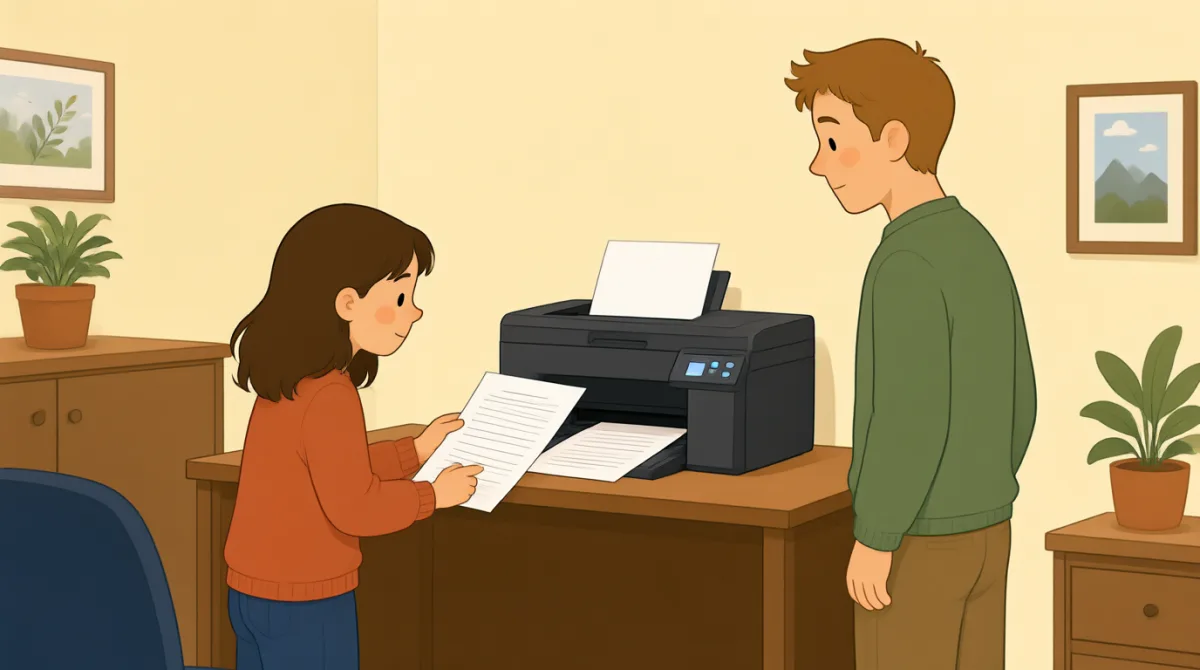

Jack, can you help me? I’m trying to print a report.
جک، میتونی کمکم کنی؟ دارم سعی میکنم گزارشی رو چاپ کنم.

Sure. What’s wrong with the printer?
حتماً. چاپگر چه مشکلی داره؟
I sent the file, but nothing happened.
فایل رو فرستادم، ولی هیچ اتفاقی نیفتاد.
Did you choose the right printer on your computer?
روی کامپیوترت چاپگر درست رو انتخاب کردی؟
I think so. It says “Office Printer” on the screen.
فکر کنم. روی صفحه نوشته «Office Printer».
Okay. Is the printer turned on?
باشه. چاپگر روشنه؟
Yes, but there’s no paper coming out.
آره، ولی کاغذی بیرون نمیاد.
Let’s check the screen and see if there’s an error message.
بیایید صفحه رو بررسی کنیم و ببینیم پیام خطایی هست یا نه.
واژگان7
- print a reportگزارشی را چاپ کردن
This means to make a paper copy of a report using a printer. You can say, “I need to print a report.”
یعنی با استفاده از چاپگر، یک نسخهٔ کاغذی از گزارش تهیه کردن. میتونی بگی: “I need to print a report.” (باید گزارشی را چاپ کنم.)
- What’s wrong with the printer?چاپگر چه مشکلی دارد؟
Use this question to ask what problem a printer or another machine has. Replace “the printer” with the thing that is not working.
از این سؤال برای پرسیدن دربارهٔ مشکل چاپگر یا دستگاه دیگری استفاده میکنیم. میتونی بهجای “the printer” (چاپگر)، اسم چیزی را بگذاری که کار نمیکند.
- sent the fileفایل را فرستادم
This means you sent a document from your computer to a printer or another person. You can say, “I sent the file, but it didn’t arrive.”
یعنی سندی را از کامپیوترت برای چاپگر یا شخص دیگری فرستادی. میتونی بگی: “I sent the file, but it didn’t arrive.” (فایل را فرستادم، اما نرسید.)
- choose the right printerچاپگر درست را انتخاب کردن
This means to select the correct printer on your computer. You can use “choose the right” when selecting something you need.
یعنی چاپگر درست را در کامپیوترت انتخاب کنی. هنگام انتخاب چیزی که لازم داری، میتونی از عبارت “choose the right” (درست را انتخاب کردن) استفاده کنی.
- turned onروشن
This means that a machine has power and is working or ready to work. For example, you can ask, “Is the computer turned on?”
یعنی دستگاه برق دارد و کار میکند یا آمادهٔ کار است. مثلاً میتونی بپرسی: “Is the computer turned on?” (کامپیوتر روشن است؟)
- paper coming outکاغذ بیرون آمدن
This describes paper being printed and coming out of a printer. You can say, “There’s no paper coming out” when a print job does not work.
این عبارت بیرون آمدن کاغذِ چاپشده از چاپگر را توصیف میکند. وقتی چاپ انجام نمیشود، میتونی بگی: “There’s no paper coming out” (کاغذی بیرون نمیآید).
- error messageپیام خطا
An error message is a notice on a screen that tells you there is a problem. You can ask, “Do you see an error message?”
پیام خطا، پیامی روی صفحه است که میگوید مشکلی وجود دارد. میتونی بپرسی: “Do you see an error message?” (پیام خطایی میبینی؟)
جملات کلیدی7
- 1
Jack, can you help me?
جک، میتونی کمکم کنی؟
Use this polite question when you need help. You can replace “help me” with a specific request, such as “check this.”
وقتی به کمک نیاز داری، از این سؤال مؤدبانه استفاده کن. میتونی “help me” (کمکم کن) را با درخواست مشخصی مثل “check this” (این را بررسی کن) عوض کنی.
- 2
I’m trying to print a report.
دارم سعی میکنم گزارشی را چاپ کنم.
Use this sentence to explain what you are doing right now. Replace “print a report” with another action, such as “send an email.”
از این جمله برای توضیح کاری که همین حالا انجام میدهی استفاده کن. میتونی “print a report” (گزارشی را چاپ کردن) را با کار دیگری، مثل “send an email” (ایمیل فرستادن)، عوض کنی.
- 3
I sent the file, but nothing happened.
فایل را فرستادم، ولی هیچ اتفاقی نیفتاد.
This is useful for explaining that you tried something, but it did not work. Use “I [past action], but nothing happened” to describe similar problems.
این جمله برای توضیح اینکه کاری را امتحان کردی اما نتیجه نداد، مفید است. برای توصیف مشکلهای مشابه از الگوی “I [past action], but nothing happened” (من [کار گذشته] را انجام دادم، ولی هیچ اتفاقی نیفتاد) استفاده کن.
- 4
Did you choose the right printer on your computer?
روی کامپیوترت چاپگر درست را انتخاب کردی؟
Use this question to check whether someone selected the correct printer. Replace “printer” with another option or item they needed to choose.
از این سؤال برای بررسی اینکه کسی چاپگر درست را انتخاب کرده یا نه استفاده کن. میتونی “printer” (چاپگر) را با گزینه یا مورد دیگری که باید انتخاب میکرده عوض کنی.
- 5
I think so.
فکر کنم.
Use this short reply when you believe something is true but are not completely sure. It can answer questions such as “Did you save the file?”
وقتی فکر میکنی چیزی درست است اما کاملاً مطمئن نیستی، از این جواب کوتاه استفاده کن. این جمله میتواند پاسخ پرسشی مثل “Did you save the file?” (فایل را ذخیره کردی؟) باشد.
- 6
Is the printer turned on?
چاپگر روشن است؟
Use this question to check whether a machine has power. Replace “the printer” with another machine, such as “the computer.”
برای بررسی اینکه دستگاهی برق دارد یا نه، از این سؤال استفاده کن. میتونی “the printer” (چاپگر) را با دستگاه دیگری، مثل “the computer” (کامپیوتر)، عوض کنی.
- 7
Let’s check the screen and see if there’s an error message.
بیایید صفحه را بررسی کنیم و ببینیم پیام خطایی هست یا نه.
Use “Let’s check…” to suggest looking at something together. You can change “the screen” to another place or item you want to check.
از “Let’s check…” (بیایید بررسی کنیم…) برای پیشنهاد بررسی چیزی با هم استفاده کن. میتونی “the screen” (صفحه) را با مکان یا مورد دیگری که میخواهی بررسی کنی عوض کنی.