Printer Not Printing
الطابعة لا تطبع
A customer reports that their printer is not responding or printing documents. The technical support agent helps them check power connections, paper jams, driver issues, or network connectivity problems.
يُبلغ أحد العملاء عن أن طابعته لا تستجيب أو لا تطبع المستندات. ويساعده موظف الدعم الفني على التحقق من توصيلات الطاقة، وانحشار الورق، ومشكلات برنامج التشغيل، أو مشكلات الاتصال بالشبكة.
حوار9
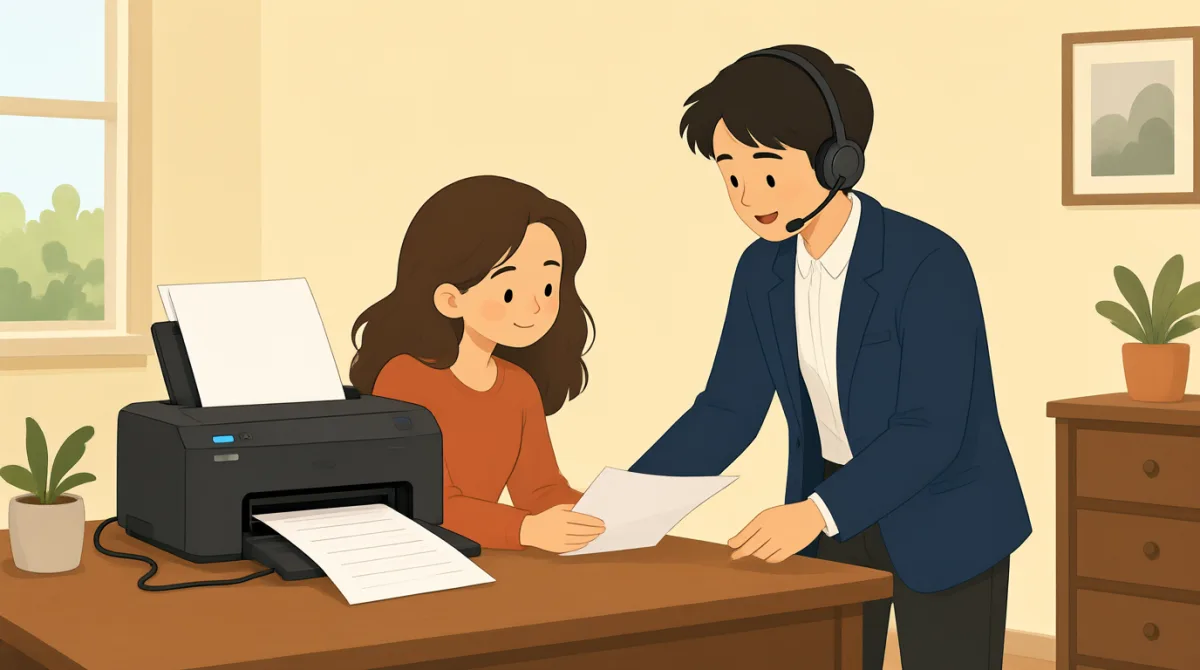

Hi, I'm calling because my printer isn't working. It won't print anything at all.
مرحبًا، أتصل لأن طابعتي لا تعمل. فهي لا تطبع أي شيء على الإطلاق.

Hello, I can help you with that. Can you tell me what kind of printer it is and what operating system you're using?
مرحبًا، يمكنني مساعدتك في ذلك. هل يمكنك إخباري بنوع الطابعة ونظام التشغيل الذي تستخدمه؟
It's an HP OfficeJet Pro 8000 series, and I'm on Windows 11.
إنها من سلسلة HP OfficeJet Pro 8000، وأستخدم Windows 11.
Okay, thank you. First, let's check some basic things. Is the printer plugged in and turned on? Are there any error messages on the printer's display?
حسنًا، شكرًا لك. لنتحقق أولًا من بعض الأمور الأساسية. هل الطابعة موصولة بالكهرباء ومُشغّلة؟ وهل تظهر أي رسائل خطأ على شاشة الطابعة؟
Yes, it's plugged in and the power light is on. No error messages, it just says 'Ready'.
نعم، إنها موصولة بالكهرباء وضوء الطاقة مضاء. لا توجد رسائل خطأ، بل تظهر كلمة 'Ready' فقط.
Alright. Have you checked for any paper jams? Sometimes even a small piece of paper can cause issues.
حسنًا. هل تحققت من وجود أي انحشار للورق؟ أحيانًا قد تتسبب حتى قطعة صغيرة من الورق في حدوث مشكلات.
I've looked, and I don't see any paper jams. I even opened all the trays.
تحققت من ذلك، ولا أرى أي ورق منحشر. حتى إنني فتحت جميع الأدراج.
Understood. The next thing we should try is to restart both your printer and your computer. This often resolves minor glitches. Also, could you try sending a test print from a different application, like Notepad, instead of the one you usually use?
فهمت. الخطوة التالية التي ينبغي أن نجربها هي إعادة تشغيل الطابعة والكمبيوتر. غالبًا ما يحل ذلك الأعطال البسيطة. هل يمكنك أيضًا تجربة طباعة صفحة اختبار من تطبيق آخر، مثل Notepad، بدلًا من التطبيق الذي تستخدمه عادةً؟
Okay, I'll try restarting everything and sending a test print from Notepad. Hold on a moment.
حسنًا، سأحاول إعادة تشغيل كل شيء وإرسال مهمة طباعة تجريبية من Notepad. انتظر لحظة.
المفردات8
- printerطابعة
A machine that produces text and images on paper. In tech support, it's common to troubleshoot printers when they stop working.
آلة تطبع النصوص والصور على الورق. في الدعم الفني، من الشائع استكشاف مشكلات الطابعات وإصلاحها عندما تتوقف عن العمل.
- operating systemنظام التشغيل
The software that manages a computer's hardware and applications, like Windows or macOS. Knowing your OS helps tech support diagnose issues.
البرنامج الذي يدير مكونات الكمبيوتر وتطبيقاته، مثل Windows أو macOS. تساعد معرفة نظام التشغيل فريق الدعم الفني على تشخيص المشكلات.
- plugged inموصول بالكهرباء
Connected to a power source with a cable. Always check if devices are plugged in before reporting problems.
متصل بمصدر للطاقة بواسطة كابل. تحقّق دائمًا من توصيل الأجهزة بالكهرباء قبل الإبلاغ عن مشكلة.
- error messagesرسائل الخطأ
Warnings or alerts shown on a screen indicating a problem. Reading them helps identify what's wrong with the device.
تنبيهات تظهر على الشاشة للإشارة إلى وجود مشكلة. تساعد قراءتها على تحديد سبب الخلل في الجهاز.
- paper jamsانحشار الورق
When paper gets stuck inside a printer, preventing it from printing. Clearing jams is a basic first step in troubleshooting.
يحدث عندما يعلق الورق داخل الطابعة، فيمنعها من الطباعة. إزالة الورق المنحشر خطوة أولى أساسية عند استكشاف الأعطال وإصلاحها.
- restartإعادة التشغيل
To turn a device off and then on again. This simple action often fixes temporary software problems.
إيقاف تشغيل جهاز ثم تشغيله مجددًا. غالبًا ما يحل هذا الإجراء البسيط مشكلات البرامج المؤقتة.
- glitchesأعطال بسيطة
Small, temporary faults or errors in a system. They are minor issues that can usually be fixed easily.
أخطاء أو أعطال صغيرة ومؤقتة في النظام. وهي مشكلات طفيفة يمكن عادةً حلها بسهولة.
- test printطباعة تجريبية
A simple print job to check if the printer works. Use it to verify if the problem is with the printer or the document.
مهمة طباعة بسيطة للتحقق من عمل الطابعة. استخدمها لمعرفة ما إذا كانت المشكلة في الطابعة أم في المستند.
الجمل الأساسية8
- 1
Hi, I'm calling because my printer isn't working.
مرحبًا، أتصل لأن طابعتي لا تعمل.
This is a polite way to start a support call, stating the problem clearly. Use it when seeking help for a device issue. Note the contraction 'isn't' for 'is not' in informal speech.
هذه طريقة مهذبة لبدء مكالمة مع الدعم وشرح المشكلة بوضوح. استخدمها عندما تطلب المساعدة بشأن مشكلة في جهاز. لاحظ أن 'isn't' اختصار لـ 'is not' في الكلام غير الرسمي.
- 2
Can you tell me what kind of printer it is and what operating system you're using?
هل يمكنك إخباري بنوع الطابعة ونظام التشغيل الذي تستخدمه؟
A question to gather details for troubleshooting. 'What kind of' asks for type or model, and 'you're using' is a contraction of 'you are using.' Useful for support agents to diagnose problems.
سؤال لجمع التفاصيل اللازمة لاستكشاف المشكلة وإصلاحها. تسأل عبارة 'What kind of' عن النوع أو الطراز، وعبارة 'you're using' هي اختصار لـ 'you are using.' يفيد هذا السؤال موظفي الدعم في تشخيص المشكلات.
- 3
Is the printer plugged in and turned on?
هل الطابعة موصولة بالكهرباء ومُشغّلة؟
Basic yes/no question using 'is/are' for checking device status. 'Plugged in and turned on' covers power basics. Always ask this first in tech support to rule out simple errors.
سؤال أساسي إجابته نعم أو لا، ويستخدم 'is/are' للتحقق من حالة الجهاز. وتشير عبارة 'Plugged in and turned on' إلى أساسيات الطاقة. اطرح هذا السؤال أولًا في الدعم الفني لاستبعاد الأسباب البسيطة.
- 4
Are there any error messages on the printer's display?
هل تظهر أي رسائل خطأ على شاشة الطابعة؟
Inquires about visible alerts. 'Are there any' is used for existence questions. Important for identifying issues; use in contexts where screens show status.
يسأل هذا السؤال عن التنبيهات الظاهرة. تُستخدم عبارة 'Are there any' للاستفسار عن وجود شيء. وهي مهمة لتحديد المشكلات، وتناسب الحالات التي تعرض فيها الشاشات حالة الجهاز.
- 5
Have you checked for any paper jams?
هل تحققت من وجود أي انحشار للورق؟
Past participle 'have you checked' asks about prior actions. Useful for guiding users through common fixes like checking for stuck paper in printers.
يسأل تركيب 'have you checked'، باستخدام اسم المفعول، عما إذا كان الشخص قد اتخذ إجراءً من قبل. يفيد هذا التركيب في إرشاد المستخدمين إلى حلول شائعة، مثل التحقق من وجود ورق عالق في الطابعة.
- 6
The next thing we should try is to restart both your printer and your computer.
الخطوة التالية التي ينبغي أن نجربها هي إعادة تشغيل الطابعة والكمبيوتر.
Suggests a solution using 'should try' for recommendations. 'Both...and' connects two items. This pattern is practical for step-by-step troubleshooting instructions.
يقترح هذا التعبير حلًا باستخدام 'should try' للتوصية بإجراء ما. وتربط عبارة 'both...and' بين شيئين. يفيد هذا النمط عند تقديم إرشادات لاستكشاف الأعطال وإصلاحها خطوةً خطوة.
- 7
This often resolves minor glitches.
غالبًا ما يحل ذلك الأعطال البسيطة.
Explains benefits with 'often' for frequency and 'resolves' meaning fixes. Use this to reassure users that simple steps work for small problems.
توضح الجملة فائدة الإجراء باستخدام 'often' للتعبير عن التكرار، و'resolves' بمعنى يحل. استخدمها لطمأنة المستخدمين بأن الخطوات البسيطة تنجح في معالجة المشكلات الصغيرة.
- 8
Hold on a moment.
انتظر لحظة.
Polite way to ask for a short wait, meaning 'wait briefly.' Common in phone conversations; 'hold on' implies pausing while doing something.
طريقة مهذبة لطلب الانتظار قليلًا، ومعناها «انتظر قليلًا». وهي شائعة في المحادثات الهاتفية؛ إذ تفيد عبارة 'hold on' التوقف مؤقتًا أثناء القيام بشيء ما.