Printer Not Printing
प्रिंटर प्रिंट नहीं कर रहा
A customer reports that their printer is not responding or printing documents. The technical support agent helps them check power connections, paper jams, driver issues, or network connectivity problems.
एक ग्राहक बताता है कि उसका प्रिंटर जवाब नहीं दे रहा या दस्तावेज़ प्रिंट नहीं कर रहा। तकनीकी सहायता एजेंट बिजली के कनेक्शन, कागज़ फँसने, ड्राइवर की समस्याओं या नेटवर्क कनेक्टिविटी की जाँच करने में उसकी मदद करता है।
संवाद9
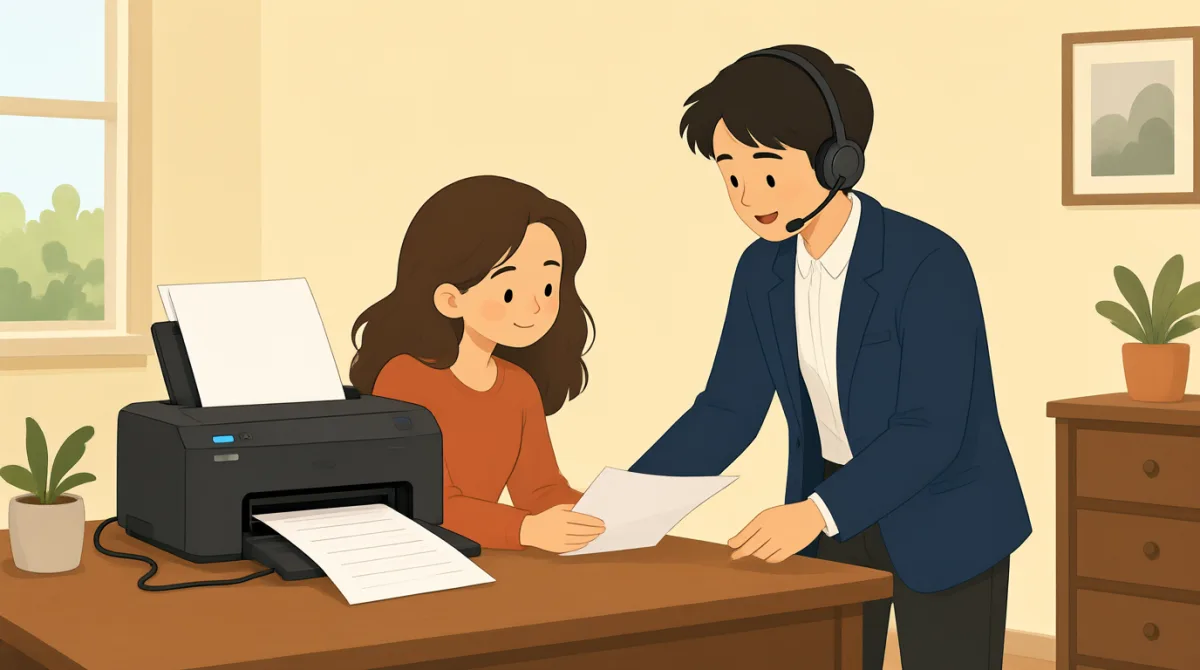

Hi, I'm calling because my printer isn't working. It won't print anything at all.
नमस्ते, मैं फ़ोन इसलिए कर रही हूँ क्योंकि मेरा प्रिंटर काम नहीं कर रहा। यह कुछ भी प्रिंट नहीं कर रहा।

Hello, I can help you with that. Can you tell me what kind of printer it is and what operating system you're using?
नमस्ते, मैं आपकी मदद कर सकता हूँ। क्या आप बता सकती हैं कि आपका प्रिंटर किस प्रकार का है और आप कौन-सा ऑपरेटिंग सिस्टम इस्तेमाल कर रही हैं?
It's an HP OfficeJet Pro 8000 series, and I'm on Windows 11.
यह HP OfficeJet Pro 8000 सीरीज़ का है, और मैं Windows 11 इस्तेमाल कर रही हूँ।
Okay, thank you. First, let's check some basic things. Is the printer plugged in and turned on? Are there any error messages on the printer's display?
ठीक है, धन्यवाद। पहले कुछ बुनियादी चीज़ें जाँचते हैं। क्या प्रिंटर बिजली के सॉकेट से जुड़ा है और चालू है? क्या प्रिंटर के डिस्प्ले पर कोई गड़बड़ी का संदेश दिख रहा है?
Yes, it's plugged in and the power light is on. No error messages, it just says 'Ready'.
हाँ, यह बिजली से जुड़ा है और इसकी पावर लाइट जल रही है। कोई गड़बड़ी का संदेश नहीं है, बस 'Ready' लिखा है।
Alright. Have you checked for any paper jams? Sometimes even a small piece of paper can cause issues.
ठीक है। क्या आपने देखा है कि कहीं कागज़ तो नहीं फँसा है? कभी-कभी कागज़ का एक छोटा-सा टुकड़ा भी समस्या पैदा कर सकता है।
I've looked, and I don't see any paper jams. I even opened all the trays.
मैंने देखा है, लेकिन कागज़ कहीं फँसा हुआ नहीं दिखा। मैंने सभी ट्रे खोलकर भी देख लीं।
Understood. The next thing we should try is to restart both your printer and your computer. This often resolves minor glitches. Also, could you try sending a test print from a different application, like Notepad, instead of the one you usually use?
समझ गया। अगली चीज़ जो हमें आज़मानी चाहिए, वह है आपका प्रिंटर और कंप्यूटर—दोनों रीस्टार्ट करना। इससे अक्सर छोटी-मोटी गड़बड़ियाँ ठीक हो जाती हैं। साथ ही, क्या आप अपने आमतौर पर इस्तेमाल किए जाने वाले ऐप्लिकेशन के बजाय Notepad जैसे किसी दूसरे ऐप्लिकेशन से टेस्ट प्रिंट भेजकर देख सकती हैं?
Okay, I'll try restarting everything and sending a test print from Notepad. Hold on a moment.
ठीक है, मैं सब कुछ रीस्टार्ट करके Notepad से टेस्ट प्रिंट भेजकर देखती हूँ। ज़रा रुकिए।
शब्दावली8
- printerप्रिंटर
A machine that produces text and images on paper. In tech support, it's common to troubleshoot printers when they stop working.
कागज़ पर लिखाई और तस्वीरें छापने वाली मशीन। तकनीकी सहायता में, प्रिंटर के काम करना बंद करने पर उसकी समस्या का पता लगाना आम बात है।
- operating systemऑपरेटिंग सिस्टम
The software that manages a computer's hardware and applications, like Windows or macOS. Knowing your OS helps tech support diagnose issues.
वह सॉफ़्टवेयर जो कंप्यूटर के हार्डवेयर और ऐप्लिकेशन, जैसे Windows या macOS, को नियंत्रित करता है। आपका ऑपरेटिंग सिस्टम जानने से तकनीकी सहायता टीम समस्या का पता लगाने में मदद कर सकती है।
- plugged inबिजली से जुड़ा हुआ
Connected to a power source with a cable. Always check if devices are plugged in before reporting problems.
केबल के ज़रिए बिजली के स्रोत से जुड़ा हुआ। किसी डिवाइस में समस्या बताने से पहले हमेशा जाँच लें कि वह बिजली से जुड़ा है या नहीं।
- error messagesगड़बड़ी के संदेश
Warnings or alerts shown on a screen indicating a problem. Reading them helps identify what's wrong with the device.
स्क्रीन पर दिखने वाली चेतावनियाँ या सूचनाएँ, जो किसी समस्या का संकेत देती हैं। उन्हें पढ़ने से पता लगाने में मदद मिलती है कि डिवाइस में क्या गड़बड़ है।
- paper jamsकागज़ का फँसना
When paper gets stuck inside a printer, preventing it from printing. Clearing jams is a basic first step in troubleshooting.
जब कागज़ प्रिंटर के अंदर फँस जाता है और प्रिंटर प्रिंट नहीं कर पाता। समस्या का पता लगाते समय सबसे पहले फँसा हुआ कागज़ निकालना एक बुनियादी कदम है।
- restartरीस्टार्ट करना
To turn a device off and then on again. This simple action often fixes temporary software problems.
किसी डिवाइस को बंद करके फिर से चालू करना। यह आसान तरीका अक्सर सॉफ़्टवेयर की अस्थायी समस्याएँ ठीक कर देता है।
- glitchesछोटी-मोटी गड़बड़ियाँ
Small, temporary faults or errors in a system. They are minor issues that can usually be fixed easily.
सिस्टम में होने वाली छोटी और अस्थायी खराबियाँ या त्रुटियाँ। ये मामूली समस्याएँ होती हैं, जिन्हें आम तौर पर आसानी से ठीक किया जा सकता है।
- test printटेस्ट प्रिंट
A simple print job to check if the printer works. Use it to verify if the problem is with the printer or the document.
यह जाँचने के लिए किया गया एक साधारण प्रिंट कि प्रिंटर काम कर रहा है या नहीं। इससे पता लगाया जा सकता है कि समस्या प्रिंटर में है या दस्तावेज़ में।
मुख्य वाक्य8
- 1
Hi, I'm calling because my printer isn't working.
नमस्ते, मैं फ़ोन इसलिए कर रही हूँ क्योंकि मेरा प्रिंटर काम नहीं कर रहा।
This is a polite way to start a support call, stating the problem clearly. Use it when seeking help for a device issue. Note the contraction 'isn't' for 'is not' in informal speech.
सहायता के लिए फ़ोन करते समय समस्या साफ़-साफ़ बताने का यह एक विनम्र तरीका है। किसी डिवाइस की समस्या में मदद माँगते समय इसका इस्तेमाल करें। ध्यान दें कि अनौपचारिक बातचीत में 'is not' का संक्षिप्त रूप 'isn't' है।
- 2
Can you tell me what kind of printer it is and what operating system you're using?
क्या आप बता सकती हैं कि आपका प्रिंटर किस प्रकार का है और आप कौन-सा ऑपरेटिंग सिस्टम इस्तेमाल कर रही हैं?
A question to gather details for troubleshooting. 'What kind of' asks for type or model, and 'you're using' is a contraction of 'you are using.' Useful for support agents to diagnose problems.
समस्या का पता लगाने के लिए जानकारी जुटाने वाला यह एक सवाल है। 'What kind of' का इस्तेमाल प्रकार या मॉडल पूछने के लिए होता है, और 'you're using' का संक्षिप्त रूप 'you are using' है। समस्याओं का पता लगाने में यह सहायता एजेंटों के लिए उपयोगी है।
- 3
Is the printer plugged in and turned on?
क्या प्रिंटर बिजली से जुड़ा है और चालू है?
Basic yes/no question using 'is/are' for checking device status. 'Plugged in and turned on' covers power basics. Always ask this first in tech support to rule out simple errors.
'Is/are' का इस्तेमाल करके किसी डिवाइस की स्थिति जानने के लिए यह एक बुनियादी हाँ-या-नहीं वाला सवाल है। 'Plugged in and turned on' से बिजली से जुड़ी बुनियादी बातें जाँची जाती हैं। आसान समस्याओं को खारिज करने के लिए तकनीकी सहायता में सबसे पहले यह पूछें।
- 4
Are there any error messages on the printer's display?
क्या प्रिंटर के डिस्प्ले पर गड़बड़ी का कोई संदेश दिख रहा है?
Inquires about visible alerts. 'Are there any' is used for existence questions. Important for identifying issues; use in contexts where screens show status.
इससे स्क्रीन पर दिखने वाली चेतावनियों के बारे में पूछा जाता है। किसी चीज़ के होने या न होने के बारे में पूछने के लिए 'Are there any' का इस्तेमाल होता है। समस्या पहचानने के लिए यह ज़रूरी है; जब स्क्रीन पर स्थिति दिखाई देती हो, तब इसका इस्तेमाल करें।
- 5
Have you checked for any paper jams?
क्या आपने देखा है कि कहीं कागज़ तो नहीं फँसा है?
Past participle 'have you checked' asks about prior actions. Useful for guiding users through common fixes like checking for stuck paper in printers.
'Have you checked' का इस्तेमाल करके पहले की गई जाँच के बारे में पूछा जाता है। प्रिंटर में फँसे कागज़ जैसी आम समस्याओं को जाँचने के लिए उपयोगकर्ता को निर्देश देते समय यह काम आता है।
- 6
The next thing we should try is to restart both your printer and your computer.
अगली चीज़ जो हमें आज़मानी चाहिए, वह है आपका प्रिंटर और कंप्यूटर—दोनों रीस्टार्ट करना।
Suggests a solution using 'should try' for recommendations. 'Both...and' connects two items. This pattern is practical for step-by-step troubleshooting instructions.
'Should try' का इस्तेमाल करके कोई समाधान सुझाया जाता है। 'Both...and' दो चीज़ों को जोड़ता है। समस्या का पता लगाने के चरण-दर-चरण निर्देशों में यह वाक्य-रचना उपयोगी है।
- 7
This often resolves minor glitches.
इससे अक्सर छोटी-मोटी गड़बड़ियाँ ठीक हो जाती हैं।
Explains benefits with 'often' for frequency and 'resolves' meaning fixes. Use this to reassure users that simple steps work for small problems.
इस वाक्य में बारंबारता बताने के लिए 'often' और ठीक करने के अर्थ में 'resolves' का इस्तेमाल हुआ है। छोटी समस्याओं के लिए आसान उपायों के काम आने का भरोसा दिलाने के लिए इसका इस्तेमाल करें।
- 8
Hold on a moment.
ज़रा रुकिए।
Polite way to ask for a short wait, meaning 'wait briefly.' Common in phone conversations; 'hold on' implies pausing while doing something.
थोड़ी देर इंतज़ार करने के लिए कहने का यह एक विनम्र तरीका है, जिसका अर्थ है 'थोड़ा इंतज़ार करें।' फ़ोन पर बातचीत में यह आम है; 'hold on' का मतलब है कुछ करते समय बातचीत को थोड़ी देर रोकना।