Printer Not Printing
เครื่องพิมพ์ไม่พิมพ์งาน
A customer reports that their printer is not responding or printing documents. The technical support agent helps them check power connections, paper jams, driver issues, or network connectivity problems.
ลูกค้าแจ้งว่าเครื่องพิมพ์ไม่ตอบสนองหรือพิมพ์เอกสารไม่ได้ เจ้าหน้าที่ฝ่ายสนับสนุนด้านเทคนิคช่วยตรวจสอบการเชื่อมต่อไฟฟ้า กระดาษติด ปัญหาไดรเวอร์ หรือการเชื่อมต่อเครือข่าย
บทสนทนา9
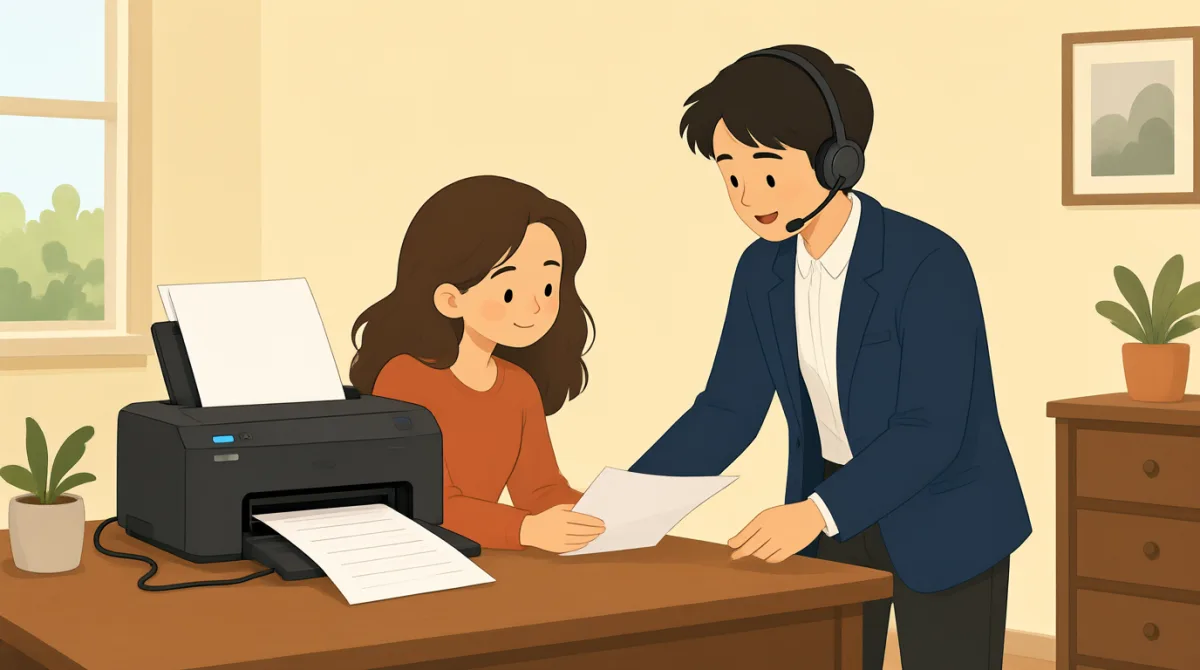

Hi, I'm calling because my printer isn't working. It won't print anything at all.
สวัสดีค่ะ โทรมาเพราะเครื่องพิมพ์ใช้ไม่ได้เลยค่ะ พิมพ์อะไรไม่ได้สักอย่าง

Hello, I can help you with that. Can you tell me what kind of printer it is and what operating system you're using?
สวัสดีครับ ผมช่วยดูให้ได้ครับ ขอทราบได้ไหมครับว่าเป็นเครื่องพิมพ์รุ่นไหน และใช้ระบบปฏิบัติการอะไรอยู่ครับ
It's an HP OfficeJet Pro 8000 series, and I'm on Windows 11.
เป็น HP OfficeJet Pro 8000 series ค่ะ ใช้ Windows 11 อยู่ค่ะ
Okay, thank you. First, let's check some basic things. Is the printer plugged in and turned on? Are there any error messages on the printer's display?
เข้าใจแล้วครับ ขอบคุณครับ ก่อนอื่นเรามาตรวจสอบเรื่องพื้นฐานกันก่อนนะครับ เสียบปลั๊กและเปิดเครื่องพิมพ์ไว้หรือเปล่าครับ มีข้อความแจ้งข้อผิดพลาดบนหน้าจอเครื่องพิมพ์ไหมครับ
Yes, it's plugged in and the power light is on. No error messages, it just says 'Ready'.
เสียบปลั๊กแล้วค่ะ ไฟแสดงสถานะเปิดอยู่ ไม่มีข้อความแจ้งข้อผิดพลาดค่ะ ขึ้นแค่คำว่า 'Ready'
Alright. Have you checked for any paper jams? Sometimes even a small piece of paper can cause issues.
ครับ ได้ตรวจดูว่ามีกระดาษติดหรือเปล่าครับ บางครั้งเศษกระดาษเล็ก ๆ ก็ทำให้เกิดปัญหาได้ครับ
I've looked, and I don't see any paper jams. I even opened all the trays.
ตรวจดูแล้วค่ะ ไม่เห็นมีกระดาษติดเลย เปิดถาดทุกถาดดูแล้วด้วยค่ะ
Understood. The next thing we should try is to restart both your printer and your computer. This often resolves minor glitches. Also, could you try sending a test print from a different application, like Notepad, instead of the one you usually use?
เข้าใจแล้วครับ ขั้นต่อไปที่เราควรลองคือปิดแล้วเปิดเครื่องพิมพ์กับคอมพิวเตอร์ใหม่ครับ วิธีนี้มักช่วยแก้ปัญหาขัดข้องเล็ก ๆ น้อย ๆ ได้ อีกอย่าง ช่วยลองสั่งพิมพ์ทดสอบจากโปรแกรมอื่น เช่น Notepad แทนโปรแกรมที่ใช้ประจำได้ไหมครับ
Okay, I'll try restarting everything and sending a test print from Notepad. Hold on a moment.
ได้ค่ะ จะลองปิดเปิดทุกอย่างใหม่ แล้วสั่งพิมพ์ทดสอบจาก Notepad นะคะ รอสักครู่ค่ะ
คำศัพท์8
- printerเครื่องพิมพ์
A machine that produces text and images on paper. In tech support, it's common to troubleshoot printers when they stop working.
อุปกรณ์ที่พิมพ์ข้อความและรูปภาพลงบนกระดาษ ในงานสนับสนุนด้านเทคนิค มักต้องตรวจหาสาเหตุเมื่อเครื่องพิมพ์หยุดทำงาน
- operating systemระบบปฏิบัติการ
The software that manages a computer's hardware and applications, like Windows or macOS. Knowing your OS helps tech support diagnose issues.
ซอฟต์แวร์ที่จัดการฮาร์ดแวร์และแอปพลิเคชันของคอมพิวเตอร์ เช่น Windows หรือ macOS การทราบระบบปฏิบัติการจะช่วยให้ฝ่ายสนับสนุนด้านเทคนิควินิจฉัยปัญหาได้
- plugged inเสียบปลั๊กอยู่
Connected to a power source with a cable. Always check if devices are plugged in before reporting problems.
เชื่อมต่อกับแหล่งจ่ายไฟด้วยสายไฟ ก่อนแจ้งปัญหา ควรตรวจสอบเสมอว่าอุปกรณ์เสียบปลั๊กอยู่หรือไม่
- error messagesข้อความแจ้งข้อผิดพลาด
Warnings or alerts shown on a screen indicating a problem. Reading them helps identify what's wrong with the device.
ข้อความเตือนหรือแจ้งปัญหาที่แสดงบนหน้าจอ การอ่านข้อความเหล่านี้ช่วยให้รู้ว่าอุปกรณ์มีปัญหาอะไร
- paper jamsกระดาษติด
When paper gets stuck inside a printer, preventing it from printing. Clearing jams is a basic first step in troubleshooting.
อาการที่กระดาษติดอยู่ภายในเครื่องพิมพ์จนพิมพ์งานไม่ได้ การนำกระดาษที่ติดออกเป็นขั้นตอนพื้นฐานในการตรวจหาสาเหตุ
- restartปิดแล้วเปิดใหม่
To turn a device off and then on again. This simple action often fixes temporary software problems.
ปิดอุปกรณ์แล้วเปิดขึ้นมาอีกครั้ง วิธีง่าย ๆ นี้มักช่วยแก้ปัญหาซอฟต์แวร์ชั่วคราวได้
- glitchesปัญหาขัดข้องเล็ก ๆ น้อย ๆ
Small, temporary faults or errors in a system. They are minor issues that can usually be fixed easily.
ข้อผิดพลาดเล็กน้อยที่เกิดขึ้นชั่วคราวในระบบ โดยทั่วไปเป็นปัญหาไม่รุนแรงและมักแก้ไขได้ง่าย
- test printการพิมพ์ทดสอบ
A simple print job to check if the printer works. Use it to verify if the problem is with the printer or the document.
งานพิมพ์ง่าย ๆ ที่ใช้ตรวจสอบว่าเครื่องพิมพ์ทำงานหรือไม่ ใช้เพื่อดูว่าปัญหาอยู่ที่เครื่องพิมพ์หรือเอกสาร
ประโยคสำคัญ8
- 1
Hi, I'm calling because my printer isn't working.
สวัสดีค่ะ โทรมาเพราะเครื่องพิมพ์ใช้ไม่ได้ค่ะ
This is a polite way to start a support call, stating the problem clearly. Use it when seeking help for a device issue. Note the contraction 'isn't' for 'is not' in informal speech.
ประโยคนี้เป็นวิธีสุภาพในการเริ่มโทรขอความช่วยเหลือ โดยบอกปัญหาอย่างชัดเจน ใช้ได้เมื่อต้องการแจ้งปัญหาเกี่ยวกับอุปกรณ์ สังเกตว่า 'isn't' เป็นรูปย่อของ 'is not' ซึ่งใช้ในภาษาพูดแบบไม่เป็นทางการ
- 2
Can you tell me what kind of printer it is and what operating system you're using?
ขอทราบได้ไหมครับว่าเป็นเครื่องพิมพ์รุ่นไหน และใช้ระบบปฏิบัติการอะไรอยู่
A question to gather details for troubleshooting. 'What kind of' asks for type or model, and 'you're using' is a contraction of 'you are using.' Useful for support agents to diagnose problems.
ใช้ถามเพื่อรวบรวมข้อมูลสำหรับตรวจหาสาเหตุ 'What kind of' ใช้ถามประเภทหรือรุ่น ส่วน 'you're using' เป็นรูปย่อของ 'you are using' เจ้าหน้าที่ฝ่ายสนับสนุนใช้รูปแบบนี้เพื่อวินิจฉัยปัญหา
- 3
Is the printer plugged in and turned on?
เสียบปลั๊กและเปิดเครื่องพิมพ์ไว้หรือเปล่าครับ
Basic yes/no question using 'is/are' for checking device status. 'Plugged in and turned on' covers power basics. Always ask this first in tech support to rule out simple errors.
เป็นคำถามที่ตอบได้ว่าใช่หรือไม่ โดยใช้ 'is/are' เพื่อตรวจสอบสถานะอุปกรณ์ 'Plugged in and turned on' ครอบคลุมเรื่องพื้นฐานเกี่ยวกับแหล่งจ่ายไฟ ในการช่วยแก้ปัญหาทางเทคนิค ควรถามเรื่องนี้ก่อนเพื่อ排除ปัญหาง่าย ๆ
- 4
Are there any error messages on the printer's display?
มีข้อความแจ้งข้อผิดพลาดบนหน้าจอเครื่องพิมพ์ไหมครับ
Inquires about visible alerts. 'Are there any' is used for existence questions. Important for identifying issues; use in contexts where screens show status.
ใช้ถามถึงข้อความเตือนที่มองเห็นได้ 'Are there any' ใช้ถามว่ามีสิ่งใดอยู่หรือไม่ ข้อความเหล่านี้สำคัญต่อการระบุปัญหา และใช้ได้เมื่อหน้าจอแสดงสถานะ
- 5
Have you checked for any paper jams?
ได้ตรวจดูว่ามีกระดาษติดหรือเปล่าครับ
Past participle 'have you checked' asks about prior actions. Useful for guiding users through common fixes like checking for stuck paper in printers.
'Have you checked' เป็นรูปอดีตกาลสมบูรณ์ที่ใช้ถามว่าอีกฝ่ายได้ทำอะไรไปก่อนหน้านี้หรือยัง ใช้แนะนำผู้ใช้ให้ลองแก้ปัญหาทั่วไป เช่น ตรวจดูกระดาษที่ติดในเครื่องพิมพ์
- 6
The next thing we should try is to restart both your printer and your computer.
ขั้นต่อไปที่เราควรลองคือปิดแล้วเปิดเครื่องพิมพ์กับคอมพิวเตอร์ใหม่ครับ
Suggests a solution using 'should try' for recommendations. 'Both...and' connects two items. This pattern is practical for step-by-step troubleshooting instructions.
ประโยคนี้เสนอวิธีแก้ปัญหาโดยใช้ 'should try' เพื่อแนะนำสิ่งที่ควรลอง ส่วน 'both...and' ใช้เชื่อมของสองอย่าง รูปแบบนี้เหมาะกับคำแนะนำแก้ปัญหาเป็นขั้นตอน
- 7
This often resolves minor glitches.
วิธีนี้มักช่วยแก้ปัญหาขัดข้องเล็ก ๆ น้อย ๆ ได้ครับ
Explains benefits with 'often' for frequency and 'resolves' meaning fixes. Use this to reassure users that simple steps work for small problems.
อธิบายประโยชน์ของวิธีแก้ปัญหา โดย 'often' บอกความถี่ว่ามักเกิดขึ้น ส่วน 'resolves' หมายถึงแก้ไข ใช้ประโยคนี้เพื่อให้ผู้ใช้มั่นใจว่าขั้นตอนง่าย ๆ มักช่วยแก้ปัญหาเล็กน้อยได้
- 8
Hold on a moment.
รอสักครู่ค่ะ
Polite way to ask for a short wait, meaning 'wait briefly.' Common in phone conversations; 'hold on' implies pausing while doing something.
เป็นวิธีสุภาพในการขอให้อีกฝ่ายรอสั้น ๆ หมายถึง 'รอสักครู่' มักใช้ระหว่างคุยโทรศัพท์ โดย 'hold on' สื่อว่าขอพักการสนทนาชั่วคราวระหว่างทำบางอย่าง