Printer Not Printing
প্রিন্টার প্রিন্ট করছে না
A customer reports that their printer is not responding or printing documents. The technical support agent helps them check power connections, paper jams, driver issues, or network connectivity problems.
একজন গ্রাহক জানাচ্ছেন যে তাঁর প্রিন্টার সাড়া দিচ্ছে না বা কোনো নথি প্রিন্ট করছে না। কারিগরি সহায়তা প্রতিনিধি তাঁকে বিদ্যুৎ সংযোগ, কাগজ আটকে যাওয়া, ড্রাইভারের সমস্যা বা নেটওয়ার্ক সংযোগ পরীক্ষা করতে সাহায্য করেন।
সংলাপ9
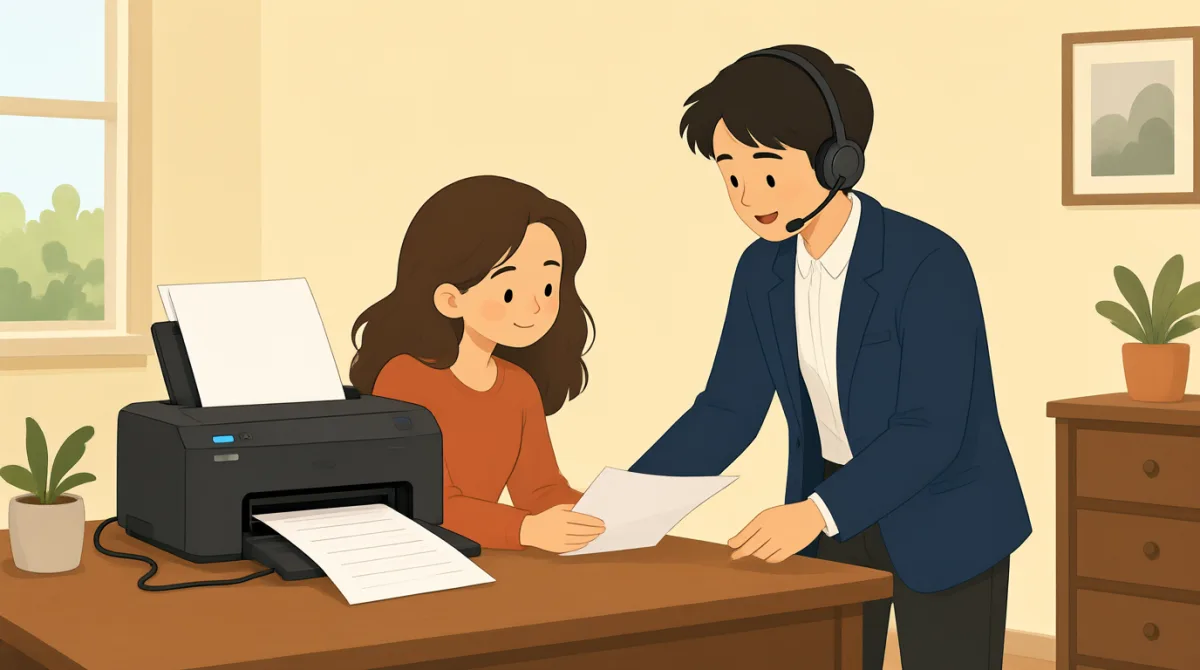

Hi, I'm calling because my printer isn't working. It won't print anything at all.
হ্যালো, ফোন করেছি কারণ আমার প্রিন্টার কাজ করছে না। একেবারেই কিছু প্রিন্ট হচ্ছে না।

Hello, I can help you with that. Can you tell me what kind of printer it is and what operating system you're using?
হ্যালো, আমি আপনাকে এ ব্যাপারে সাহায্য করতে পারি। প্রিন্টারটি কোন ধরনের এবং আপনি কোন অপারেটিং সিস্টেম ব্যবহার করছেন, জানাবেন?
It's an HP OfficeJet Pro 8000 series, and I'm on Windows 11.
এটি HP OfficeJet Pro 8000 সিরিজের, আর আমি Windows 11 ব্যবহার করছি।
Okay, thank you. First, let's check some basic things. Is the printer plugged in and turned on? Are there any error messages on the printer's display?
ঠিক আছে, ধন্যবাদ। প্রথমে কয়েকটি সাধারণ বিষয় পরীক্ষা করে দেখি। প্রিন্টারটি কি বিদ্যুতের সঙ্গে সংযুক্ত এবং চালু আছে? প্রিন্টারের ডিসপ্লেতে কি কোনো ত্রুটির বার্তা দেখা যাচ্ছে?
Yes, it's plugged in and the power light is on. No error messages, it just says 'Ready'.
হ্যাঁ, এটি বিদ্যুতের সঙ্গে সংযুক্ত, আর পাওয়ারের আলো জ্বলছে। কোনো ত্রুটির বার্তা নেই, শুধু 'Ready' দেখাচ্ছে।
Alright. Have you checked for any paper jams? Sometimes even a small piece of paper can cause issues.
বেশ। কাগজ কোথাও আটকে আছে কি না, পরীক্ষা করেছেন? কখনো কখনো কাগজের ছোট্ট টুকরোও সমস্যা তৈরি করতে পারে।
I've looked, and I don't see any paper jams. I even opened all the trays.
দেখেছি, কিন্তু কোথাও কাগজ আটকে আছে বলে মনে হচ্ছে না। সব ট্রে খুলেও দেখেছি।
Understood. The next thing we should try is to restart both your printer and your computer. This often resolves minor glitches. Also, could you try sending a test print from a different application, like Notepad, instead of the one you usually use?
বুঝলাম। এবার আপনার প্রিন্টার ও কম্পিউটার দুটোই বন্ধ করে আবার চালু করে দেখি। এতে প্রায়ই ছোটখাটো ত্রুটি ঠিক হয়ে যায়। আর আপনি সাধারণত যে অ্যাপ্লিকেশনটি ব্যবহার করেন, সেটির বদলে Notepad-এর মতো অন্য কোনো অ্যাপ্লিকেশন থেকে একটি পরীক্ষামূলক প্রিন্ট দিতে পারবেন?
Okay, I'll try restarting everything and sending a test print from Notepad. Hold on a moment.
ঠিক আছে, সবকিছু আবার চালু করে Notepad থেকে পরীক্ষামূলক প্রিন্ট দেওয়ার চেষ্টা করছি। একটু অপেক্ষা করুন।
শব্দভান্ডার8
- printerপ্রিন্টার
A machine that produces text and images on paper. In tech support, it's common to troubleshoot printers when they stop working.
কাগজে লেখা ও ছবি ছাপানোর যন্ত্র। কারিগরি সহায়তায় প্রিন্টার কাজ করা বন্ধ করলে সেটির সমস্যা খুঁজে সমাধান করা হয়।
- operating systemঅপারেটিং সিস্টেম
The software that manages a computer's hardware and applications, like Windows or macOS. Knowing your OS helps tech support diagnose issues.
যে সফটওয়্যার কম্পিউটারের হার্ডওয়্যার ও অ্যাপ্লিকেশন পরিচালনা করে, যেমন Windows বা macOS। আপনার অপারেটিং সিস্টেমের নাম জানলে কারিগরি সহায়তা দল সমস্যার কারণ খুঁজতে পারে।
- plugged inবিদ্যুতের সঙ্গে সংযুক্ত
Connected to a power source with a cable. Always check if devices are plugged in before reporting problems.
তারের মাধ্যমে বিদ্যুৎ উৎসের সঙ্গে যুক্ত। কোনো সমস্যা জানানোর আগে যন্ত্রটি বিদ্যুতের সঙ্গে সংযুক্ত আছে কি না, তা সব সময় পরীক্ষা করুন।
- error messagesত্রুটির বার্তা
Warnings or alerts shown on a screen indicating a problem. Reading them helps identify what's wrong with the device.
কোনো সমস্যা হয়েছে বোঝাতে স্ক্রিনে দেখানো সতর্কবার্তা বা বিজ্ঞপ্তি। এগুলো পড়লে যন্ত্রে কী সমস্যা হয়েছে তা শনাক্ত করতে সুবিধা হয়।
- paper jamsকাগজ আটকে যাওয়া
When paper gets stuck inside a printer, preventing it from printing. Clearing jams is a basic first step in troubleshooting.
প্রিন্টারের ভেতরে কাগজ আটকে যাওয়া, যার ফলে প্রিন্ট করা যায় না। সমস্যা সমাধানের প্রাথমিক ধাপগুলোর একটি হলো আটকে থাকা কাগজ সরানো।
- restartআবার চালু করা
To turn a device off and then on again. This simple action often fixes temporary software problems.
কোনো যন্ত্র বন্ধ করে আবার চালু করা। এই সহজ কাজটি প্রায়ই সাময়িক সফটওয়্যার সমস্যা ঠিক করে দেয়।
- glitchesছোটখাটো ত্রুটি
Small, temporary faults or errors in a system. They are minor issues that can usually be fixed easily.
কোনো সিস্টেমে দেখা দেওয়া সাময়িক ও ছোটখাটো ত্রুটি বা সমস্যা। এগুলো সাধারণত সহজেই ঠিক করা যায়।
- test printপরীক্ষামূলক প্রিন্ট
A simple print job to check if the printer works. Use it to verify if the problem is with the printer or the document.
প্রিন্টার কাজ করছে কি না যাচাই করার জন্য দেওয়া সাধারণ একটি প্রিন্টের কাজ। সমস্যাটি প্রিন্টারে, নাকি নথিতে—তা বোঝার জন্য এটি ব্যবহার করুন।
গুরুত্বপূর্ণ বাক্য8
- 1
Hi, I'm calling because my printer isn't working.
হ্যালো, ফোন করেছি কারণ আমার প্রিন্টার কাজ করছে না।
This is a polite way to start a support call, stating the problem clearly. Use it when seeking help for a device issue. Note the contraction 'isn't' for 'is not' in informal speech.
সহায়তা চেয়ে ফোন করার সময় সমস্যাটি স্পষ্টভাবে জানিয়ে কথা শুরু করার এটি একটি ভদ্র উপায়। কোনো যন্ত্রে সমস্যা হলে এভাবে বলতে পারেন। কথ্য ইংরেজিতে 'is not'-এর সংক্ষিপ্ত রূপ হিসেবে 'isn't' ব্যবহৃত হয়েছে।
- 2
Can you tell me what kind of printer it is and what operating system you're using?
প্রিন্টারটি কোন ধরনের এবং আপনি কোন অপারেটিং সিস্টেম ব্যবহার করছেন, জানাবেন?
A question to gather details for troubleshooting. 'What kind of' asks for type or model, and 'you're using' is a contraction of 'you are using.' Useful for support agents to diagnose problems.
সমস্যা সমাধানের জন্য প্রয়োজনীয় তথ্য জানতে এই প্রশ্নটি করা হয়। 'What kind of' দিয়ে ধরন বা মডেল জানতে চাওয়া হয়, আর 'you're using' হলো 'you are using'-এর সংক্ষিপ্ত রূপ। সমস্যা নির্ণয়ে সহায়তা প্রতিনিধিরা এই বাক্যটি ব্যবহার করতে পারেন।
- 3
Is the printer plugged in and turned on?
প্রিন্টারটি কি বিদ্যুতের সঙ্গে সংযুক্ত এবং চালু আছে?
Basic yes/no question using 'is/are' for checking device status. 'Plugged in and turned on' covers power basics. Always ask this first in tech support to rule out simple errors.
যন্ত্রের অবস্থা জানতে 'is/are' দিয়ে করা একটি সাধারণ হ্যাঁ-না প্রশ্ন। 'Plugged in and turned on' দিয়ে বিদ্যুৎ সংযোগ ও চালু থাকার বিষয়টি বোঝানো হয়েছে। সহজ কারণগুলো বাদ দিতে কারিগরি সহায়তায় প্রথমেই এ বিষয়টি জিজ্ঞেস করুন।
- 4
Are there any error messages on the printer's display?
প্রিন্টারের ডিসপ্লেতে কি কোনো ত্রুটির বার্তা দেখা যাচ্ছে?
Inquires about visible alerts. 'Are there any' is used for existence questions. Important for identifying issues; use in contexts where screens show status.
এখানে দৃশ্যমান কোনো সতর্কবার্তা আছে কি না, তা জানতে চাওয়া হচ্ছে। কোনো কিছু আছে কি না জানতে 'Are there any' ব্যবহার করা হয়। সমস্যার কারণ শনাক্ত করতে এটি গুরুত্বপূর্ণ; স্ক্রিনে অবস্থা দেখানো হয় এমন ক্ষেত্রে এই প্রশ্নটি করুন।
- 5
Have you checked for any paper jams?
কাগজ কোথাও আটকে আছে কি না, পরীক্ষা করেছেন?
Past participle 'have you checked' asks about prior actions. Useful for guiding users through common fixes like checking for stuck paper in printers.
'Have you checked' দিয়ে আগে কোনো কাজ করেছেন কি না, তা জানতে চাওয়া হয়। প্রিন্টারে কাগজ আটকে আছে কি না পরীক্ষা করার মতো সাধারণ সমাধানের ধাপ বুঝিয়ে দিতে এই বাক্যটি কাজে লাগে।
- 6
The next thing we should try is to restart both your printer and your computer.
এবার আপনার প্রিন্টার ও কম্পিউটার দুটোই বন্ধ করে আবার চালু করে দেখা উচিত।
Suggests a solution using 'should try' for recommendations. 'Both...and' connects two items. This pattern is practical for step-by-step troubleshooting instructions.
'Should try' ব্যবহার করে একটি সমাধানের পরামর্শ দেওয়া হয়েছে। 'Both...and' দিয়ে দুটি বিষয়কে একসঙ্গে যুক্ত করা হয়। ধাপে ধাপে সমস্যা সমাধানের নির্দেশনা দিতে এই বাক্যগঠনটি কাজে লাগে।
- 7
This often resolves minor glitches.
এতে প্রায়ই ছোটখাটো ত্রুটি ঠিক হয়ে যায়।
Explains benefits with 'often' for frequency and 'resolves' meaning fixes. Use this to reassure users that simple steps work for small problems.
এখানে ঘটনার ঘনঘনতা বোঝাতে 'often' এবং ঠিক করে দেওয়া অর্থে 'resolves' ব্যবহার করা হয়েছে। ছোটখাটো সমস্যায় সহজ কিছু পদক্ষেপে কাজ হয়—এ আশ্বাস দিতে এই বাক্যটি বলুন।
- 8
Hold on a moment.
একটু অপেক্ষা করুন।
Polite way to ask for a short wait, meaning 'wait briefly.' Common in phone conversations; 'hold on' implies pausing while doing something.
কাউকে অল্প সময় অপেক্ষা করতে বলার এটি একটি ভদ্র উপায়; অর্থ হলো ‘কিছুক্ষণ অপেক্ষা করুন’। ফোনে কথা বলার সময় এটি প্রচলিত। 'Hold on' বলতে কোনো কাজ করার সময় কথোপকথন সাময়িক থামিয়ে রাখতে বোঝায়।