Troubleshooting Internet Connection
عیبیابی اتصال اینترنت
A customer calls technical support because their internet is not working. The support agent guides them through various steps to diagnose and resolve the issue, such as checking cables, restarting the router, or resetting network settings.
مشتری با پشتیبانی فنی تماس میگیرد چون اینترنتش کار نمیکند. کارشناس پشتیبانی او را در انجام چند مرحله برای تشخیص و رفع مشکل راهنمایی میکند؛ مثلاً بررسی کابلها، خاموش و روشن کردن مودم و روتر یا بازنشانی تنظیمات شبکه.
گفتوگو10
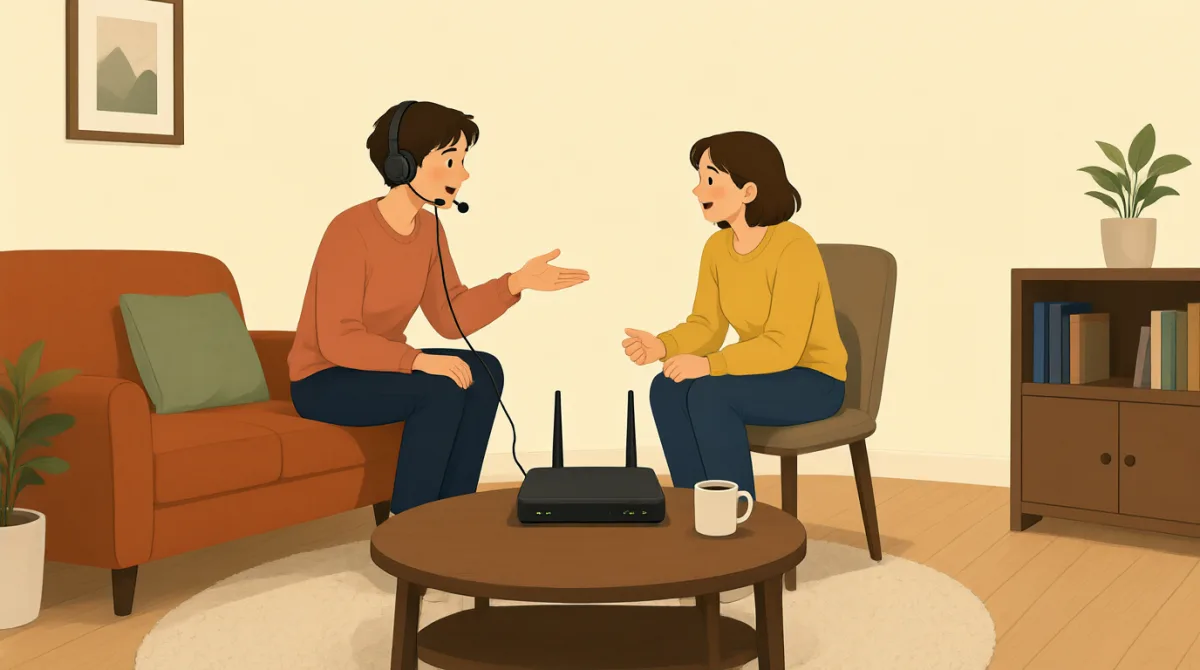

Hi, I'm calling because my internet connection isn't working at all. I can't get online.
سلام، تماس گرفتم چون اتصال اینترنت من اصلاً کار نمیکنه. نمیتونم به اینترنت وصل بشم.

Hello. I'm sorry to hear that. My name is Jack. Let's try to get you back online. First, can you tell me if any of the lights on your modem or router are off, or if they are blinking unusually?
سلام. متأسفم که این مشکل پیش اومده. اسم من جکه. بیایید ببینیم چطور میتونیم دوباره شما رو به اینترنت وصل کنیم. اول، میتونید بگید چراغی روی مودم یا روترتون خاموشه یا چراغی غیرعادی چشمک میزنه؟
Hmm, let me check. Okay, the 'DSL' light on my modem is off, and the 'Internet' light is red. All the other lights look normal.
هوم، بذارید بررسی کنم. خب، چراغ «DSL» روی مودمم خاموشه و چراغ «Internet» قرمزه. بقیه چراغها عادی به نظر میرسن.
Alright, that indicates a problem with the connection to our network. Let's try the classic troubleshooting step. Please unplug the power cable from your modem and your router for about 30 seconds, then plug them back in. Make sure you plug the modem in first, wait for its lights to stabilize, and then plug in the router.
بسیار خب، این نشون میده که اتصال به شبکهٔ ما مشکلی داره. بیایید روش معمول عیبیابی رو امتحان کنیم. لطفاً کابل برق مودم و روترتون رو حدود ۳۰ ثانیه از برق بکشید و بعد دوباره وصلشون کنید. اول مودم رو به برق بزنید، صبر کنید چراغهاش ثابت بشن و بعد روتر رو وصل کنید.
Okay, doing that now. Unplugging both... and now plugging the modem back in. Waiting for the lights... Okay, the DSL light is green now, and the Internet light is blinking green. Now plugging in the router.
باشه، همین الان انجامش میدم. هر دو رو از برق میکشم... و حالا مودم رو دوباره وصل میکنم. صبر میکنم چراغها... خب، چراغ DSL الان سبزه و چراغ Internet سبز چشمک میزنه. حالا روتر رو وصل میکنم.
Excellent. Once the router's lights are stable, please try to connect to the internet again on your computer or device and let me know if it's working.
عالیه. وقتی چراغهای روتر ثابت شدن، لطفاً دوباره با رایانه یا دستگاهتون به اینترنت وصل بشید و بهم بگید کار میکنه یا نه.
Okay, the router lights look good. Let me try. Yes! It's working! I can access websites again. Thank you so much!
باشه، چراغهای روتر خوب به نظر میرسن. امتحان میکنم. بله! کار میکنه! دوباره میتونم سایتها رو باز کنم. خیلی ممنون!
You're very welcome! Glad we could get that resolved for you. Is there anything else I can assist you with today?
خواهش میکنم! خوشحالم که تونستیم مشکلتون رو حل کنیم. امروز کار دیگهای هست که بتونم در اون کمکتون کنم؟
No, that's all for now. Thanks again!
نه، فعلاً همین بود. باز هم ممنون!
You bet. Have a great day!
خواهش میکنم. روز خوبی داشته باشید!
واژگان7
- modemمودم
A device that connects your home or office to the internet service provider, converting signals for use.
دستگاهی که خانه یا محل کار شما را به شرکت ارائهدهندهٔ خدمات اینترنت وصل میکند و سیگنالها را برای استفاده آماده میسازد.
- routerروتر
A device that shares the internet connection from the modem to multiple devices like computers and phones in your home.
دستگاهی که اتصال اینترنت مودم را بین چند دستگاه، مثل رایانه و تلفن همراه، در خانهٔ شما به اشتراک میگذارد.
- troubleshootingعیبیابی
The process of finding and fixing problems with technology or devices, often step by step.
فرایند پیدا کردن و رفع مشکلات فناوری یا دستگاهها، که معمولاً مرحلهبهمرحله انجام میشود.
- unplugاز برق کشیدن؛ جدا کردن
To remove a plug or cable from a power source or device, often done to reset equipment.
جدا کردن دوشاخه یا کابل از منبع برق یا دستگاه؛ این کار را اغلب برای راهاندازی دوبارهٔ دستگاه انجام میدهند.
- blinkingچشمکزن
When a light on a device flashes on and off quickly, usually indicating activity or an issue.
وقتی چراغ دستگاه بهسرعت خاموش و روشن میشود؛ معمولاً نشاندهندهٔ فعالیت یا وجود مشکلی است.
- stabilizeثابت شدن؛ پایدار شدن
To become steady or normal after a change, like lights on a device stopping from blinking irregularly.
پس از تغییری، به حالت ثابت یا عادی درآمدن؛ مثلاً چراغهای دستگاه دیگر نامنظم چشمک نزنند.
- DSLDSL
Short for Digital Subscriber Line, a type of internet connection that uses phone lines to provide high-speed access.
مخفف Digital Subscriber Line، نوعی اتصال اینترنت است که برای دسترسی پرسرعت از خطوط تلفن استفاده میکند.
جملات کلیدی7
- 1
My internet connection isn't working at all.
اتصال اینترنت من اصلاً کار نمیکند.
This sentence uses the present continuous tense 'isn't working' to describe a current problem. It's useful for explaining tech issues clearly when seeking help.
در این جمله از زمان حال استمراری «isn't working» برای توصیف مشکلی که همین حالا وجود دارد استفاده شده است. این جمله برای توضیح روشن مشکلات فنی هنگام درخواست کمک کاربرد دارد.
- 2
I'm sorry to hear that.
متأسفم که این را میشنوم.
A polite empathy expression in customer service. Use it to show understanding and concern when someone reports a problem; the contraction 'I'm' makes it natural and conversational.
عبارتی مؤدبانه برای همدلی در خدمات مشتری است. وقتی کسی مشکلی را مطرح میکند، از آن برای نشان دادن درک و نگرانی استفاده کنید؛ شکل کوتاه «I'm» باعث میشود جمله طبیعی و محاورهای باشد.
- 3
Can you tell me if any of the lights on your modem or router are off?
میتوانید بگویید چراغی روی مودم یا روترتان خاموش است؟
This is a polite question using 'can you' for requests and 'if' for conditions. It's practical for diagnosing issues by asking for specific details step by step.
این پرسش مؤدبانه از «can you» برای درخواست و از «if» برای بیان شرط استفاده میکند. در عیبیابی، با پرسیدن جزئیات مشخص و مرحلهبهمرحله کاربرد دارد.
- 4
Please unplug the power cable from your modem and your router for about 30 seconds.
لطفاً کابل برق مودم و روترتان را حدود ۳۰ ثانیه از برق بکشید.
An imperative sentence with 'please' for politeness, giving clear instructions. Useful in troubleshooting; note the use of 'for about' to indicate approximate time.
جملهای امری است که با «please» مؤدبانه شده و دستور روشنی میدهد. در عیبیابی کاربرد دارد؛ دقت کنید که «for about» برای گفتن مدتزمان تقریبی به کار میرود.
- 5
Once the router's lights are stable, please try to connect to the internet again.
وقتی چراغهای روتر ثابت شدند، لطفاً دوباره به اینترنت وصل شوید.
Uses 'once' for sequence of events and conditional structure. This teaches how to give timed instructions; it's common in tech support to guide users safely.
در این جمله از «once» برای نشان دادن ترتیب رویدادها و از ساختار شرطی استفاده شده است. این الگو شیوهٔ دادن دستورهایی با زمانبندی مشخص را آموزش میدهد و در پشتیبانی فنی برای راهنمایی ایمن کاربران رایج است.
- 6
You're very welcome!
خواهش میکنم!
A friendly response to 'thank you,' more emphatic than just 'you're welcome.' Use it in service situations to end positively and build rapport.
پاسخی دوستانه به «thank you» است و از «you're welcome» تأکید بیشتری دارد. در موقعیتهای خدماتی از آن استفاده کنید تا گفتوگو را با لحنی مثبت به پایان برسانید و ارتباط خوبی برقرار کنید.
- 7
Is there anything else I can assist you with today?
امروز کار دیگری هست که بتوانم در آن کمکتان کنم؟
A yes/no question offering further help, using 'can assist' for formal politeness. It's a standard closing phrase in customer service to check for more needs.
پرسشی بله یا خیر است که پیشنهاد کمک بیشتر میدهد و برای بیان مؤدبانه و رسمی از «can assist» استفاده میکند. این عبارت پایانی در خدمات مشتری رایج است و برای بررسی نیازهای دیگر مشتری به کار میرود.