Troubleshooting Internet Connection
ইন্টারনেট সংযোগের সমস্যা সমাধান
A customer calls technical support because their internet is not working. The support agent guides them through various steps to diagnose and resolve the issue, such as checking cables, restarting the router, or resetting network settings.
ইন্টারনেট কাজ না করায় একজন গ্রাহক প্রযুক্তিগত সহায়তা বিভাগে ফোন করেন। সহায়তা প্রতিনিধি তার সমস্যাটি শনাক্ত ও সমাধান করতে বিভিন্ন ধাপে নির্দেশনা দেন, যেমন তার পরীক্ষা করা, রাউটার পুনরায় চালু করা বা নেটওয়ার্ক সেটিংস রিসেট করা।
সংলাপ10
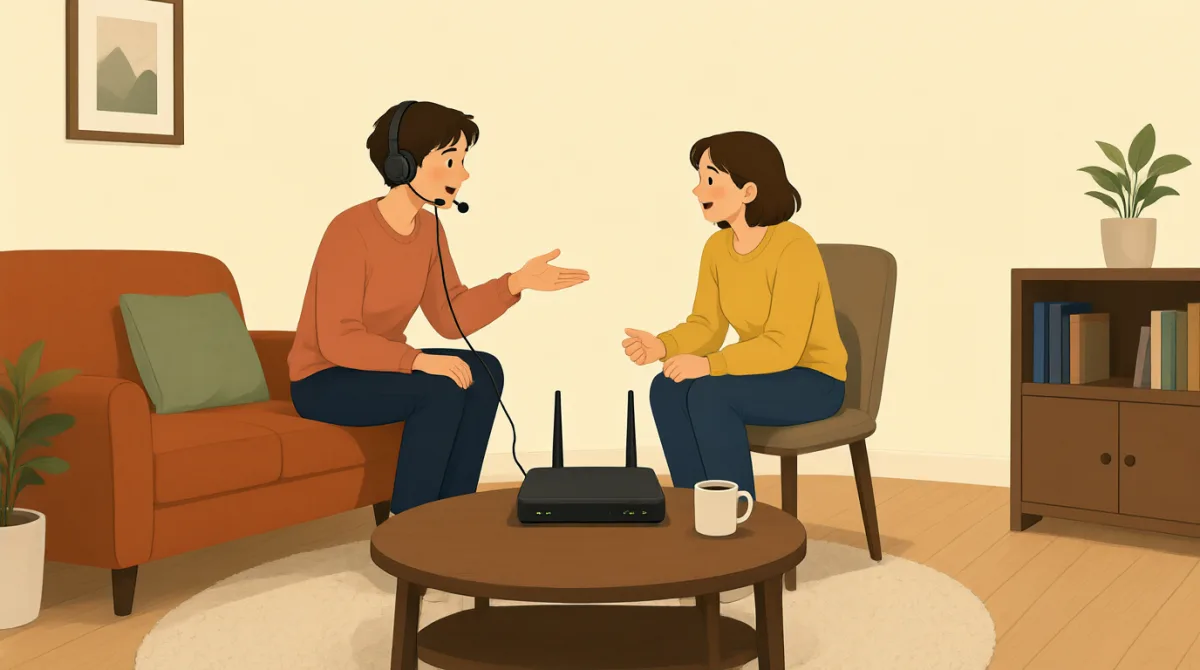

Hi, I'm calling because my internet connection isn't working at all. I can't get online.
হ্যালো, আমার ইন্টারনেট সংযোগ একেবারেই কাজ করছে না বলে ফোন করেছি। আমি অনলাইনে যেতে পারছি না।

Hello. I'm sorry to hear that. My name is Jack. Let's try to get you back online. First, can you tell me if any of the lights on your modem or router are off, or if they are blinking unusually?
হ্যালো। এটা শুনে দুঃখিত। আমার নাম জ্যাক। চলুন, আপনাকে আবার অনলাইনে আনার চেষ্টা করি। প্রথমে বলবেন, আপনার মডেম বা রাউটারের কোনো আলো কি বন্ধ, অথবা অস্বাভাবিকভাবে জ্বলছে-নিভছে?
Hmm, let me check. Okay, the 'DSL' light on my modem is off, and the 'Internet' light is red. All the other lights look normal.
হুম, দেখি। আচ্ছা, আমার মডেমের 'DSL' আলোটা বন্ধ, আর 'Internet' আলোটা লাল। বাকি সব আলো স্বাভাবিক দেখাচ্ছে।
Alright, that indicates a problem with the connection to our network. Let's try the classic troubleshooting step. Please unplug the power cable from your modem and your router for about 30 seconds, then plug them back in. Make sure you plug the modem in first, wait for its lights to stabilize, and then plug in the router.
বুঝলাম। এতে আমাদের নেটওয়ার্কের সঙ্গে সংযোগে সমস্যার ইঙ্গিত পাওয়া যাচ্ছে। চলুন, প্রচলিত একটা সমস্যা সমাধানের ধাপ চেষ্টা করি। অনুগ্রহ করে মডেম ও রাউটার থেকে বিদ্যুতের তার খুলে প্রায় 30 সেকেন্ড অপেক্ষা করুন, তারপর আবার লাগান। আগে মডেমের তার লাগাবেন, এর আলো স্থির হওয়া পর্যন্ত অপেক্ষা করবেন, তারপর রাউটারের তার লাগাবেন।
Okay, doing that now. Unplugging both... and now plugging the modem back in. Waiting for the lights... Okay, the DSL light is green now, and the Internet light is blinking green. Now plugging in the router.
ঠিক আছে, এখনই করছি। দুটোরই তার খুলছি... এবার মডেমের তার লাগাচ্ছি। আলোগুলোর জন্য অপেক্ষা করছি... আচ্ছা, এখন DSL-এর আলো সবুজ, আর Internet-এর আলো সবুজ হয়ে জ্বলছে-নিভছে। এবার রাউটারের তার লাগাচ্ছি।
Excellent. Once the router's lights are stable, please try to connect to the internet again on your computer or device and let me know if it's working.
দারুণ। রাউটারের আলোগুলো স্থির হলে, অনুগ্রহ করে আপনার কম্পিউটার বা অন্য ডিভাইস থেকে আবার ইন্টারনেটে সংযোগ করার চেষ্টা করুন, আর কাজ হচ্ছে কি না আমাকে জানান।
Okay, the router lights look good. Let me try. Yes! It's working! I can access websites again. Thank you so much!
ঠিক আছে, রাউটারের আলো ঠিকই দেখাচ্ছে। চেষ্টা করে দেখি। হ্যাঁ! কাজ করছে! আবার ওয়েবসাইট খুলতে পারছি। আপনাকে অনেক ধন্যবাদ!
You're very welcome! Glad we could get that resolved for you. Is there anything else I can assist you with today?
আপনাকে স্বাগতম! আপনার সমস্যাটা সমাধান করতে পেরে ভালো লাগছে। আজ আর কোনো বিষয়ে কি আপনাকে সাহায্য করতে পারি?
No, that's all for now. Thanks again!
না, আপাতত এইটুকুই। আবারও ধন্যবাদ!
You bet. Have a great day!
অবশ্যই। আপনার দিনটি ভালো কাটুক!
শব্দভান্ডার7
- modemমডেম
A device that connects your home or office to the internet service provider, converting signals for use.
এমন একটি যন্ত্র, যা আপনার বাড়ি বা অফিসকে ইন্টারনেট পরিষেবা প্রদানকারীর সঙ্গে যুক্ত করে এবং সংকেতকে ব্যবহারের উপযোগী করে তোলে।
- routerরাউটার
A device that shares the internet connection from the modem to multiple devices like computers and phones in your home.
এমন একটি যন্ত্র, যা মডেমের ইন্টারনেট সংযোগ বাড়ির কম্পিউটার ও ফোনের মতো একাধিক ডিভাইসে ভাগ করে দেয়।
- troubleshootingসমস্যা নির্ণয় ও সমাধান
The process of finding and fixing problems with technology or devices, often step by step.
প্রযুক্তি বা যন্ত্রের সমস্যা খুঁজে বের করে সমাধান করার প্রক্রিয়া, যা প্রায়ই ধাপে ধাপে করা হয়।
- unplugপ্লাগ খুলে ফেলা
To remove a plug or cable from a power source or device, often done to reset equipment.
কোনো বিদ্যুৎ-সংযোগ বা যন্ত্র থেকে প্লাগ কিংবা তার খুলে ফেলা; যন্ত্র রিসেট করতে প্রায়ই এটা করা হয়।
- blinkingজ্বলে-নিভে ওঠা
When a light on a device flashes on and off quickly, usually indicating activity or an issue.
যন্ত্রের কোনো আলো দ্রুত জ্বলে-নিভে ওঠা, যা সাধারণত কার্যকলাপ বা কোনো সমস্যার ইঙ্গিত দেয়।
- stabilizeস্থির হওয়া
To become steady or normal after a change, like lights on a device stopping from blinking irregularly.
কোনো পরিবর্তনের পর স্থির বা স্বাভাবিক অবস্থায় আসা; যেমন, যন্ত্রের আলো অনিয়মিতভাবে জ্বলে-নিভে ওঠা বন্ধ হওয়া।
- DSLDSL
Short for Digital Subscriber Line, a type of internet connection that uses phone lines to provide high-speed access.
Digital Subscriber Line-এর সংক্ষিপ্ত রূপ। এটি এক ধরনের ইন্টারনেট সংযোগ, যাতে ফোনের লাইন ব্যবহার করে উচ্চগতির ইন্টারনেট দেওয়া হয়।
গুরুত্বপূর্ণ বাক্য7
- 1
My internet connection isn't working at all.
আমার ইন্টারনেট সংযোগ একেবারেই কাজ করছে না।
This sentence uses the present continuous tense 'isn't working' to describe a current problem. It's useful for explaining tech issues clearly when seeking help.
এখানে বর্তমান সমস্যা বোঝাতে present continuous tense-এর 'isn't working' ব্যবহার করা হয়েছে। সাহায্য চাইতে গিয়ে প্রযুক্তিগত সমস্যার কথা স্পষ্টভাবে জানাতে এই বাক্যটি কাজে লাগে।
- 2
I'm sorry to hear that.
এটা শুনে দুঃখিত।
A polite empathy expression in customer service. Use it to show understanding and concern when someone reports a problem; the contraction 'I'm' makes it natural and conversational.
গ্রাহকসেবায় সহমর্মিতা প্রকাশের একটি ভদ্র উপায়। কেউ সমস্যার কথা জানালে তার অবস্থা বুঝতে পারছেন ও উদ্বিগ্ন—এটা বোঝাতে বাক্যটি ব্যবহার করুন। 'I'm' সংক্ষিপ্ত রূপটি কথোপকথনকে স্বাভাবিক শোনায়।
- 3
Can you tell me if any of the lights on your modem or router are off?
আপনার মডেম বা রাউটারের কোনো আলো বন্ধ আছে কি না, বলবেন?
This is a polite question using 'can you' for requests and 'if' for conditions. It's practical for diagnosing issues by asking for specific details step by step.
'can you' দিয়ে ভদ্রভাবে অনুরোধ করা হয়েছে এবং 'if' দিয়ে শর্ত বোঝানো হয়েছে। নির্দিষ্ট তথ্য ধাপে ধাপে জিজ্ঞেস করে সমস্যা নির্ণয় করতে এই বাক্যটি কাজে লাগে।
- 4
Please unplug the power cable from your modem and your router for about 30 seconds.
অনুগ্রহ করে মডেম ও রাউটার থেকে বিদ্যুতের তার খুলে প্রায় 30 সেকেন্ড অপেক্ষা করুন।
An imperative sentence with 'please' for politeness, giving clear instructions. Useful in troubleshooting; note the use of 'for about' to indicate approximate time.
'please' ব্যবহার করে ভদ্রভাবে নির্দেশ দেওয়া হয়েছে। সমস্যা সমাধানে এমন স্পষ্ট নির্দেশ কাজে লাগে। এখানে 'for about' দিয়ে আনুমানিক সময় বোঝানো হয়েছে।
- 5
Once the router's lights are stable, please try to connect to the internet again.
রাউটারের আলোগুলো স্থির হলে, অনুগ্রহ করে আবার ইন্টারনেটে সংযোগ করার চেষ্টা করুন।
Uses 'once' for sequence of events and conditional structure. This teaches how to give timed instructions; it's common in tech support to guide users safely.
'once' দিয়ে কাজের ধারাবাহিকতা এবং শর্ত বোঝানো হয়েছে। সময়ের সঙ্গে মিলিয়ে নির্দেশ দেওয়ার এই ধরনটি প্রযুক্তিগত সহায়তায় ব্যবহারকারীদের নিরাপদে পথ দেখাতে কাজে লাগে।
- 6
You're very welcome!
আপনাকে অনেক স্বাগতম!
A friendly response to 'thank you,' more emphatic than just 'you're welcome.' Use it in service situations to end positively and build rapport.
'thank you'-এর উত্তরে বন্ধুত্বপূর্ণভাবে বলা হয়। শুধু 'you're welcome'-এর চেয়ে এটি বেশি আন্তরিক। পরিষেবা দেওয়ার সময় ইতিবাচকভাবে কথোপকথন শেষ করতে এবং ভালো সম্পর্ক গড়ে তুলতে এটি ব্যবহার করুন।
- 7
Is there anything else I can assist you with today?
আজ আর কোনো বিষয়ে কি আপনাকে সাহায্য করতে পারি?
A yes/no question offering further help, using 'can assist' for formal politeness. It's a standard closing phrase in customer service to check for more needs.
এটি হ্যাঁ-না উত্তর দেওয়ার মতো একটি প্রশ্ন, যেখানে আরও সাহায্যের প্রস্তাব দেওয়া হয়েছে। 'can assist' আনুষ্ঠানিক ভদ্রতা প্রকাশ করে। গ্রাহকসেবায় আর কোনো প্রয়োজন আছে কি না জানতে কথোপকথনের শেষে এই বাক্যটি বলা হয়।