Troubleshooting Internet Connection
इंटरनेट कनेक्शन की समस्या का समाधान
A customer calls technical support because their internet is not working. The support agent guides them through various steps to diagnose and resolve the issue, such as checking cables, restarting the router, or resetting network settings.
एक ग्राहक तकनीकी सहायता केंद्र पर कॉल करता है क्योंकि उसका इंटरनेट काम नहीं कर रहा है। सहायता एजेंट समस्या का पता लगाने और उसे ठीक करने के लिए उसे अलग-अलग चरणों से गुज़रने में मदद करता है, जैसे केबल जाँचना, राउटर रीस्टार्ट करना या नेटवर्क सेटिंग रीसेट करना।
संवाद10
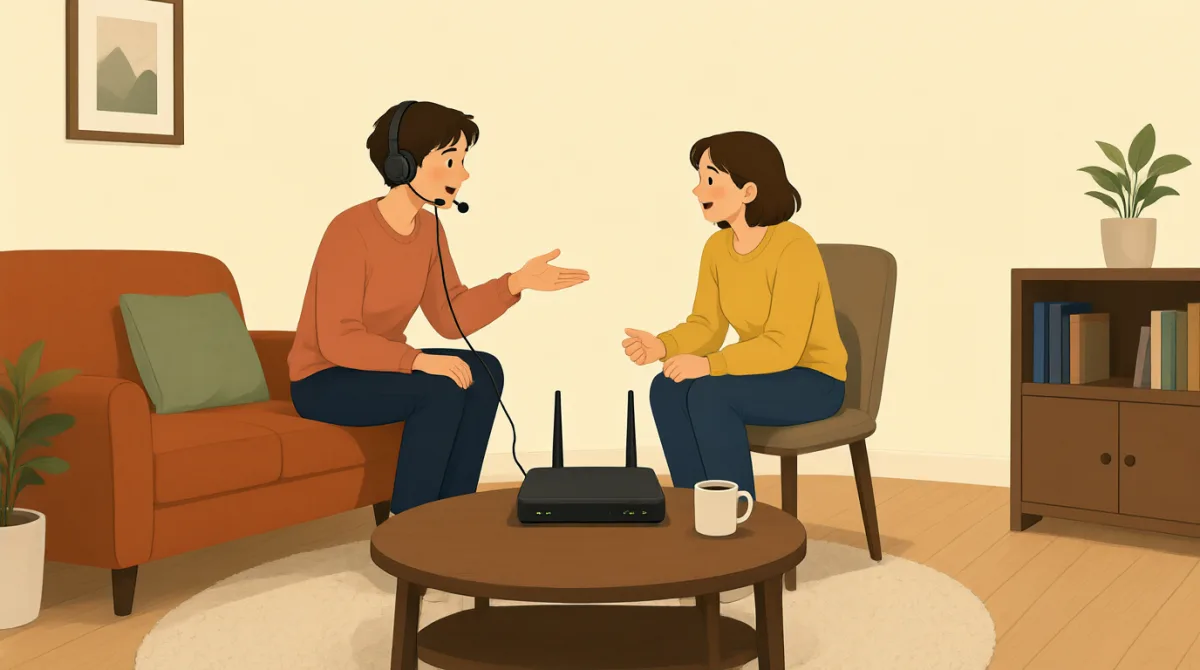

Hi, I'm calling because my internet connection isn't working at all. I can't get online.
नमस्ते, मैं कॉल कर रही हूँ क्योंकि मेरा इंटरनेट कनेक्शन बिल्कुल काम नहीं कर रहा है। मैं ऑनलाइन नहीं जा पा रही हूँ।

Hello. I'm sorry to hear that. My name is Jack. Let's try to get you back online. First, can you tell me if any of the lights on your modem or router are off, or if they are blinking unusually?
नमस्ते। यह सुनकर अफ़सोस हुआ। मेरा नाम Jack है। आइए, आपका इंटरनेट फिर से चालू करने की कोशिश करते हैं। पहले, क्या आप बता सकती हैं कि आपके मॉडेम या राउटर की कोई लाइट बंद है या असामान्य रूप से झपक रही है?
Hmm, let me check. Okay, the 'DSL' light on my modem is off, and the 'Internet' light is red. All the other lights look normal.
हम्म, ज़रा देखती हूँ। ठीक है, मेरे मॉडेम की 'DSL' लाइट बंद है और 'Internet' लाइट लाल है। बाकी सारी लाइटें सामान्य लग रही हैं।
Alright, that indicates a problem with the connection to our network. Let's try the classic troubleshooting step. Please unplug the power cable from your modem and your router for about 30 seconds, then plug them back in. Make sure you plug the modem in first, wait for its lights to stabilize, and then plug in the router.
ठीक है, इससे पता चलता है कि हमारे नेटवर्क से कनेक्शन में कोई समस्या है। आइए, समस्या का पता लगाने का एक आम तरीका आज़माते हैं। कृपया अपने मॉडेम और राउटर की बिजली की केबल लगभग 30 सेकंड के लिए निकाल दें, फिर उन्हें वापस लगा दें। पहले मॉडेम लगाइए, उसकी लाइटें स्थिर होने तक इंतज़ार कीजिए और फिर राउटर लगाइए।
Okay, doing that now. Unplugging both... and now plugging the modem back in. Waiting for the lights... Okay, the DSL light is green now, and the Internet light is blinking green. Now plugging in the router.
ठीक है, अभी करती हूँ। दोनों के प्लग निकाल रही हूँ... और अब मॉडेम वापस लगा रही हूँ। लाइटों के स्थिर होने का इंतज़ार कर रही हूँ... ठीक है, DSL लाइट अब हरी है और Internet लाइट हरी झपक रही है। अब राउटर लगा रही हूँ।
Excellent. Once the router's lights are stable, please try to connect to the internet again on your computer or device and let me know if it's working.
बहुत बढ़िया। राउटर की लाइटें स्थिर हो जाएँ, तो कृपया अपने कंप्यूटर या डिवाइस से दोबारा इंटरनेट से जुड़ने की कोशिश कीजिए और मुझे बताइए कि वह काम कर रहा है या नहीं।
Okay, the router lights look good. Let me try. Yes! It's working! I can access websites again. Thank you so much!
ठीक है, राउटर की लाइटें सही लग रही हैं। ज़रा कोशिश करती हूँ। हाँ! यह काम कर रहा है! मैं फिर से वेबसाइटें खोल पा रही हूँ। आपका बहुत-बहुत धन्यवाद!
You're very welcome! Glad we could get that resolved for you. Is there anything else I can assist you with today?
आपका स्वागत है! खुशी है कि हम आपकी समस्या सुलझा पाए। क्या आज मैं किसी और चीज़ में आपकी मदद कर सकता हूँ?
No, that's all for now. Thanks again!
नहीं, अभी के लिए इतना ही। फिर से धन्यवाद!
You bet. Have a great day!
ज़रूर। आपका दिन अच्छा गुज़रे!
शब्दावली7
- modemमॉडेम
A device that connects your home or office to the internet service provider, converting signals for use.
ऐसा उपकरण जो आपके घर या दफ़्तर को इंटरनेट सेवा प्रदाता से जोड़ता है और संकेतों को उपयोग के लिए बदलता है।
- routerराउटर
A device that shares the internet connection from the modem to multiple devices like computers and phones in your home.
ऐसा उपकरण जो मॉडेम से मिलने वाला इंटरनेट कनेक्शन आपके घर के कई उपकरणों, जैसे कंप्यूटर और फ़ोन, के साथ साझा करता है।
- troubleshootingसमस्या का पता लगाना और उसे ठीक करना
The process of finding and fixing problems with technology or devices, often step by step.
तकनीक या उपकरणों में आई समस्याओं को अक्सर चरण-दर-चरण ढूँढ़ने और ठीक करने की प्रक्रिया।
- unplugप्लग निकालना
To remove a plug or cable from a power source or device, often done to reset equipment.
बिजली के स्रोत या उपकरण से प्लग या केबल निकालना; अक्सर ऐसा उपकरण को रीसेट करने के लिए किया जाता है।
- blinkingझपकना
When a light on a device flashes on and off quickly, usually indicating activity or an issue.
जब किसी उपकरण की लाइट तेज़ी से बार-बार जलती और बुझती है। आम तौर पर यह किसी गतिविधि या समस्या का संकेत होता है।
- stabilizeस्थिर होना
To become steady or normal after a change, like lights on a device stopping from blinking irregularly.
किसी बदलाव के बाद सामान्य या स्थिर स्थिति में आना, जैसे किसी उपकरण की लाइटों का अनियमित रूप से झपकना बंद हो जाना।
- DSLDSL
Short for Digital Subscriber Line, a type of internet connection that uses phone lines to provide high-speed access.
Digital Subscriber Line का संक्षिप्त रूप। यह एक प्रकार का इंटरनेट कनेक्शन है, जो तेज़ इंटरनेट उपलब्ध कराने के लिए फ़ोन की लाइनों का इस्तेमाल करता है।
मुख्य वाक्य7
- 1
My internet connection isn't working at all.
मेरा इंटरनेट कनेक्शन बिल्कुल काम नहीं कर रहा है।
This sentence uses the present continuous tense 'isn't working' to describe a current problem. It's useful for explaining tech issues clearly when seeking help.
यह वाक्य मौजूदा समस्या बताने के लिए present continuous tense 'isn't working' का इस्तेमाल करता है। मदद माँगते समय तकनीकी समस्याओं को साफ़-साफ़ समझाने के लिए यह उपयोगी है।
- 2
I'm sorry to hear that.
यह सुनकर अफ़सोस हुआ।
A polite empathy expression in customer service. Use it to show understanding and concern when someone reports a problem; the contraction 'I'm' makes it natural and conversational.
ग्राहक सेवा में सहानुभूति जताने का यह एक विनम्र तरीका है। जब कोई अपनी समस्या बताए, तो उसकी बात समझने और चिंता जताने के लिए इसका इस्तेमाल करें। 'I'm' का संक्षिप्त रूप इसे स्वाभाविक और बातचीत जैसा बनाता है।
- 3
Can you tell me if any of the lights on your modem or router are off?
क्या आप बता सकती हैं कि आपके मॉडेम या राउटर की कोई लाइट बंद है?
This is a polite question using 'can you' for requests and 'if' for conditions. It's practical for diagnosing issues by asking for specific details step by step.
यह एक विनम्र सवाल है, जिसमें अनुरोध करने के लिए 'can you' और शर्त पूछने के लिए 'if' का इस्तेमाल हुआ है। समस्या का पता लगाने के लिए एक-एक करके ज़रूरी जानकारी पूछते समय यह काम आता है।
- 4
Please unplug the power cable from your modem and your router for about 30 seconds.
कृपया अपने मॉडेम और राउटर की बिजली की केबल लगभग 30 सेकंड के लिए निकाल दें।
An imperative sentence with 'please' for politeness, giving clear instructions. Useful in troubleshooting; note the use of 'for about' to indicate approximate time.
'Please' के साथ दिया गया यह विनम्र निर्देश साफ़ हिदायत देता है। समस्या का पता लगाते समय यह उपयोगी है। ध्यान दें कि अनुमानित समय बताने के लिए 'for about' का इस्तेमाल किया गया है।
- 5
Once the router's lights are stable, please try to connect to the internet again.
राउटर की लाइटें स्थिर हो जाएँ, तो कृपया दोबारा इंटरनेट से जुड़ने की कोशिश कीजिए।
Uses 'once' for sequence of events and conditional structure. This teaches how to give timed instructions; it's common in tech support to guide users safely.
यह घटनाओं का क्रम बताने के लिए 'once' और शर्तिया संरचना का इस्तेमाल करता है। इससे सही समय पर निर्देश देना सीखने में मदद मिलती है। तकनीकी सहायता में उपयोगकर्ता को सुरक्षित ढंग से मार्गदर्शन देने के लिए यह आम है।
- 6
You're very welcome!
आपका बहुत-बहुत स्वागत है!
A friendly response to 'thank you,' more emphatic than just 'you're welcome.' Use it in service situations to end positively and build rapport.
यह 'thank you' का दोस्ताना जवाब है और सिर्फ़ 'you're welcome' कहने से ज़्यादा ज़ोरदार है। सेवा से जुड़ी बातचीत को सकारात्मक रूप से खत्म करने और अच्छा तालमेल बनाने के लिए इसका इस्तेमाल करें।
- 7
Is there anything else I can assist you with today?
क्या आज मैं किसी और चीज़ में आपकी मदद कर सकता हूँ?
A yes/no question offering further help, using 'can assist' for formal politeness. It's a standard closing phrase in customer service to check for more needs.
यह हाँ-या-नहीं में जवाब दिया जाने वाला सवाल है, जो आगे मदद की पेशकश करता है। इसमें औपचारिक विनम्रता के लिए 'can assist' का इस्तेमाल है। ग्राहक सेवा में यह पूछने का एक आम तरीका है कि ग्राहक को और किसी मदद की ज़रूरत है या नहीं।