Troubleshooting over the Phone: Router Reset
استكشاف الأعطال هاتفيًا: إعادة ضبط جهاز التوجيه
The customer support representative guides the customer through basic troubleshooting steps, such as power cycling their modem and router, and checking cable connections.
يرشد ممثل خدمة العملاء العميل خلال خطوات أساسية لاستكشاف الأعطال، مثل فصل المودم وجهاز التوجيه عن الكهرباء ثم إعادة توصيلهما، والتحقق من توصيلات الكابلات.
حوار11

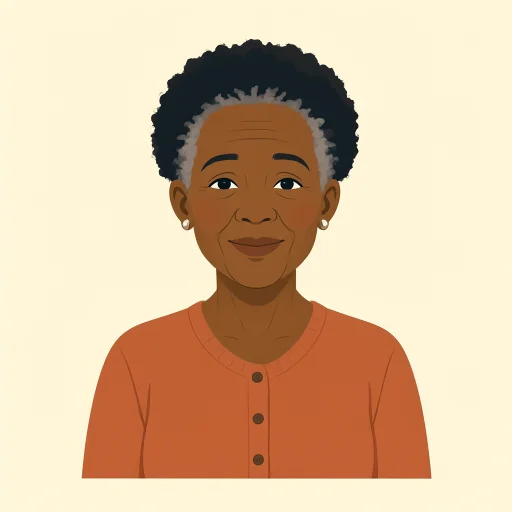
Thank you for calling Technical Support. My name is Grace. How may I help you today?
شكرًا لاتصالك بالدعم الفني. اسمي غريس. كيف يمكنني مساعدتك اليوم؟

Hi Grace, my internet isn't working at all. I've tried restarting my computer, but nothing seems to help. It's been out for about an hour now.
مرحبًا يا غريس، الإنترنت لا يعمل إطلاقًا. حاولت إعادة تشغيل الكمبيوتر، لكن يبدو أن ذلك لم يفد. انقطع الإنترنت منذ نحو ساعة.
I understand, Jack. Let's try some basic troubleshooting. Can you please locate your modem and router for me?
أتفهم ذلك يا جاك. لنجرب بعض الخطوات الأساسية لاستكشاف العطل. هل يمكنك من فضلك تحديد مكان المودم وجهاز التوجيه؟
Sure, I see them both. They're usually right next to each other.
بالتأكيد، أراهما. عادةً ما يكونان متجاورين.
Great. First, please unplug the power cable from both your modem and your router. Wait about 30 seconds, then plug the modem back in. Wait for all the lights on the modem to come on and stabilize.
ممتاز. أولًا، يُرجى فصل كابل الطاقة عن كل من المودم وجهاز التوجيه. انتظر نحو 30 ثانية، ثم أعد توصيل المودم. انتظر حتى تضيء جميع مؤشرات المودم وتستقر.
Okay, I've unplugged them. Counting to 30 now... Alright, the modem lights are back on and steady.
حسنًا، فصلتهما. أعدّ إلى 30 الآن... حسنًا، أضاءت مؤشرات المودم مجددًا وأصبحت ثابتة.
Perfect. Now, plug in the power cable to your router and wait for its lights to stabilize as well. Once that's done, try connecting to the internet again.
ممتاز. الآن، وصّل كابل الطاقة بجهاز التوجيه وانتظر حتى تستقر مؤشراته أيضًا. بعد ذلك، حاول الاتصال بالإنترنت مجددًا.
Okay, the router lights are steady now... Let me check. Oh, wow! It's working! Thank you so much, Grace!
حسنًا، مؤشرات جهاز التوجيه ثابتة الآن... دعني أتحقق. يا للروعة! إنه يعمل! شكرًا جزيلًا يا غريس!
You're very welcome, Jack! I'm glad we could get that resolved for you. Is there anything else I can assist you with today?
على الرحب والسعة يا جاك! يسعدني أننا تمكنا من حل المشكلة. هل يمكنني مساعدتك في أي شيء آخر اليوم؟
No, that's everything. You fixed it. Thanks again!
لا، هذا كل شيء. لقد أصلحتِ المشكلة. شكرًا مرة أخرى!
My pleasure. Have a great day!
بكل سرور. أتمنى لك يومًا سعيدًا!
المفردات6
- troubleshootingاستكشاف الأعطال
The process of finding and fixing problems, especially with technology like computers or internet. Use it when describing steps to solve technical issues.
تعني عملية العثور على المشكلات وإصلاحها، خاصةً في التقنية مثل أجهزة الكمبيوتر أو الإنترنت. تُستخدم للتحدث عن خطوات حل المشكلات التقنية.
- modemمودم
A device that connects your home to the internet service provider. It's like a gateway for internet access.
جهاز يوصّل منزلك بمزوّد خدمة الإنترنت. يمكنك اعتباره بوابة للاتصال بالإنترنت.
- routerجهاز توجيه
A device that shares the internet connection with multiple devices in your home, like phones and computers.
جهاز يوزّع اتصال الإنترنت على عدة أجهزة في منزلك، مثل الهواتف وأجهزة الكمبيوتر.
- unplugيفصل القابس
To pull out a plug from an electrical socket to disconnect power. Commonly used in instructions for resetting devices.
يعني سحب القابس من مأخذ الكهرباء لقطع التيار عن الجهاز. وتشيع هذه الكلمة في التعليمات الخاصة بإعادة ضبط الأجهزة.
- stabilizeيستقر
To become steady or fixed in place, often used for lights or signals that stop blinking and stay on.
يعني أن يصبح ثابتًا أو مستقرًا. ويُستخدم كثيرًا لوصف الأضواء أو الإشارات التي تتوقف عن الوميض وتظل مضاءة.
- power cableكابل الطاقة
The cord or wire that connects a device to electricity. It's essential for powering up modems and routers.
السلك الذي يوصل الجهاز بالكهرباء. وهو ضروري لتشغيل أجهزة المودم والتوجيه.
الجمل الأساسية7
- 1
Thank you for calling Technical Support. My name is Grace. How may I help you today?
شكرًا لاتصالك بالدعم الفني. اسمي غريس. كيف يمكنني مساعدتك اليوم؟
This is a polite greeting used by customer service reps to start a call. 'How may I help you' is formal and shows willingness to assist. Use it in professional phone conversations.
هذه تحية مهذبة يستخدمها موظفو خدمة العملاء لبدء المكالمة. عبارة 'How may I help you' رسمية وتُظهر الاستعداد للمساعدة. استخدمها في المكالمات المهنية.
- 2
My internet isn't working at all.
الإنترنت لا يعمل إطلاقًا.
A simple way to report a problem. 'Isn't working' uses the present continuous for ongoing issues. Useful when describing tech failures to support teams.
طريقة بسيطة للإبلاغ عن مشكلة. تُستخدم عبارة 'Isn't working' بصيغة المضارع المستمر للتعبير عن مشكلة متواصلة. وهي مفيدة عند وصف أعطال الأجهزة لفريق الدعم.
- 3
Let's try some basic troubleshooting.
لنجرب بعض الخطوات الأساسية لاستكشاف الأعطال.
Suggests starting with simple fixes. 'Let's try' invites collaboration. Great for guiding someone through problem-solving steps politely.
تقترح هذه العبارة البدء بحلول بسيطة. وتدعو عبارة 'Let's try' إلى التعاون، لذا فهي مناسبة لإرشاد شخص ما إلى خطوات حل المشكلة بأسلوب مهذب.
- 4
Can you please locate your modem and router for me?
هل يمكنك من فضلك تحديد مكان المودم وجهاز التوجيه؟
A polite request for action. 'Can you please' softens the command. Use in instructions to ask someone to find or identify objects during help calls.
هذا طلب مهذب للقيام بشيء ما. تجعل عبارة 'Can you please' الطلب ألطف، وتُستخدم في التعليمات لطلب العثور على أشياء أو تحديدها أثناء مكالمات الدعم.
- 5
Please unplug the power cable from both your modem and your router.
يُرجى فصل كابل الطاقة عن كل من المودم وجهاز التوجيه.
Clear imperative instruction. Uses 'please' for politeness. Common in tech support for resetting devices; follow with wait times for safety.
تعليمات مباشرة وواضحة، وتُستخدم فيها كلمة 'please' للتأدب. وهي شائعة في الدعم الفني لإعادة ضبط الأجهزة، وغالبًا ما تتبعها تعليمات بشأن مدة الانتظار.
- 6
Wait for all the lights on the modem to come on and stabilize.
انتظر حتى تضيء جميع مؤشرات المودم وتستقر.
Describes a waiting step in troubleshooting. 'Come on' means turn on; 'stabilize' means become steady. Essential for explaining device boot-up processes.
تصف هذه العبارة خطوة انتظار أثناء استكشاف العطل. تعني 'Come on' أن الأضواء تضيء، وتعني 'stabilize' أن تصبح ثابتة. وهي مهمة لشرح مراحل بدء تشغيل الأجهزة.
- 7
You're very welcome! I'm glad we could get that resolved for you.
على الرحب والسعة! يسعدني أننا تمكنا من حل المشكلة.
A warm response to thanks. 'You're welcome' is standard; 'resolved' means fixed. Use at the end of successful help interactions to show satisfaction.
رد ودود على الشكر. عبارة 'You're welcome' هي الرد المعتاد، وتعني 'resolved' أن المشكلة حُلّت. استخدم هذه العبارة في نهاية تفاعل ناجح لتقديم المساعدة والتعبير عن الرضا.