Troubleshooting over the Phone: Router Reset
फ़ोन पर समस्या का निवारण: राउटर रीसेट करना
The customer support representative guides the customer through basic troubleshooting steps, such as power cycling their modem and router, and checking cable connections.
ग्राहक सहायता प्रतिनिधि ग्राहक को समस्या का पता लगाने और उसे ठीक करने के बुनियादी चरणों में मार्गदर्शन देती हैं, जैसे मॉडेम और राउटर को बंद करके फिर चालू करना और केबल के कनेक्शन जाँचना।
संवाद11
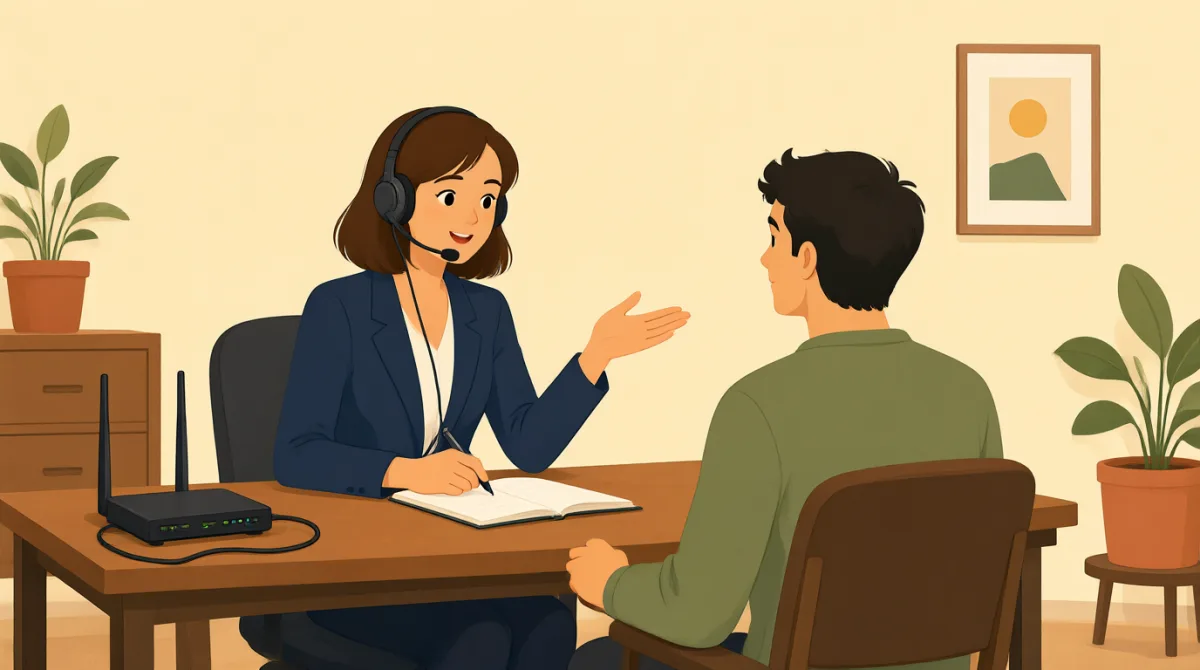

Thank you for calling Technical Support. My name is Grace. How may I help you today?
तकनीकी सहायता सेवा को कॉल करने के लिए धन्यवाद। मेरा नाम Grace है। आज मैं आपकी किस तरह मदद कर सकती हूँ?

Hi Grace, my internet isn't working at all. I've tried restarting my computer, but nothing seems to help. It's been out for about an hour now.
नमस्ते Grace, मेरा इंटरनेट बिल्कुल काम नहीं कर रहा है। मैंने अपना कंप्यूटर रीस्टार्ट करके देखा, लेकिन कोई फ़ायदा नहीं हुआ। करीब एक घंटे से इंटरनेट बंद है।
I understand, Jack. Let's try some basic troubleshooting. Can you please locate your modem and router for me?
समझ गई, Jack। आइए, समस्या ठीक करने के कुछ बुनियादी तरीके आज़माते हैं। क्या आप कृपया अपना मॉडेम और राउटर ढूँढ़ सकते हैं?
Sure, I see them both. They're usually right next to each other.
ज़रूर, मुझे दोनों दिख रहे हैं। आम तौर पर ये एक-दूसरे के ठीक पास ही होते हैं।
Great. First, please unplug the power cable from both your modem and your router. Wait about 30 seconds, then plug the modem back in. Wait for all the lights on the modem to come on and stabilize.
बहुत अच्छा। सबसे पहले, कृपया मॉडेम और राउटर—दोनों से बिजली की केबल निकाल दें। करीब 30 सेकंड रुकें, फिर मॉडेम को दोबारा बिजली से जोड़ें। मॉडेम की सारी बत्तियाँ जलने और स्थिर होने तक इंतज़ार करें।
Okay, I've unplugged them. Counting to 30 now... Alright, the modem lights are back on and steady.
ठीक है, मैंने दोनों के प्लग निकाल दिए हैं। अब 30 तक गिन रहा हूँ... अच्छा, मॉडेम की बत्तियाँ फिर से जल गई हैं और स्थिर हैं।
Perfect. Now, plug in the power cable to your router and wait for its lights to stabilize as well. Once that's done, try connecting to the internet again.
बहुत बढ़िया। अब राउटर की बिजली की केबल जोड़ दें और उसकी बत्तियाँ भी स्थिर होने तक इंतज़ार करें। फिर इंटरनेट से दोबारा जुड़ने की कोशिश करें।
Okay, the router lights are steady now... Let me check. Oh, wow! It's working! Thank you so much, Grace!
ठीक है, राउटर की बत्तियाँ अब स्थिर हैं... ज़रा जाँचता हूँ। अरे वाह! इंटरनेट चल रहा है! Grace, आपका बहुत-बहुत धन्यवाद!
You're very welcome, Jack! I'm glad we could get that resolved for you. Is there anything else I can assist you with today?
कोई बात नहीं, Jack! खुशी है कि हम आपकी समस्या ठीक कर पाए। क्या आज मैं किसी और चीज़ में आपकी मदद कर सकती हूँ?
No, that's everything. You fixed it. Thanks again!
नहीं, बस इतना ही था। आपने इसे ठीक कर दिया। एक बार फिर धन्यवाद!
My pleasure. Have a great day!
मुझे खुशी हुई। आपका दिन अच्छा रहे!
शब्दावली6
- troubleshootingसमस्या का निवारण
The process of finding and fixing problems, especially with technology like computers or internet. Use it when describing steps to solve technical issues.
समस्या का पता लगाकर उसे ठीक करने की प्रक्रिया, खासकर कंप्यूटर या इंटरनेट जैसी तकनीक से जुड़ी समस्या। तकनीकी दिक्कतें दूर करने के चरणों के बारे में बताते समय इसका इस्तेमाल करें।
- modemमॉडेम
A device that connects your home to the internet service provider. It's like a gateway for internet access.
यह एक ऐसा उपकरण है जो आपके घर को इंटरनेट सेवा प्रदाता से जोड़ता है। इसे इंटरनेट तक पहुँचने का प्रवेश-द्वार समझ सकते हैं।
- routerराउटर
A device that shares the internet connection with multiple devices in your home, like phones and computers.
यह एक ऐसा उपकरण है जो आपके घर में इंटरनेट कनेक्शन को कई उपकरणों, जैसे फ़ोन और कंप्यूटर, के साथ साझा करता है।
- unplugप्लग निकालना
To pull out a plug from an electrical socket to disconnect power. Commonly used in instructions for resetting devices.
बिजली का कनेक्शन काटने के लिए किसी उपकरण का प्लग सॉकेट से निकालना। उपकरण रीसेट करने के निर्देशों में यह शब्द अक्सर इस्तेमाल होता है।
- stabilizeस्थिर होना
To become steady or fixed in place, often used for lights or signals that stop blinking and stay on.
स्थिर या एकसमान हो जाना। इसका इस्तेमाल अक्सर उन बत्तियों या संकेतों के लिए होता है जो टिमटिमाना बंद करके लगातार जलते रहते हैं।
- power cableबिजली की केबल
The cord or wire that connects a device to electricity. It's essential for powering up modems and routers.
वह तार जो किसी उपकरण को बिजली से जोड़ता है। मॉडेम और राउटर चालू करने के लिए यह ज़रूरी होता है।
मुख्य वाक्य7
- 1
Thank you for calling Technical Support. My name is Grace. How may I help you today?
तकनीकी सहायता सेवा को कॉल करने के लिए धन्यवाद। मेरा नाम Grace है। आज मैं आपकी किस तरह मदद कर सकती हूँ?
This is a polite greeting used by customer service reps to start a call. 'How may I help you' is formal and shows willingness to assist. Use it in professional phone conversations.
ग्राहक सेवा प्रतिनिधि कॉल शुरू करते समय इस विनम्र अभिवादन का इस्तेमाल करते हैं। 'How may I help you' (मैं आपकी किस तरह मदद कर सकता/सकती हूँ) औपचारिक है और मदद करने की तत्परता दिखाता है। पेशेवर फ़ोन बातचीत में इसका इस्तेमाल करें।
- 2
My internet isn't working at all.
मेरा इंटरनेट बिल्कुल काम नहीं कर रहा है।
A simple way to report a problem. 'Isn't working' uses the present continuous for ongoing issues. Useful when describing tech failures to support teams.
समस्या बताने का यह एक सरल तरीका है। 'Isn't working' (काम नहीं कर रहा है) में वर्तमान निरंतर काल का इस्तेमाल किसी जारी समस्या के लिए किया गया है। तकनीकी खराबी की जानकारी सहायता टीम को देते समय यह उपयोगी है।
- 3
Let's try some basic troubleshooting.
आइए, समस्या ठीक करने के कुछ बुनियादी तरीके आज़माते हैं।
Suggests starting with simple fixes. 'Let's try' invites collaboration. Great for guiding someone through problem-solving steps politely.
इसका मतलब है कि पहले आसान समाधान आज़माने का सुझाव दिया जा रहा है। 'Let's try' (आइए, आज़माते हैं) मिलकर काम करने का निमंत्रण देता है। किसी को समस्या सुलझाने के चरणों में विनम्रता से मार्गदर्शन देने के लिए यह अच्छा वाक्यांश है।
- 4
Can you please locate your modem and router for me?
क्या आप कृपया अपना मॉडेम और राउटर ढूँढ़ सकते हैं?
A polite request for action. 'Can you please' softens the command. Use in instructions to ask someone to find or identify objects during help calls.
यह कोई काम करने का विनम्र अनुरोध है। 'Can you please' (क्या आप कृपया...) निर्देश को नरम और विनम्र बनाता है। सहायता कॉल के दौरान किसी से चीज़ें ढूँढ़ने या पहचानने को कहने के लिए इसका इस्तेमाल करें।
- 5
Please unplug the power cable from both your modem and your router.
कृपया मॉडेम और राउटर—दोनों से बिजली की केबल निकाल दें।
Clear imperative instruction. Uses 'please' for politeness. Common in tech support for resetting devices; follow with wait times for safety.
यह एक स्पष्ट निर्देश है। इसमें विनम्रता के लिए 'please' का इस्तेमाल हुआ है। उपकरण रीसेट करने के लिए तकनीकी सहायता में ऐसा निर्देश आम है; सुरक्षा के लिए इसके बाद प्रतीक्षा का समय भी बताया जाता है।
- 6
Wait for all the lights on the modem to come on and stabilize.
मॉडेम की सारी बत्तियाँ जलने और स्थिर होने तक इंतज़ार करें।
Describes a waiting step in troubleshooting. 'Come on' means turn on; 'stabilize' means become steady. Essential for explaining device boot-up processes.
यह समस्या ठीक करने की प्रक्रिया में प्रतीक्षा करने का चरण बताता है। 'Come on' का मतलब है जलना या चालू होना; 'stabilize' का मतलब है स्थिर होना। उपकरण चालू होने की प्रक्रिया समझाने के लिए ये अर्थ ज़रूरी हैं।
- 7
You're very welcome! I'm glad we could get that resolved for you.
कोई बात नहीं! खुशी है कि हम आपकी समस्या ठीक कर पाए।
A warm response to thanks. 'You're welcome' is standard; 'resolved' means fixed. Use at the end of successful help interactions to show satisfaction.
धन्यवाद के जवाब में यह एक आत्मीय प्रतिक्रिया है। 'You're welcome' धन्यवाद के जवाब में आम तौर पर कहा जाता है; 'resolved' का मतलब है ठीक किया हुआ। सफल सहायता के बाद संतोष जताने के लिए इसका इस्तेमाल करें।