Troubleshooting over the Phone: Router Reset
ফোনে সমস্যা সমাধান: রাউটার রিসেট
The customer support representative guides the customer through basic troubleshooting steps, such as power cycling their modem and router, and checking cable connections.
গ্রাহকসেবা প্রতিনিধি গ্রাহককে মডেম ও রাউটার বন্ধ করে আবার চালু করা এবং তারের সংযোগ পরীক্ষা করার মতো প্রাথমিক সমস্যা সমাধানের ধাপগুলো অনুসরণ করতে সাহায্য করেন।
সংলাপ11
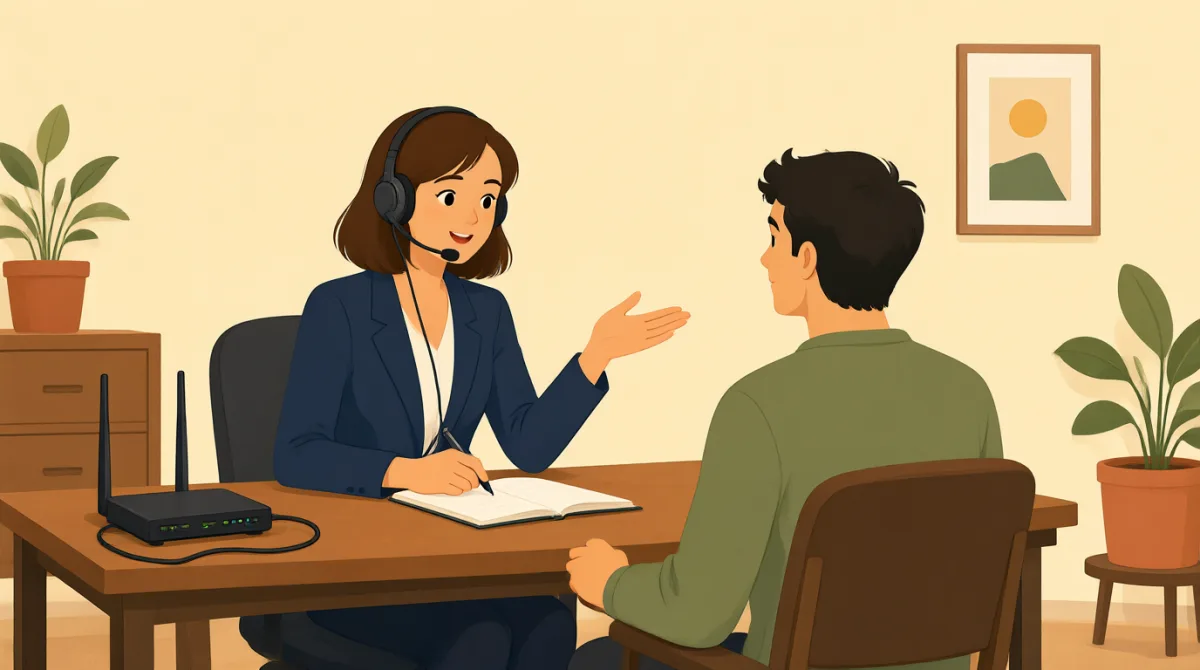

Thank you for calling Technical Support. My name is Grace. How may I help you today?
টেকনিক্যাল সাপোর্টে ফোন করার জন্য ধন্যবাদ। আমার নাম গ্রেস। আজ কীভাবে আপনাকে সাহায্য করতে পারি?

Hi Grace, my internet isn't working at all. I've tried restarting my computer, but nothing seems to help. It's been out for about an hour now.
হ্যালো গ্রেস, আমার ইন্টারনেট একেবারেই কাজ করছে না। কম্পিউটারটা রিস্টার্ট করে দেখেছি, কিন্তু কিছুতেই কাজ হচ্ছে না। প্রায় এক ঘণ্টা ধরে ইন্টারনেট নেই।
I understand, Jack. Let's try some basic troubleshooting. Can you please locate your modem and router for me?
বুঝতে পারছি, জ্যাক। চলুন, কিছু প্রাথমিক সমস্যা সমাধানের চেষ্টা করি। আপনার মডেম আর রাউটারটা কি খুঁজে বের করে দেখাবেন?
Sure, I see them both. They're usually right next to each other.
অবশ্যই, দুটোই দেখতে পাচ্ছি। সাধারণত পাশাপাশি থাকে।
Great. First, please unplug the power cable from both your modem and your router. Wait about 30 seconds, then plug the modem back in. Wait for all the lights on the modem to come on and stabilize.
বেশ। প্রথমে, মডেম আর রাউটার—দুটোরই বিদ্যুতের তার খুলে ফেলুন। প্রায় ৩০ সেকেন্ড অপেক্ষা করুন, তারপর মডেমের তারটা আবার লাগান। মডেমের সব বাতি জ্বলে স্থির হওয়া পর্যন্ত অপেক্ষা করুন।
Okay, I've unplugged them. Counting to 30 now... Alright, the modem lights are back on and steady.
ঠিক আছে, তারগুলো খুলে ফেলেছি। এখন ৩০ পর্যন্ত গুনছি... আচ্ছা, মডেমের বাতিগুলো আবার জ্বলেছে, আর স্থির আছে।
Perfect. Now, plug in the power cable to your router and wait for its lights to stabilize as well. Once that's done, try connecting to the internet again.
চমৎকার। এবার রাউটারের বিদ্যুতের তার লাগান, আর বাতিগুলো স্থির হওয়া পর্যন্ত অপেক্ষা করুন। হয়ে গেলে আবার ইন্টারনেটে সংযোগ করার চেষ্টা করুন।
Okay, the router lights are steady now... Let me check. Oh, wow! It's working! Thank you so much, Grace!
ঠিক আছে, রাউটারের বাতিগুলো এখন স্থির... দেখি। ওহ, বাহ! কাজ করছে! অনেক ধন্যবাদ, গ্রেস!
You're very welcome, Jack! I'm glad we could get that resolved for you. Is there anything else I can assist you with today?
আপনাকে স্বাগতম, জ্যাক! আপনার সমস্যাটা সমাধান করতে পেরে আমি খুশি। আজ আর কোনোভাবে সাহায্য করতে পারি?
No, that's everything. You fixed it. Thanks again!
না, আর কিছু নেই। আপনি ঠিক করে দিয়েছেন। আবারও ধন্যবাদ!
My pleasure. Have a great day!
এটা করতে পেরে ভালো লাগল। আপনার দিনটা ভালো কাটুক!
শব্দভান্ডার6
- troubleshootingসমস্যা সমাধান
The process of finding and fixing problems, especially with technology like computers or internet. Use it when describing steps to solve technical issues.
বিশেষ করে কম্পিউটার বা ইন্টারনেটের মতো প্রযুক্তিগত ক্ষেত্রে সমস্যা খুঁজে বের করে ঠিক করার প্রক্রিয়া। প্রযুক্তিগত সমস্যা সমাধানের ধাপগুলো বোঝাতে এই শব্দটি ব্যবহার করা হয়।
- modemমডেম
A device that connects your home to the internet service provider. It's like a gateway for internet access.
এমন একটি যন্ত্র, যা আপনার বাড়িকে ইন্টারনেট পরিষেবা প্রদানকারীর সঙ্গে যুক্ত করে। ইন্টারনেট ব্যবহারের প্রবেশদ্বার হিসেবে কাজ করে।
- routerরাউটার
A device that shares the internet connection with multiple devices in your home, like phones and computers.
এমন একটি যন্ত্র, যা আপনার বাড়ির একাধিক ডিভাইসে—যেমন ফোন ও কম্পিউটারে—ইন্টারনেট সংযোগ ভাগ করে দেয়।
- unplugখুলে ফেলা
To pull out a plug from an electrical socket to disconnect power. Commonly used in instructions for resetting devices.
বিদ্যুৎ সংযোগ বিচ্ছিন্ন করতে সকেট থেকে প্লাগ টেনে বের করা। যন্ত্র রিসেট করার নির্দেশনায় এই শব্দটি প্রায়ই ব্যবহৃত হয়।
- stabilizeস্থির হওয়া
To become steady or fixed in place, often used for lights or signals that stop blinking and stay on.
স্থিতিশীল বা অপরিবর্তিত হওয়া। বাতি বা সংকেতের ক্ষেত্রে এটি প্রায়ই বোঝায় যে সেগুলো আর জ্বলছে-নিভছে না, বরং একটানা জ্বলছে।
- power cableবিদ্যুতের তার
The cord or wire that connects a device to electricity. It's essential for powering up modems and routers.
যে তারের মাধ্যমে কোনো যন্ত্র বিদ্যুতের সঙ্গে যুক্ত হয়। মডেম ও রাউটার চালু করার জন্য এটি দরকার।
গুরুত্বপূর্ণ বাক্য7
- 1
Thank you for calling Technical Support. My name is Grace. How may I help you today?
টেকনিক্যাল সাপোর্টে ফোন করার জন্য ধন্যবাদ। আমার নাম গ্রেস। আজ কীভাবে আপনাকে সাহায্য করতে পারি?
This is a polite greeting used by customer service reps to start a call. 'How may I help you' is formal and shows willingness to assist. Use it in professional phone conversations.
গ্রাহকসেবা প্রতিনিধিরা ফোনে কথা শুরু করার সময় এভাবে ভদ্রভাবে অভিবাদন জানান। 'How may I help you' (কীভাবে আপনাকে সাহায্য করতে পারি) আনুষ্ঠানিক ভঙ্গিতে সহায়তার আগ্রহ প্রকাশ করে। পেশাগত ফোনালাপে এটি ব্যবহার করুন।
- 2
My internet isn't working at all.
আমার ইন্টারনেট একেবারেই কাজ করছে না।
A simple way to report a problem. 'Isn't working' uses the present continuous for ongoing issues. Useful when describing tech failures to support teams.
সমস্যা জানানোর একটি সহজ উপায়। 'Isn't working' চলমান সমস্যা বোঝাতে present continuous ব্যবহার করে। সাপোর্ট টিমকে প্রযুক্তিগত ত্রুটির কথা জানানোর সময় এটি কাজে লাগে।
- 3
Let's try some basic troubleshooting.
চলুন, কিছু প্রাথমিক সমস্যা সমাধানের চেষ্টা করি।
Suggests starting with simple fixes. 'Let's try' invites collaboration. Great for guiding someone through problem-solving steps politely.
এটি সহজ কিছু সমাধান দিয়ে শুরু করার প্রস্তাব জানায়। 'Let's try' একসঙ্গে চেষ্টা করার আমন্ত্রণ জানায়। কাউকে ভদ্রভাবে সমস্যা সমাধানের ধাপগুলো বুঝিয়ে দেওয়ার জন্য এটি বেশ উপযোগী।
- 4
Can you please locate your modem and router for me?
আপনার মডেম আর রাউটারটা কি খুঁজে বের করে দেখাবেন?
A polite request for action. 'Can you please' softens the command. Use in instructions to ask someone to find or identify objects during help calls.
কোনো কাজ ভদ্রভাবে অনুরোধ করার বাক্য। 'Can you please' নির্দেশকে নরম ও ভদ্র করে তোলে। সাহায্যের ফোনকলে কাউকে কোনো জিনিস খুঁজে বের করতে বা শনাক্ত করতে বলার সময় এটি ব্যবহার করুন।
- 5
Please unplug the power cable from both your modem and your router.
মডেম আর রাউটার—দুটোরই বিদ্যুতের তার খুলে ফেলুন।
Clear imperative instruction. Uses 'please' for politeness. Common in tech support for resetting devices; follow with wait times for safety.
কাজটি সরাসরি নির্দেশ করে। 'please' ব্যবহার করে নির্দেশটি ভদ্র করা হয়েছে। যন্ত্র রিসেট করার সময় টেকনিক্যাল সাপোর্টে এমন নির্দেশ দেওয়া হয়; নিরাপদে কাজ করতে এরপর কতক্ষণ অপেক্ষা করতে হবে, তা জানিয়ে দিন।
- 6
Wait for all the lights on the modem to come on and stabilize.
মডেমের সব বাতি জ্বলে স্থির হওয়া পর্যন্ত অপেক্ষা করুন।
Describes a waiting step in troubleshooting. 'Come on' means turn on; 'stabilize' means become steady. Essential for explaining device boot-up processes.
এটি সমস্যা সমাধানের সময় অপেক্ষা করার একটি ধাপ বোঝায়। 'Come on' মানে জ্বলে ওঠা; 'stabilize' মানে স্থির হওয়া। যন্ত্র চালু হওয়ার প্রক্রিয়া বোঝাতে এই শব্দগুলো কাজে লাগে।
- 7
You're very welcome! I'm glad we could get that resolved for you.
আপনাকে অনেক স্বাগতম! আপনার সমস্যাটা সমাধান করতে পেরে আমি খুশি।
A warm response to thanks. 'You're welcome' is standard; 'resolved' means fixed. Use at the end of successful help interactions to show satisfaction.
ধন্যবাদ জানালে উষ্ণভাবে উত্তর দেওয়ার একটি উপায়। 'You're welcome' ধন্যবাদের উত্তরে প্রচলিত অভিব্যক্তি; 'resolved' মানে সমাধান করা। সাহায্যে সমস্যা সফলভাবে মিটে গেলে সন্তুষ্টি প্রকাশ করতে এটি ব্যবহার করুন।