Discussing Repair Options & Recommendations
พูดคุยเกี่ยวกับทางเลือกและคำแนะนำในการซ่อม
The technician presents different repair options (e.g., simple fix, part replacement, data recovery) and recommends the best course of action, explaining the pros and cons of each.
ช่างนำเสนอทางเลือกในการซ่อมหลายแบบ เช่น การแก้ไขเล็กน้อย การเปลี่ยนชิ้นส่วน และการกู้คืนข้อมูล พร้อมแนะนำแนวทางที่เหมาะสมที่สุดโดยอธิบายข้อดีและข้อเสียของแต่ละทางเลือก
บทสนทนา9
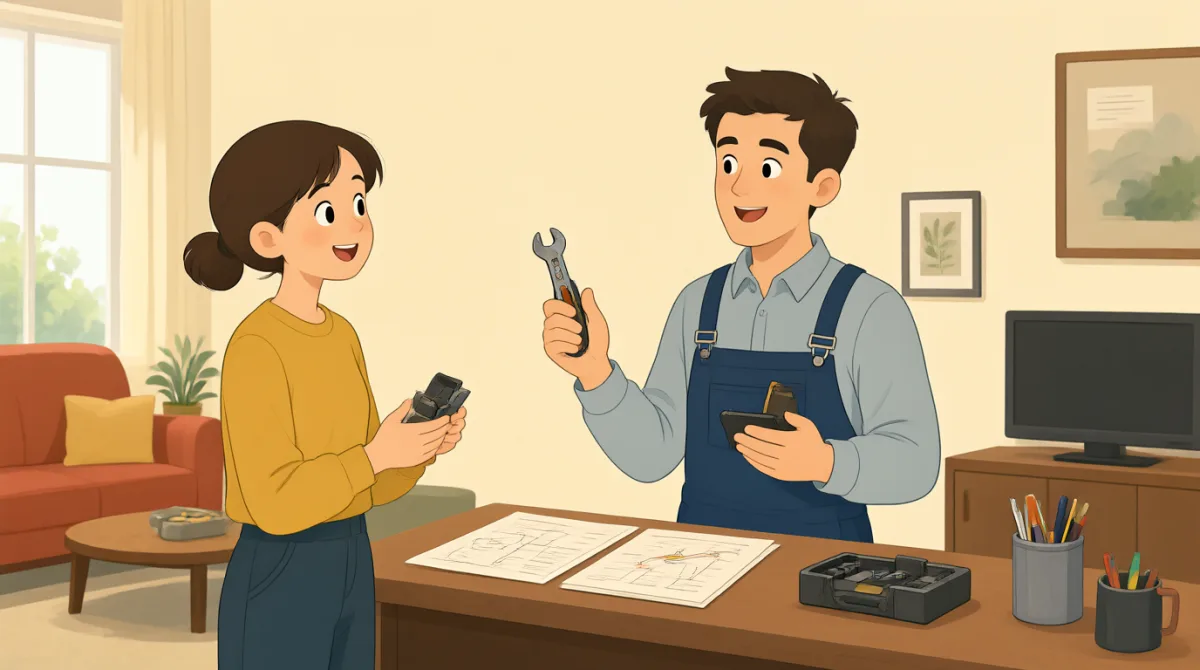

Alright, so after a thorough diagnostic, it looks like your hard drive is failing, which is causing the freezes and crashes. The good news is, we can recover most of your data.
เอาล่ะครับ หลังจากตรวจวินิจฉัยอย่างละเอียดแล้ว ดูเหมือนว่าฮาร์ดไดรฟ์ของคุณกำลังจะเสีย ซึ่งเป็นสาเหตุให้เครื่องค้างและขัดข้อง ข่าวดีก็คือเรากู้คืนข้อมูลส่วนใหญ่ของคุณได้ครับ

Oh, that's a relief about the data! So, what are my options for fixing the computer itself?
โอ้ ค่อยโล่งใจเรื่องข้อมูลหน่อยค่ะ แล้วมีทางเลือกอะไรบ้างสำหรับซ่อมตัวคอมพิวเตอร์คะ
You essentially have two main options. Option one is a simple hard drive replacement with a standard HDD. It's the most budget-friendly, costing around $150 for the drive and labor. The downside is it won't be as fast.
หลัก ๆ แล้วมีสองทางเลือกครับ ทางแรกคือเปลี่ยนฮาร์ดไดรฟ์เป็น HDD แบบมาตรฐาน เป็นตัวเลือกที่ประหยัดที่สุด ค่าไดรฟ์กับค่าแรงอยู่ที่ประมาณ 150 ดอลลาร์ ข้อเสียคือจะไม่เร็วเท่าไหร่ครับ
And the second option?
แล้วทางเลือกที่สองล่ะคะ
Option two is upgrading to a Solid State Drive, or SSD. It's significantly faster and more reliable. This would cost around $250, but your computer would feel like new. We'd also reinstall your operating system to optimize performance.
ทางเลือกที่สองคืออัปเกรดเป็นโซลิดสเตตไดรฟ์ หรือ SSD ครับ เร็วกว่าและเชื่อถือได้มากกว่ามาก ราคาประมาณ 250 ดอลลาร์ แต่คอมพิวเตอร์ของคุณจะรู้สึกเหมือนได้เครื่องใหม่เลย เราจะติดตั้งระบบปฏิบัติการให้ใหม่ด้วย เพื่อให้ทำงานได้เต็มประสิทธิภาพครับ
Hmm, an SSD sounds appealing. What about the data recovery process? Is that included in the cost?
อืม SSD ฟังดูน่าสนใจนะคะ แล้วขั้นตอนกู้คืนข้อมูลล่ะคะ รวมอยู่ในค่าใช้จ่ายหรือเปล่า
Yes, basic data recovery and transfer to your new drive are included in both options. For the SSD option, I highly recommend it. The performance boost is really noticeable, especially if you plan to keep this computer for a few more years.
ครับ การกู้คืนข้อมูลเบื้องต้นและถ่ายโอนไปยังไดรฟ์ใหม่รวมอยู่ในราคาของทั้งสองทางเลือกแล้วครับ ส่วนตัวเลือก SSD ผมแนะนำอย่างยิ่งเลย ประสิทธิภาพที่เพิ่มขึ้นเห็นได้ชัดมาก โดยเฉพาะถ้าคุณวางแผนจะใช้คอมพิวเตอร์เครื่องนี้ต่อไปอีกสักสองสามปีครับ
Okay, that makes sense. I think I'll go with the SSD upgrade then. It sounds like the best long-term solution. How long would that take?
โอเค ฟังดูมีเหตุผลค่ะ งั้นฉันเลือกอัปเกรดเป็น SSD แล้วกัน ดูเหมือนจะเป็นทางเลือกที่คุ้มในระยะยาวที่สุด ใช้เวลานานแค่ไหนคะ
Great choice! We can usually get that done within 24-48 hours, depending on our current workload. We'll give you a call as soon as it's ready for pickup.
เลือกได้ดีครับ! ปกติเราทำเสร็จได้ภายใน 24-48 ชั่วโมง ขึ้นอยู่กับปริมาณงานตอนนี้ของเราครับ เราจะโทรหาคุณทันทีที่เครื่องพร้อมให้มารับ
คำศัพท์9
- diagnosticการตรวจวินิจฉัย
A check or test to find out what is wrong with something, like a computer. Use it when talking about examining problems, e.g., 'We need a diagnostic on the car.'
หมายถึงการตรวจหรือทดสอบเพื่อหาว่ามีอะไรผิดปกติ เช่น ในคอมพิวเตอร์ ใช้พูดถึงการตรวจหาปัญหา เช่น 'We need a diagnostic on the car.' (เราต้องตรวจวินิจฉัยรถ)
- hard driveฮาร์ดไดรฟ์
The part of a computer that stores data, like files and programs. It's essential in tech discussions; say 'My hard drive is full' when you can't save more files.
ชิ้นส่วนของคอมพิวเตอร์ที่ใช้เก็บข้อมูล เช่น ไฟล์และโปรแกรม คำนี้ใช้บ่อยในการพูดคุยเรื่องเทคโนโลยี เช่น 'My hard drive is full' (ฮาร์ดไดรฟ์ของฉันเต็ม) เมื่อบันทึกไฟล์เพิ่มไม่ได้แล้ว
- failingกำลังจะเสีย
Not working properly or breaking down gradually. Use it for machines or health, e.g., 'The battery is failing' means it's losing power slowly.
หมายถึงทำงานผิดปกติหรือค่อย ๆ เสื่อมจนเสีย ใช้พูดถึงเครื่องจักรหรือสุขภาพก็ได้ เช่น 'The battery is failing' หมายถึงแบตเตอรี่เริ่มเก็บไฟได้น้อยลงเรื่อย ๆ
- recoverกู้คืน
To get back something lost or damaged, like data from a computer. Practical for tech support: 'Can we recover the deleted files?'
หมายถึงนำสิ่งที่สูญหายหรือเสียหายกลับคืนมา เช่น กู้ข้อมูลจากคอมพิวเตอร์ ใช้ได้จริงในการขอความช่วยเหลือด้านเทคนิค เช่น 'Can we recover the deleted files?' (เรากู้ไฟล์ที่ลบไปแล้วกลับมาได้ไหม)
- optionsทางเลือก
Choices available to you. Common in advice situations: 'What are my options for payment?' helps when discussing alternatives.
ตัวเลือกที่มีให้คุณ คำนี้ใช้บ่อยเมื่อต้องขอคำแนะนำ เช่น 'What are my options for payment?' (ฉันมีทางเลือกในการชำระเงินอะไรบ้าง) ใช้เมื่อต้องการพูดถึงทางเลือกต่าง ๆ
- replacementการเปลี่ยนชิ้นส่วน
Something new that takes the place of the old one. Use in repair contexts: 'We need a replacement part for the screen.'
สิ่งใหม่ที่นำมาแทนของเดิม ใช้ในบริบทการซ่อม เช่น 'We need a replacement part for the screen.' (เราต้องใช้ชิ้นส่วนใหม่มาเปลี่ยนหน้าจอ)
- reliableเชื่อถือได้
Something you can trust to work well consistently. Useful for products: 'This phone is more reliable than the old one.'
หมายถึงสิ่งที่วางใจได้ว่าจะทำงานได้ดีอย่างสม่ำเสมอ ใช้พูดถึงสินค้าได้ เช่น 'This phone is more reliable than the old one.' (โทรศัพท์เครื่องนี้เชื่อถือได้มากกว่าเครื่องเก่า)
- recommendแนะนำ
To suggest something as the best choice. Polite in services: 'I recommend the upgrade for better speed.'
หมายถึงเสนอสิ่งที่คิดว่าเป็นตัวเลือกที่ดีที่สุด ใช้พูดอย่างสุภาพในการให้บริการ เช่น 'I recommend the upgrade for better speed.' (ผมแนะนำให้อัปเกรดเพื่อให้ทำงานได้เร็วขึ้น)
- long-termระยะยาว
Something that lasts or is planned for a long time in the future. Use for decisions: 'This is a long-term investment.'
หมายถึงสิ่งที่คงอยู่หรือวางแผนไว้เป็นเวลานานในอนาคต ใช้พูดถึงการตัดสินใจได้ เช่น 'This is a long-term investment.' (นี่เป็นการลงทุนระยะยาว)
ประโยคสำคัญ8
- 1
After a thorough diagnostic, it looks like your hard drive is failing.
หลังจากตรวจวินิจฉัยอย่างละเอียดแล้ว ดูเหมือนว่าฮาร์ดไดรฟ์ของคุณกำลังจะเสีย
This sentence uses 'after' for sequence and 'it looks like' to express an opinion based on evidence. Useful for explaining findings in consultations; practice it to describe problem diagnoses clearly.
ประโยคนี้ใช้ 'after' เพื่อบอกลำดับเหตุการณ์ และใช้ 'it looks like' เพื่อแสดงความคิดเห็นจากหลักฐานที่มี เหมาะสำหรับอธิบายสิ่งที่พบระหว่างให้คำปรึกษา ลองฝึกใช้เพื่อบอกผลการวินิจฉัยปัญหาให้ชัดเจน
- 2
The good news is, we can recover most of your data.
ข่าวดีก็คือเรากู้คืนข้อมูลส่วนใหญ่ของคุณได้
A positive structure starting with 'The good news is' to soften bad news. Great for customer service; use it to balance information and reassure others.
โครงสร้างที่ขึ้นต้นด้วย 'The good news is' ใช้เกริ่นข่าวดีเพื่อช่วยให้การบอกข่าวร้ายฟังนุ่มนวลขึ้น เหมาะกับงานบริการลูกค้า ใช้เพื่อให้ข้อมูลอย่างสมดุลและช่วยให้อีกฝ่ายสบายใจ
- 3
What are my options for fixing the computer itself?
ฉันมีทางเลือกอะไรบ้างสำหรับซ่อมตัวคอมพิวเตอร์คะ
This is a direct question using 'what are my options' to ask for choices. Essential for discussions; it shows politeness by specifying the topic, helpful in service scenarios.
นี่เป็นคำถามตรง ๆ ที่ใช้ 'what are my options' เพื่อถามว่ามีตัวเลือกอะไรบ้าง การระบุหัวข้อให้ชัดเจนช่วยให้ฟังสุภาพ เหมาะสำหรับการพูดคุยในสถานการณ์ที่ต้องขอรับบริการ
- 4
You essentially have two main options.
หลัก ๆ แล้วคุณมีสองทางเลือกครับ
'Essentially' means 'basically,' simplifying complex ideas. Useful pattern for presenting choices; use it when summarizing alternatives to make explanations easier.
'Essentially' หมายถึง 'basically' หรือ “โดยพื้นฐานแล้ว” ใช้สรุปเรื่องที่ซับซ้อนให้เข้าใจง่ายขึ้น เหมาะสำหรับเกริ่นนำเสนอตัวเลือกและสรุปทางเลือกต่าง ๆ
- 5
The downside is it won't be as fast.
ข้อเสียคือมันจะไม่เร็วเท่าอีกตัวเลือกครับ
'The downside is' introduces a negative aspect, with comparative 'as fast' for differences. Practical for pros/cons discussions; helps weigh decisions in advice-giving.
'The downside is' ใช้เกริ่นข้อเสีย ส่วน 'as fast' ใช้เปรียบเทียบความเร็ว ประโยคนี้มีประโยชน์เวลาอธิบายข้อดีข้อเสียเพื่อช่วยให้อีกฝ่ายตัดสินใจ
- 6
I highly recommend it.
ผมแนะนำอย่างยิ่งครับ
'Highly recommend' strongly suggests something positively. Common in recommendations; use it to express strong endorsement, like in shopping or repairs, with simple grammar.
'Highly recommend' เป็นการแนะนำอย่างหนักแน่นในแง่ดี ใช้บ่อยเมื่อต้องเสนอแนะ เช่น ตอนเลือกซื้อสินค้าหรือซ่อมอุปกรณ์ และใช้รูปประโยคที่ไม่ซับซ้อน
- 7
That makes sense.
ฟังดูมีเหตุผลค่ะ
A casual agreement meaning 'I understand and agree.' Versatile for conversations; use it to show comprehension without long responses, common in everyday English.
เป็นคำตอบรับแบบไม่เป็นทางการ หมายถึง “เข้าใจแล้วและเห็นด้วย” ใช้ได้หลากหลายในการสนทนา เพื่อแสดงว่าเข้าใจโดยไม่ต้องตอบยาว เป็นสำนวนที่พบบ่อยในภาษาอังกฤษในชีวิตประจำวัน
- 8
How long would that take?
ใช้เวลานานแค่ไหนคะ
Conditional 'would' asks about time for future actions politely. Key for planning; practice in service interactions to inquire about durations without being direct.
การใช้ 'would' ในประโยคคำถามแบบเงื่อนไขช่วยถามอย่างสุภาพว่าจะใช้เวลาเท่าไหร่ เหมาะสำหรับการวางแผน ลองฝึกใช้เวลาสอบถามระยะเวลาในการรับบริการ โดยจะฟังไม่ตรงจนเกินไป